Word-by-word captions in Hinglish, Urdu, Hindi, English and 32 more languages. Your videos stay on your PC.
Windows 10 / 11 (64-bit)No GPU neededNo subscription
700 MB download. Speech model about 1.5 GB on first use.
Rated 5.0 / 5.0 on Gumroad. Free to try, no sign-up.Try a language
Try a style
From raw video to finished reel
- Drop in your video
Reels, Shorts or a full video.
- Get your captions
Choose a language. DraqCap listens and writes every word with its timing.
- Make it yours
Pick a style, fix any word, and move it where you want it.
- Export
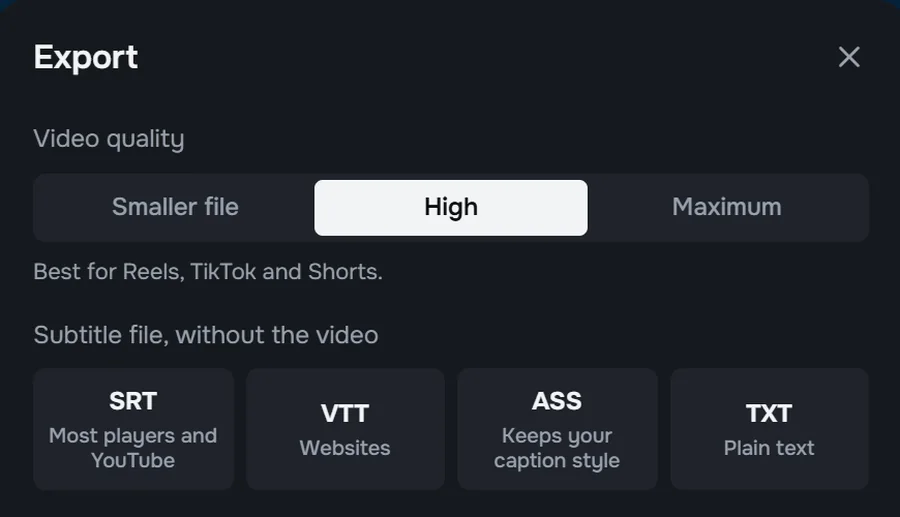
MP4 with captions on it, or a subtitle file.
styles, from clean subtitles to loud karaoke. One click to change the whole video.
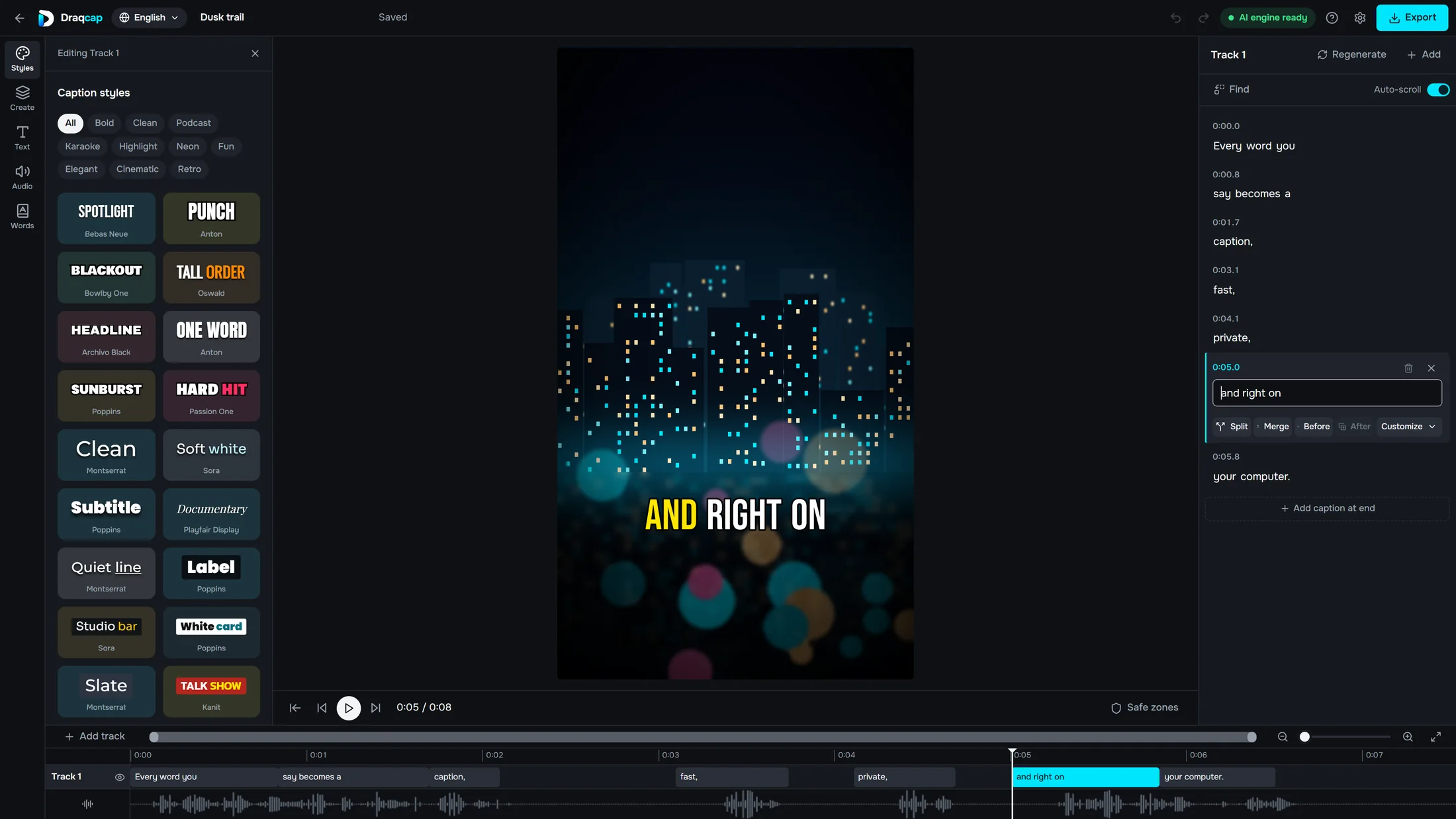
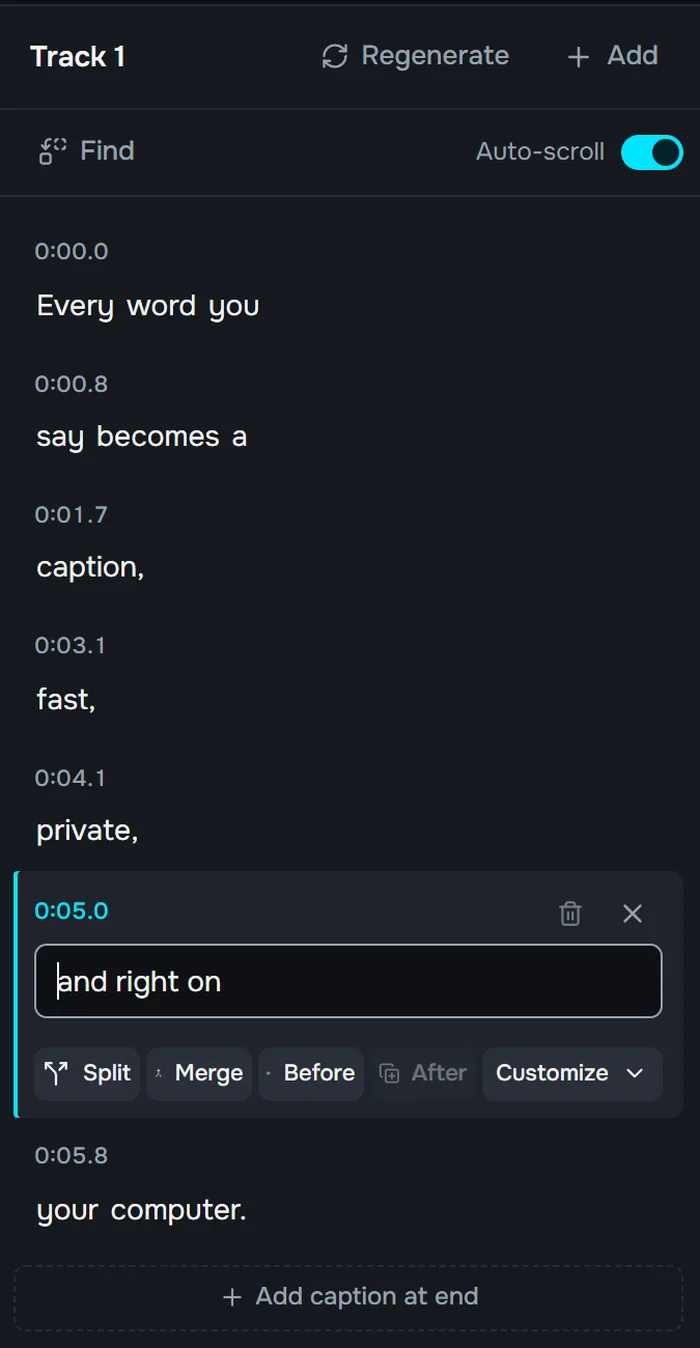
Change any word. Keep the timing.
Automatic captions make mistakes, especially with names, music and noisy rooms. Fixing them takes a click.
- Fix, split or mergeEdit any line right in the caption list.
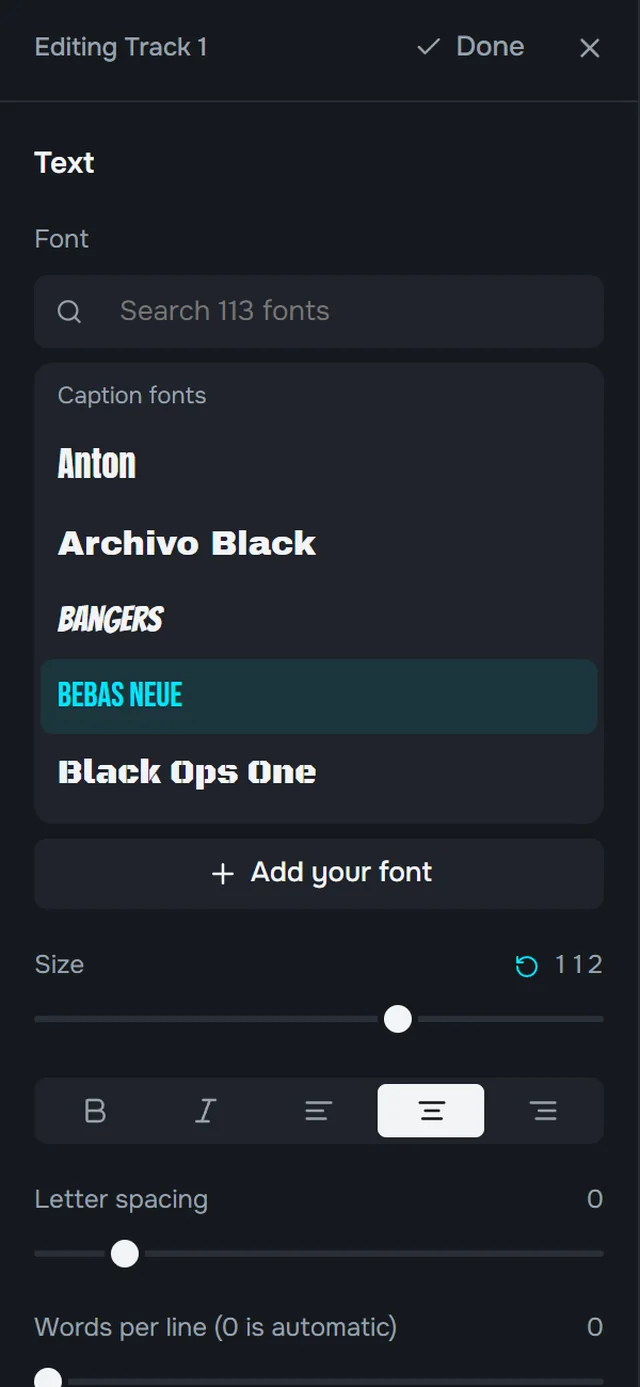
- Your fonts, your lookSize, position, spacing and colours.
- More than one trackStack extra caption tracks on the timeline.

Your videos stay on your PC
DraqCap makes captions on your own computer, so your videos are never uploaded. It runs on a normal CPU, and a good NVIDIA GPU just makes it faster.
36 languages, in native script or Roman
Hinglish is written the way people type it, with the common spelling: main, ye, hai, aur.
Pay once. No subscription.
Start with the Free plan, then upgrade when your videos get longer.
| Feature | Free$0Up to 2 minutes | Pro$15One-time payment |
|---|---|---|
| 36 languages and 56 styles | Yes | Yes |
| MP4 export with captions | Up to 2 minutes | Any length |
| Clean voice | No | Yes |
| Background music mode | Yes | Yes |
| SRT, VTT, ASS and TXT files | No | Yes |
| Your own fonts | No | Yes |
| Saved styles | No | Yes |
Good to know
How is DraqCap different from online caption tools?
Online tools ask you to upload your video to their servers. DraqCap is a desktop app, so your video stays on your PC, and there is no monthly fee.
Can DraqCap make Hinglish captions?
Yes. Hinglish is one of the 36 languages, written in Roman script with common spellings like main, ye, hai and aur.
Does it make captions for Reels, Shorts and TikTok?
Yes. Vertical videos are its main use, and you can also caption full YouTube videos with Pro.
Do I need a GPU?
No. DraqCap runs on your CPU. An NVIDIA GPU makes it faster.
Do I need the internet?
Only to download the speech model the first time, about 1.5 GB, and to check a Pro license now and then. Captions are made on your PC.
Which system does it run on?
Windows 10 and 11, 64-bit, with about 4 GB of free storage. There is no Mac version.
How do I get the free version?
Click Download DraqCap Free to get the file from Google Drive, about 700 MB. Windows may show a security notice on first install. Click More info, then Run anyway.
What is the 2-minute limit?
The Free plan exports MP4 videos up to 2 minutes long. Pro removes the limit and adds Clean voice, subtitle files, your own fonts and saved styles.
Can I use my Pro key on two computers?
A Pro key works on 1 computer at a time. You can move it to another computer 3 times a year.
Are the captions always right?
No app gets every word. Names, music, accents and overlapping voices can cause mistakes, so you can fix any word in the editor. Punjabi, Sindhi, Pashto, Nepali, Assamese and Malayalam are in beta.