Bear
Beautiful Markdown notes for Apple users, with tags and linked notes
Upvotes
0
Pricing
Freemium
Category
Note-Taking Tools
In the database since
Oct 2026
Overview
About Bear
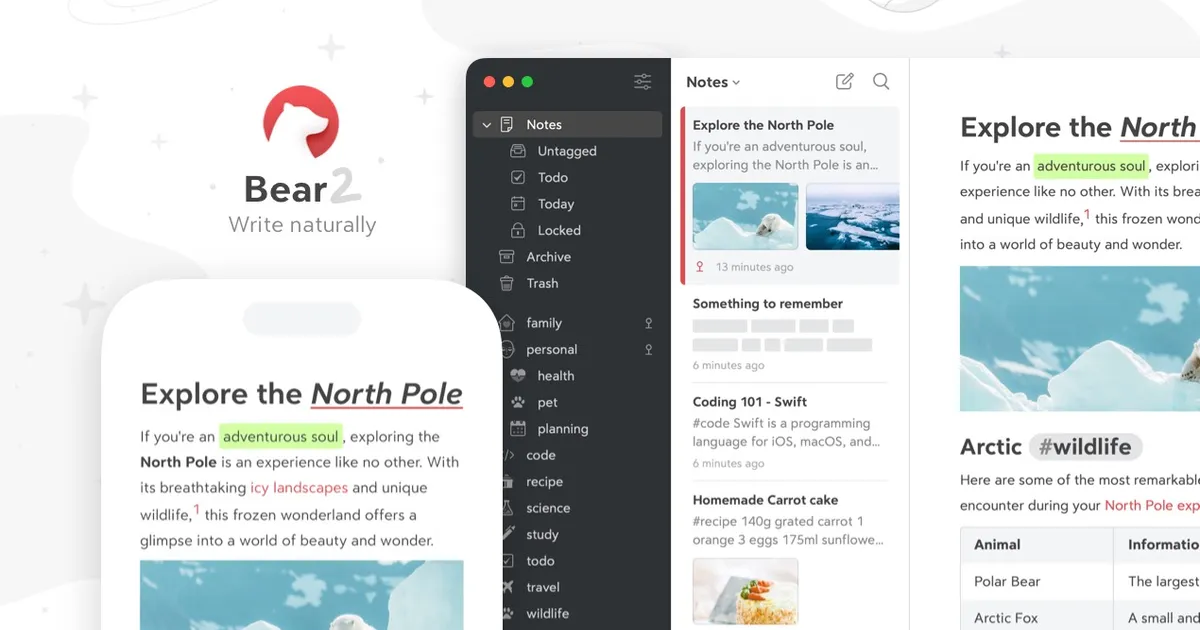
Bear is a Markdown note-taking app made only for Apple devices — Mac, iPhone, and iPad. It won an Apple Design Award for its clean, calm writing space. You write in Markdown, a simple way to format text with symbols, and the editor hides the code so notes stay clean. Notes are organized with nested tags instead of folders, and notes can link to each other. A free version covers writing on one device, while Bear Pro adds sync, encryption, and extra export formats. Current pricing is on bear.app.
Key Features
1. Markdown Editor
Write with Markdown and watch it turn into clean formatted text as you type, every time.
2. Nested Tags
Tag notes like #work/projects to build folders that sort themselves with zero effort. No dragging needed.
3. Note Linking
Link notes with [[double brackets]] and see backlinks that connect related ideas. It keeps related ideas easy to find.
4. Per-Note Encryption (Pro)
Lock single notes with a password only you know. Face ID or Touch ID unlocks them fast.
5. iCloud Sync (Pro)
Your notes stay updated across Mac, iPhone, and iPad through your own iCloud account every day.
6. OCR Search (Pro)
OCR (optical character recognition) finds text inside photos and PDFs across all your notes instantly.
7. Advanced Export (Pro)
Export notes to PDF, HTML, DOCX, JPG, or ePub. Plain Markdown and text exports stay free.
8. Themes and Icons
Choose from over 30 themes and custom app icons to make Bear feel like yours.
Frequently Asked Questions (FAQ)
What platforms does Bear support?
Bear works only on Apple devices: Mac, iPhone, and iPad. There is no official Windows or Android app, so check bear.app for the latest platform news.
How does Bear's tag organization work?
Instead of folders, you add tags like #ideas to any note. Tags with slashes, such as #work/meetings, nest automatically, and tapping a tag filters your notes instantly.
Does Bear sync notes between devices?
Yes, but only with Bear Pro. Pro syncs notes, tags, and themes across your Mac, iPhone, and iPad through iCloud. The free version keeps notes on a single device.
Can I lock a note in Bear?
Yes. Bear Pro lets you encrypt single notes with a private password and unlock the app with Face ID or Touch ID. Free notes stay unprotected, so use Pro for sensitive content.
How is Bear different from Apple Notes?
Bear is built for Markdown writing with nested tags, wiki-style links, and themes. Apple Notes is simpler and free everywhere, while Bear suits writers who want formatting power.
Conclusion
Bear fits writers and thinkers who live on Apple devices. Its Markdown editor, nested tags, and note links make organizing easy without folders. The free version works for single-device writing, while Pro adds sync, encryption, and exports. If you need Windows or Android, look elsewhere. Try the free version first, then upgrade if you write daily.
Keep exploring
Similar AI tools
Ranked by the job they do, their capabilities, and how closely they fit this workflow.