Upvotes
0
Pricing
Freemium
Category
Research & Academic Tools
In the database since
Oct 2026
Overview
About ChatPDF
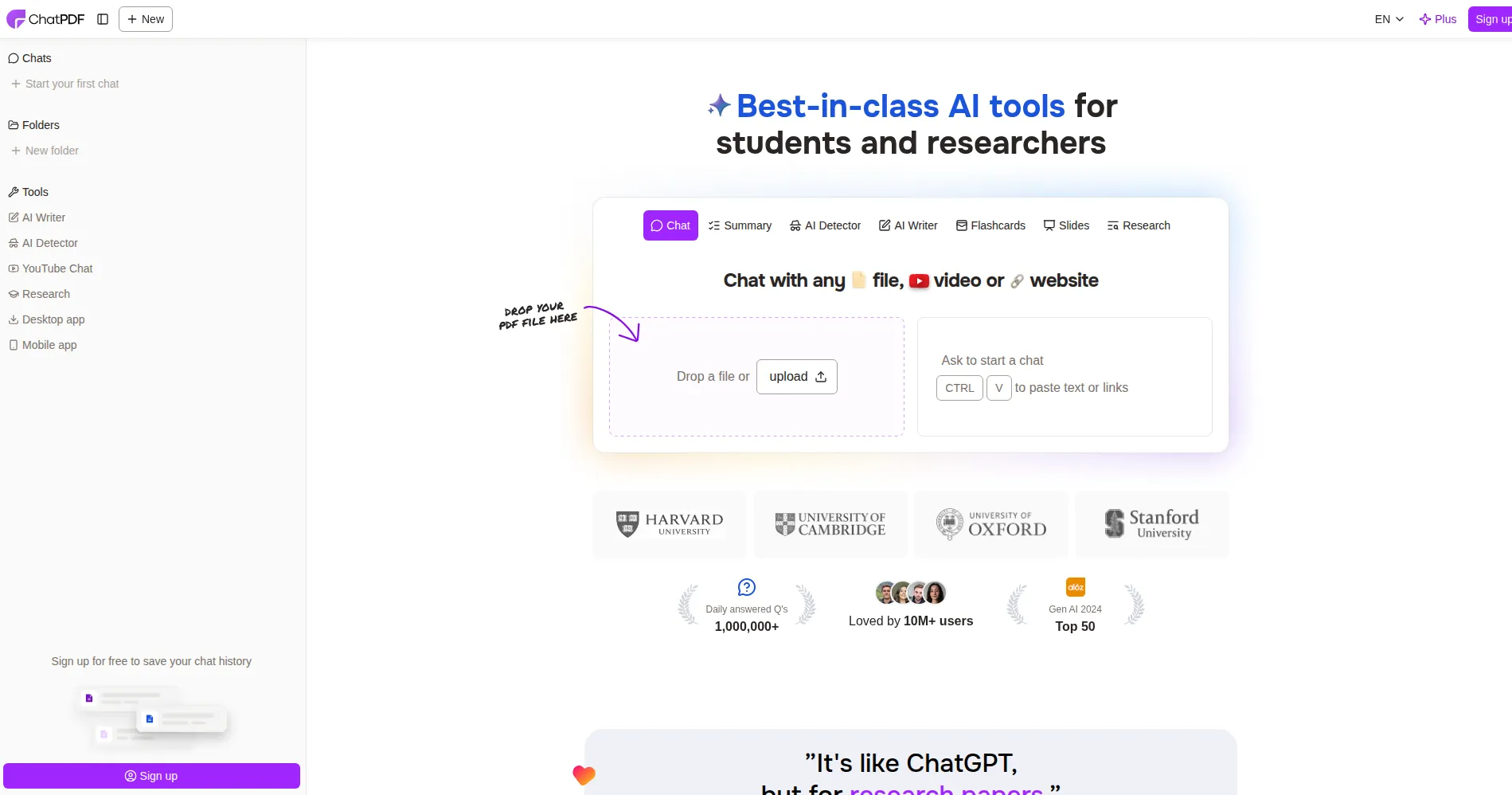
ChatPDF is an AI tool that lets you chat with a PDF instead of reading it all. You upload a document, ask a question in plain language, and get an answer from that document. It suits students, researchers, and professionals who work with long papers, reports, manuals, or contracts. Answers include page references, so you can check each claim in the source. The free tier covers a few PDFs each day, and a paid plan removes those limits. Check the official site for current limits before you rely on them.
Key Features
1. Ask Questions in Plain Language
Upload a PDF and ask questions in plain language. The tool reads the document and answers from its text, not from general knowledge.
2. Page References on Answers
Each answer points to the pages it came from. You can open the cited page and confirm the wording before you quote or use it.
3. No Account Needed to Start
You can try the core chat feature without creating an account. Signing in saves your chat history so you can return to past documents later.
4. Summaries of Long Documents
Ask for a short summary of a whole paper or one section. This helps you decide which parts deserve a full read.
5. Multilingual Questions and Answers
Upload a PDF in one language and ask questions in another. The tool answers in the language you ask in.
6. Multi-File Folders
Group related PDFs into folders and chat across several files at once. This helps when you compare papers, reports, or versions of a document.
Frequently Asked Questions (FAQ)
Do I need an account to use ChatPDF?
No. You can start chatting without an account, but signing in saves your chat history and your uploaded files for later sessions.
How accurate are ChatPDF answers?
Answers come from your document, but AI can still misread complex text. Always open the cited page and verify important facts before you use them.
Can I chat with more than one PDF at once?
Yes. Folders let you group several PDFs and ask questions across all of them in a single conversation.
What kinds of documents work with ChatPDF?
It works with text-based PDFs such as research papers, reports, manuals, books, essays, and contracts. Very long files may give weaker answers past a few hundred pages.
How is ChatPDF different from a general chatbot?
A general chatbot answers from broad training data, while ChatPDF answers only from your uploaded document and shows page references for each answer.
Conclusion
ChatPDF is a simple way to question a PDF instead of reading every page. It fits students, researchers, and professionals who need fast answers from long documents. Its page references make claims easy to check, though you should still verify key facts. The free tier suits occasional use, and the paid plan fits heavy daily reading.
Keep exploring
Similar AI tools
Ranked by the job they do, their capabilities, and how closely they fit this workflow.