Upvotes
0
Pricing
Freemium
Category
Productivity Tools
In the database since
Oct 2026
Overview
About Deepnote
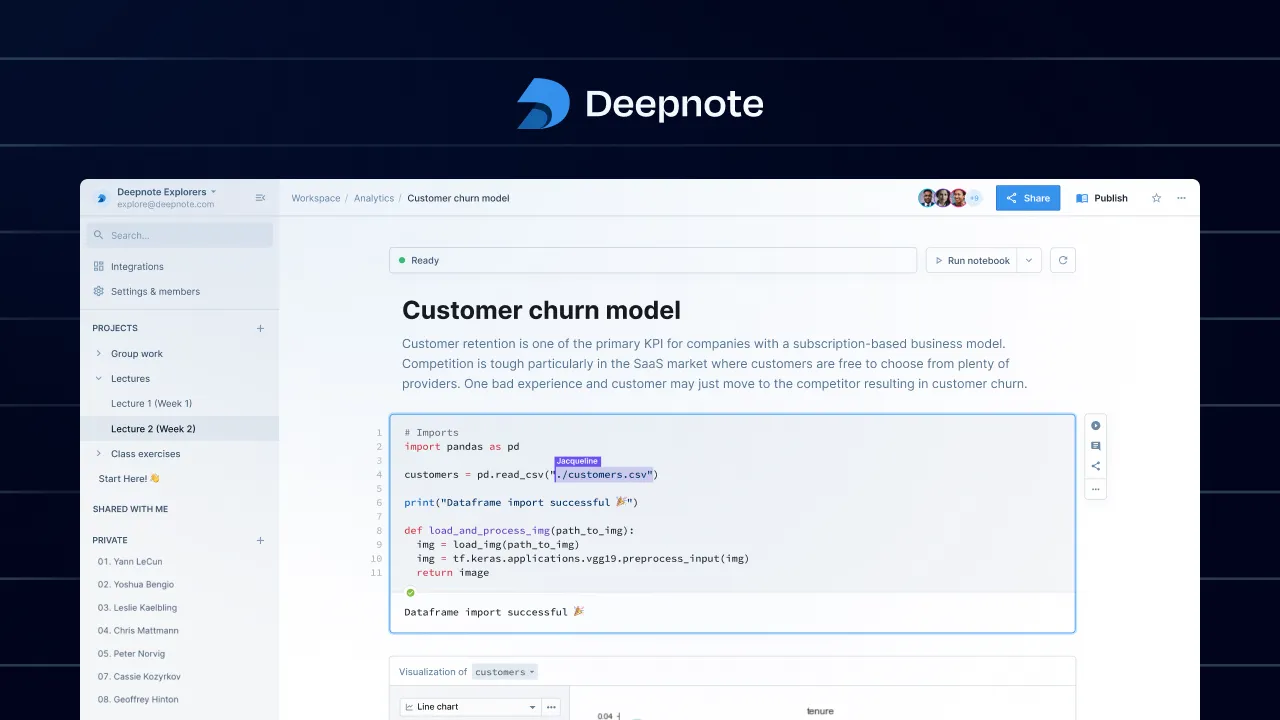
Deepnote is a collaborative data notebook that runs in your browser. A notebook is a document where you mix live code, charts, and notes in one place. Teams explore data with Python and SQL side by side. Deepnote AI helps you write code, explain results, and fix errors. Everyone edits the same notebook at once, like Google Docs for data. It connects to over 100 data sources, from warehouses to CSV files. More than 600,000 data professionals use Deepnote, and 96 of the top 100 universities teach with it.
Key Features
1. Real-Time Collaboration
Several people can edit the same notebook at the same time. You can comment on blocks, track versions, and share work with a link.
2. Deepnote AI Copilot
Deepnote AI writes code from plain-language prompts, explains confusing results, and suggests fixes when something breaks in your notebook.
3. Python and SQL Together
Query your database with SQL and analyze the results with Python in one notebook. No switching between tools or copying data around.
4. 100+ Data Integrations
Connect to popular warehouses, databases, and lakehouses in seconds. You can also drag and drop CSV files and use them like any source.
5. Scheduled Notebooks and APIs
Run notebooks on a schedule, from hourly to monthly. You can also deploy a notebook as an API and serve models straight from it.
6. Apps and Dashboards
Turn an analysis into an interactive app or dashboard. You can arrange custom layouts, hide code blocks, and add buttons and inputs.
7. Enterprise-Grade Security
Deepnote is SOC 2 and HIPAA compliant and supports GDPR rules. Teams get single sign-on, directory sync, and fine-grained access controls.
Frequently Asked Questions (FAQ)
What is a data notebook?
A data notebook is a document that mixes live code, charts, and written notes. You can run the code and see results right inside the document.
Do I need to install anything to use Deepnote?
No. Deepnote runs fully in your browser and in the cloud. You open a notebook and start working — no setup or environment management.
Can Deepnote connect to my company's database?
Yes. Deepnote offers 100+ built-in integrations for popular warehouses, databases, and lakehouses, plus drag-and-drop CSV uploads.
How does Deepnote AI help me?
Deepnote AI writes code from your plain-language requests, explains what your code or results mean, and helps fix errors when cells fail.
Can I share a notebook with people outside my team?
Yes. You can share any notebook with a simple link or an email invite, and control whether each person can view, comment, or edit.
Conclusion
Deepnote brings data teams together in one shared workspace. It combines notebooks, AI help, and real-time collaboration without the setup pain of local tools. If your team explores data with Python or SQL, it is worth a try. Students and teachers benefit too, since it is already used at 96 of the top 100 universities.
Keep exploring
Similar AI tools
Ranked by the job they do, their capabilities, and how closely they fit this workflow.