Upvotes
0
Pricing
Paid
Category
Marketing
In the database since
Oct 2026
Overview
About DocuSign
DocuSign is a platform for signing documents online and managing agreements with AI help. Instead of printing, signing, and scanning, you send a document link and people sign from any device. Its eSignature plans cover basic sending and signing. Its Intelligent Agreement Management (IAM) plans add AI tools that search, read, and analyze your contracts. It suits freelancers, sales teams, HR departments, and any business that handles contracts. Paid plans start around $11 a month. Check docusign.com for current prices and features.
Key Features
1. AI Agreement Search
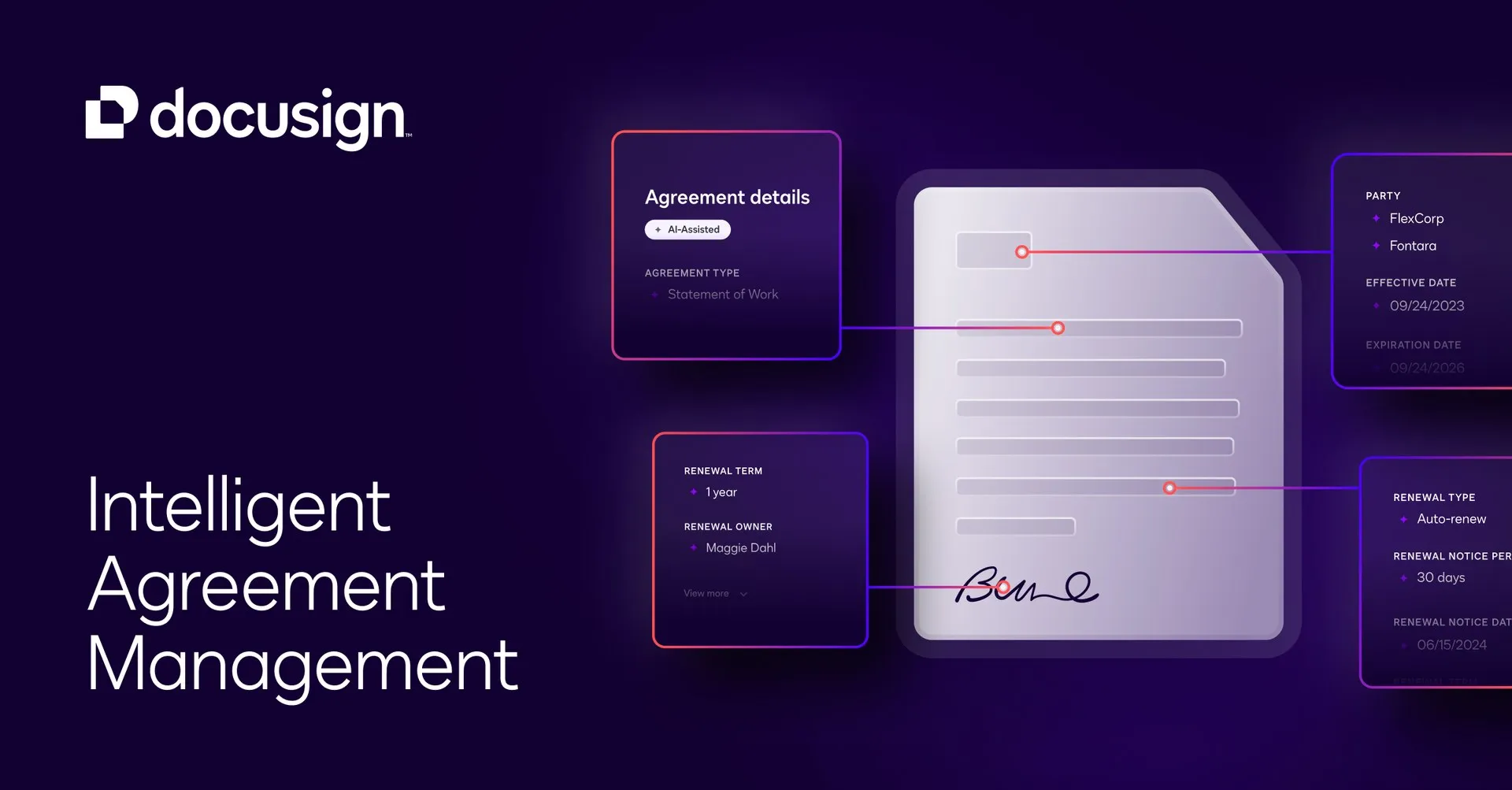
DocuSign's AI reads your stored agreements and lets you search them like a database. You can find renewal dates, payment terms, or clauses in seconds.
2. AI Document Analysis
The platform extracts key facts from each contract automatically. It pulls out parties, dates, and obligations so nobody has to read every page manually.
3. AI-Assisted Review
On higher-tier plans, AI reviews contracts and flags risky or unusual language. Legal teams can spot problems faster before sending a document for signature.
4. No-Code Workflow Automation
IAM plans let you build agreement workflows without writing code. You can route documents for approval, collect signatures in order, and store finished copies automatically.
5. Core eSignature
The classic DocuSign tool sends documents for legally binding electronic signatures. Recipients sign on phones, tablets, or computers with no account needed.
6. Historical Agreement Processing
DocuSign's Navigator AI can scan paper and PDF contracts into the system. IAM plans include a one-time allotment of thousands of historical documents per user.
7. SMS Delivery and ID Verification
You can send signature requests by text message, which speeds up signing. Optional ID checks confirm the signer is really who they claim to be.
Frequently Asked Questions (FAQ)
What is DocuSign used for?
DocuSign is used to send, sign, and manage contracts and other legal documents online. Businesses use it for sales contracts, job offers, NDAs, leases, and any agreement that needs a signature.
What is Intelligent Agreement Management (IAM)?
IAM is DocuSign's AI-assisted platform that covers the whole life of a contract, not just signing. It creates agreements, automates approval workflows, stores them in a searchable repository, and analyzes them with AI.
How does DocuSign's AI actually work?
DocuSign's AI reads the text of your agreements and pulls out structured facts like dates, amounts, and clause types. You can then search across all your contracts, get summaries, and receive alerts about risks or renewals.
Are DocuSign signatures legally valid?
Yes. Electronic signatures made with DocuSign are legally binding in the US, EU, UK, and many other regions. Each signed document keeps a tamper-proof audit trail showing who signed and when.
Can DocuSign digitize my old paper contracts?
Yes. IAM plans include Navigator AI processing for a one-time allotment of thousands of historical agreements per user. Once scanned in, old contracts become searchable and analyzable like new ones.
DocuSign eSignature vs IAM plans — which do I need?
Choose eSignature if you only need to send and sign documents. Choose an IAM plan if you also want AI search, contract analysis, and automated agreement workflows across your team.
Conclusion
DocuSign goes beyond simple e-signatures with AI tools that read, search, and review your contracts. It suits anyone who sends agreements regularly, from freelancers to legal teams. The eSignature plans are the affordable entry point; IAM plans add the real AI power. Compare the current plans on docusign.com before you buy, since features change often.
Keep exploring
Similar AI tools
Ranked by the job they do, their capabilities, and how closely they fit this workflow.