Upvotes
0
Pricing
Freemium
Category
Fashion
In the database since
Oct 2026
Overview
About Flair.ai
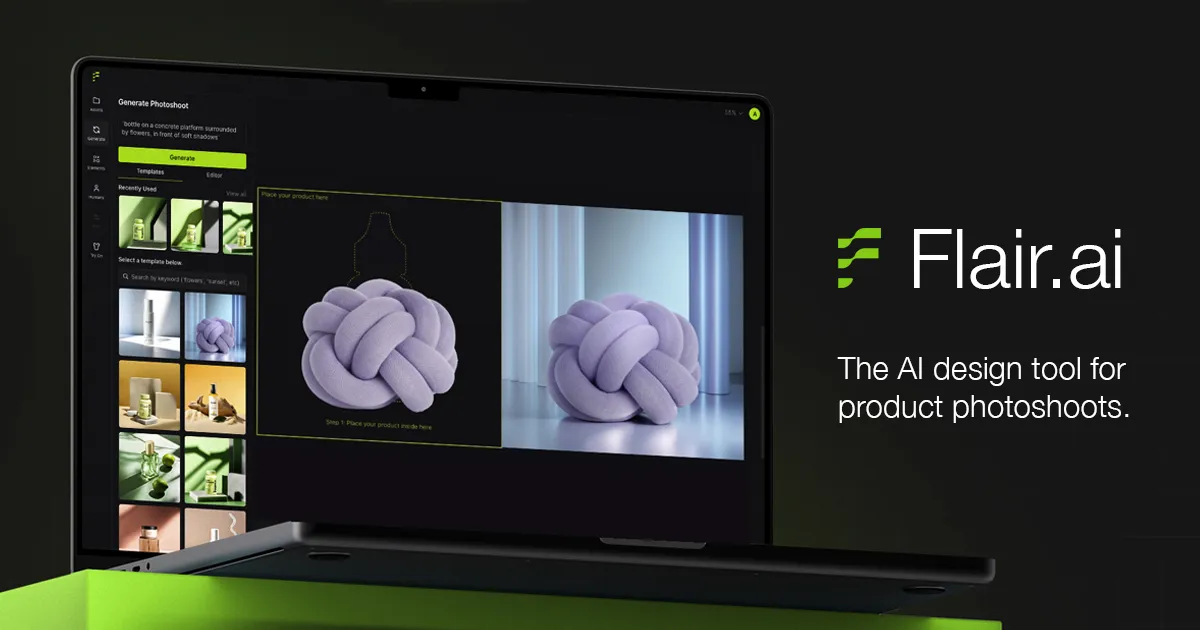
Flair.ai is an AI design tool for product photoshoots. Brands drag and drop a product onto a canvas, pick a template or scene, and the AI builds studio-quality e-commerce photos in seconds. It also fits clothing onto AI-generated models while keeping patterns and logos. The platform includes product videos, ad generation, and a custom human model builder. Teams can work together in real time and set brand rules. It offers an API for developers. Check the official site for current features and limits.
Key Features
1. Drag-and-Drop Canvas
Place your product on a canvas and stage scenes with digital props. The AI builds the final photo for you.
2. Fashion Photoshoots
Fit clothing and jewelry onto AI-generated models. Patterns and logos are preserved in the result.
3. Custom Human Models
Build AI human models from features like hair color and body type. Scale one model across all brand assets.
4. Product Videos
Create AI product videos straight from your images. They are useful for ads and product pages.
5. AI Ad Generation
Generate ad creative with steady brand consistency. A built-in template library speeds up campaign work.
6. Editing Tools
Regenerate products and backgrounds, erase objects, upscale, and extend images. Refine shots without any reshooting.
7. Templates and Brand Rules
Start from ready-made templates and keep content on-brand. Reusable templates work well at scale for teams.
8. Real-Time Teamwork and API
Teams can edit together in real time. Developers can also connect through the Flair API.
Frequently Asked Questions (FAQ)
What is Flair.ai used for?
Flair.ai creates studio-quality product photos and videos with AI. E-commerce brands use it instead of booking photoshoots.
How does the Flair editor work?
Upload your product, drag it onto a canvas, pick a scene or template, and generate. You can edit the result with AI tools.
Can Flair put clothes on AI models?
Yes. Its fashion photoshoot feature fits clothing onto AI-generated models with patterns and logos preserved.
Who should use Flair.ai?
E-commerce brands, marketers, and agencies across beauty, fashion, furniture, food, and more. It also has an enterprise plan.
Does Flair.ai make videos and ads?
Yes. It generates product videos and ad creative, plus editing tools like upscaling and background regeneration.
Can developers integrate Flair.ai?
Yes. The Flair API lets developers add its image tools to their own products.
Conclusion
Flair.ai is best for brands that need many product photos without studio costs. The drag-and-drop editor, AI models, and video tools cover most e-commerce needs well. It is free to try, with paid plans for heavier use. The template library and brand rules keep output consistent. Check the official site for current pricing before you commit.
Keep exploring
Similar AI tools
Ranked by the job they do, their capabilities, and how closely they fit this workflow.