Google Sheets + Gemini
AI help inside your sheets: formulas, summaries, and charts.
Upvotes
0
Pricing
Freemium
Category
Spreadsheets
In the database since
Oct 2026
Overview
About Google Sheets + Gemini
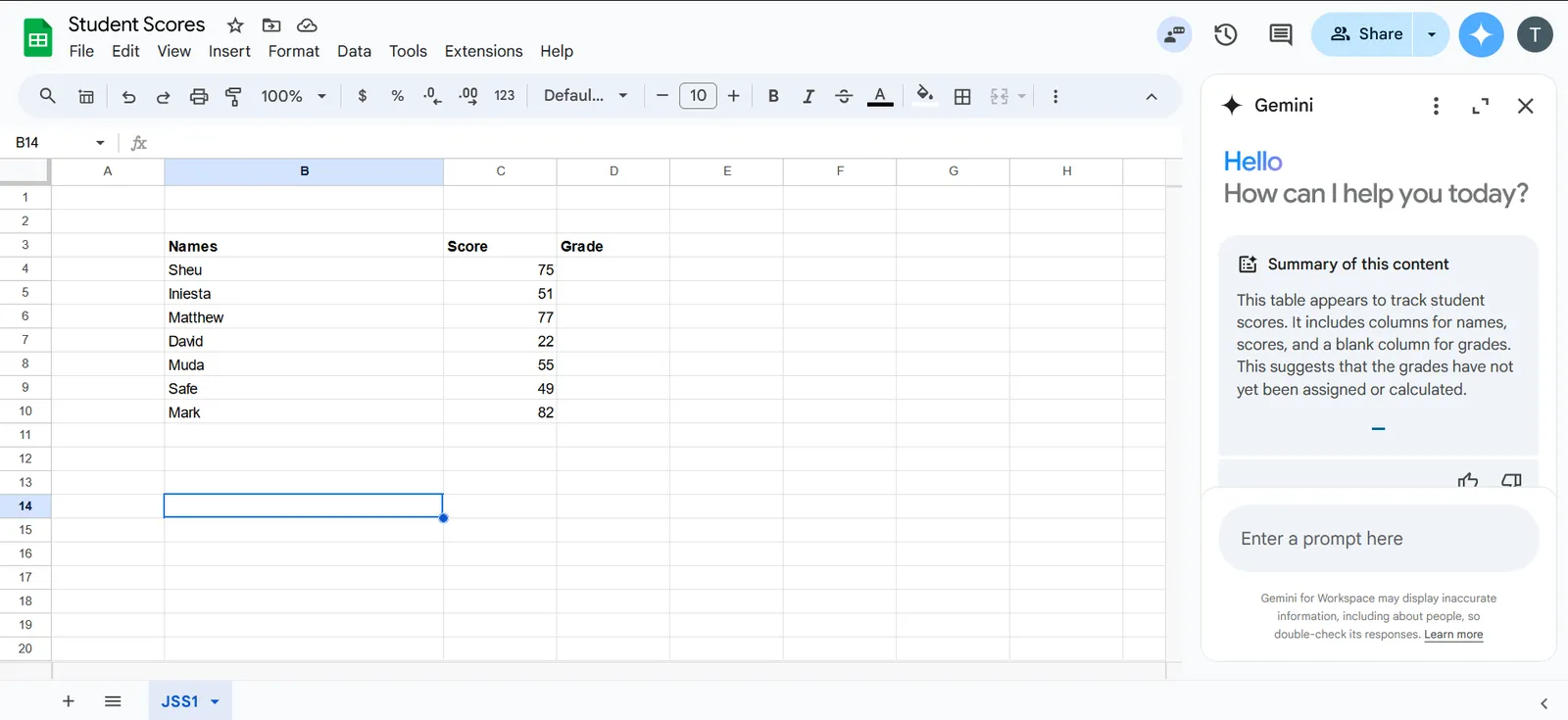
Google Sheets + Gemini is the AI assistant built into Google Sheets. It adds a Gemini side panel and an =AI() function to the spreadsheet you already use, so you can ask questions about your data in plain English. Gemini can write formulas, build pivot tables and charts, summarize ranges, and spot odd values. It suits students, office teams, and small business owners who live in Sheets. The AI features need a paid Google Workspace plan or Google One AI Premium; check the official site for current access.
Key Features
1. Gemini Side Panel
Chat with Gemini in a sidebar inside Sheets. Ask questions about your data in plain words and get answers right there.
2. =AI() Formula
Type =AI("your prompt", cell) to run AI on a cell. It can sort text, judge mood, or summarize a row.
3. Formula Help
Describe what you want in words and Gemini writes the formula for you. It can also suggest fixes for formula errors.
4. Pivot Tables and Charts
Tell Gemini what you want to see. It builds pivot tables, charts, and conditional formatting rules in seconds.
5. Data Summaries
Ask Gemini to sum up a range of data. It explains trends and flags values that look wrong.
6. Workspace Context
Gemini can pull in context from your Google Drive files, Docs, and Gmail threads when it answers your question.
Frequently Asked Questions (FAQ)
What is the =AI() function in Google Sheets?
The =AI() function runs a Gemini prompt on a cell, like =AI("Sort this review as good or bad", A2). It treats AI output as a normal formula result you can copy down a column.
Can Gemini write Google Sheets formulas for me?
Yes. Open the Gemini side panel, describe the formula you need in plain English, and it writes the formula for the cell you selected. Google also documents a Fix action for formula errors.
Do I need a paid plan to use Gemini in Google Sheets?
The full Gemini feature set is listed for paid Workspace plans and Google One AI Premium. Some free accounts may see limited access, so check your account before paying.
How is this different from an AI add-on like Numerous.ai?
Gemini is built in by Google, with a side panel and the =AI() function, and it needs a paid Workspace or AI Premium plan. Add-ons run through third-party accounts with their own token billing.
Can Gemini summarize my spreadsheet?
Yes, it can summarize data ranges, answer questions about your sheet, and explain what a table shows. Name the tab in your prompt when your file has many tabs.
How accurate are Gemini's answers in Sheets?
Google warns that Gemini can return wrong information. Treat its work like a new helper's: check results against rows where you know the answer before trusting it.
Conclusion
Google Sheets + Gemini brings real AI into the spreadsheet most people already use every day. The side panel and =AI() formula cover formulas, summaries, charts, and text tasks without any add-ons. It fits anyone who works in Sheets daily and wants faster answers. The AI features need a paid plan, so check your access first.
Keep exploring
Similar AI tools
Ranked by the job they do, their capabilities, and how closely they fit this workflow.