Upvotes
0
Pricing
Open Source
Category
3D Tools
In the database since
Oct 2026
Overview
About InstantMesh
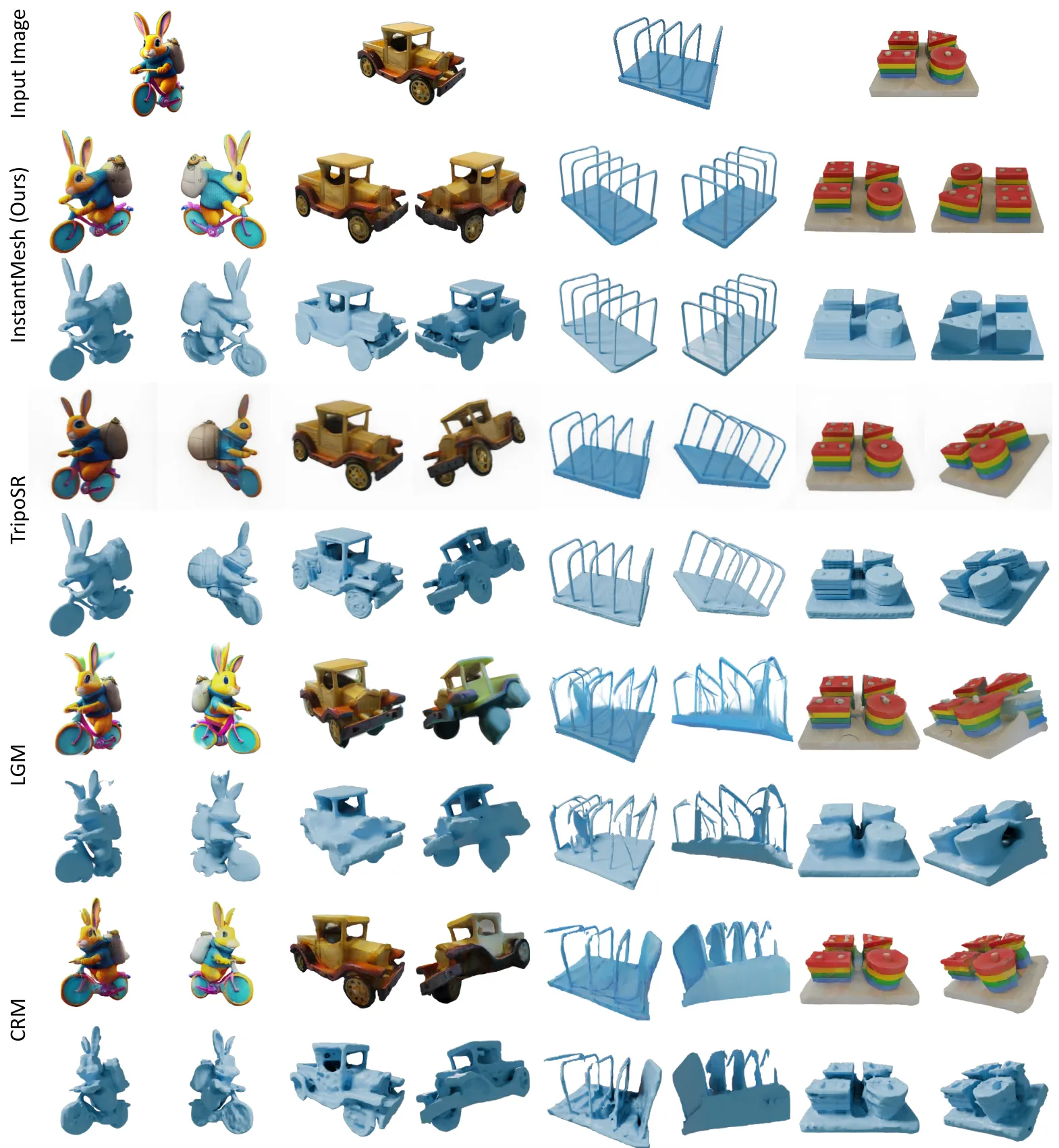
InstantMesh is an open-source tool that turns a single image into a 3D mesh in about ten seconds. It was built by Tencent ARC Lab and ShanghaiTech. The pipeline pairs Zero123++ multi-view diffusion with a sparse-view reconstruction model, then extracts the mesh with FlexiCubes. It is made for researchers and technical creators who want near-instant image-to-3D. Code is Apache-licensed on GitHub with Gradio, Colab, and Hugging Face demos. No per-object optimization is needed; generation is feed-forward. Check the repo for install steps.
Key Features
1. Ten-Second Generation
One image becomes a 3D mesh in about ten seconds. Feed-forward design means no slow per-sample optimization.
2. Proven Architecture
Zero123++ creates consistent novel views from your image. A sparse-view large reconstruction model then rebuilds the mesh.
3. FlexiCubes Extraction
Differentiable iso-surface extraction optimizes directly on the mesh. Depth and normal supervision sharpen the result.
4. Export Options
Default output is .obj with vertex colors. Add --export_texmap for a texture-mapped mesh with UVs.
5. Background Handling
The pipeline uses rembg to cut out the foreground object. Pass --no_rembg if your image already has an alpha mask.
6. Many Ways to Try
Run the local Gradio app, Docker, Colab, or ComfyUI. Hugging Face and Replicate host online demos too.
Frequently Asked Questions (FAQ)
Do I get textures or just vertex colors?
Vertex colors by default. Use the --export_texmap flag for a texture-mapped mesh; it takes longer due to UV unwrapping.
What input images work best?
Clear photos of a single object. The pipeline segments the foreground with rembg, so a clean subject helps.
What is the difference between the mesh and nerf configs?
They use different reconstruction backends. instant-mesh-large is the default mesh path in the configs folder.
Can I try it without a GPU?
Yes. Hugging Face Space, Replicate, and Colab demos run it for you.
Can I train it on my own data?
Training code is included, but the original training dataset was not released.
Conclusion
InstantMesh delivers near-instant, open-source image-to-3D with a proven diffusion-plus-reconstruction design. Ten-second meshes and flexible exports suit researchers and technical creators. The Apache license keeps it free to use and adapt. Demos on Hugging Face and Colab make trying easy. Training code is included for those who want to experiment further. Check the GitHub repo for configs and setup.
Keep exploring
Similar AI tools
Ranked by the job they do, their capabilities, and how closely they fit this workflow.