
Jenni AI
AI writing assistant that drafts papers with citations
Upvotes
0
Pricing
Freemium
Category
Research & Academic Tools
In the database since
Oct 2026
Overview
About Jenni AI
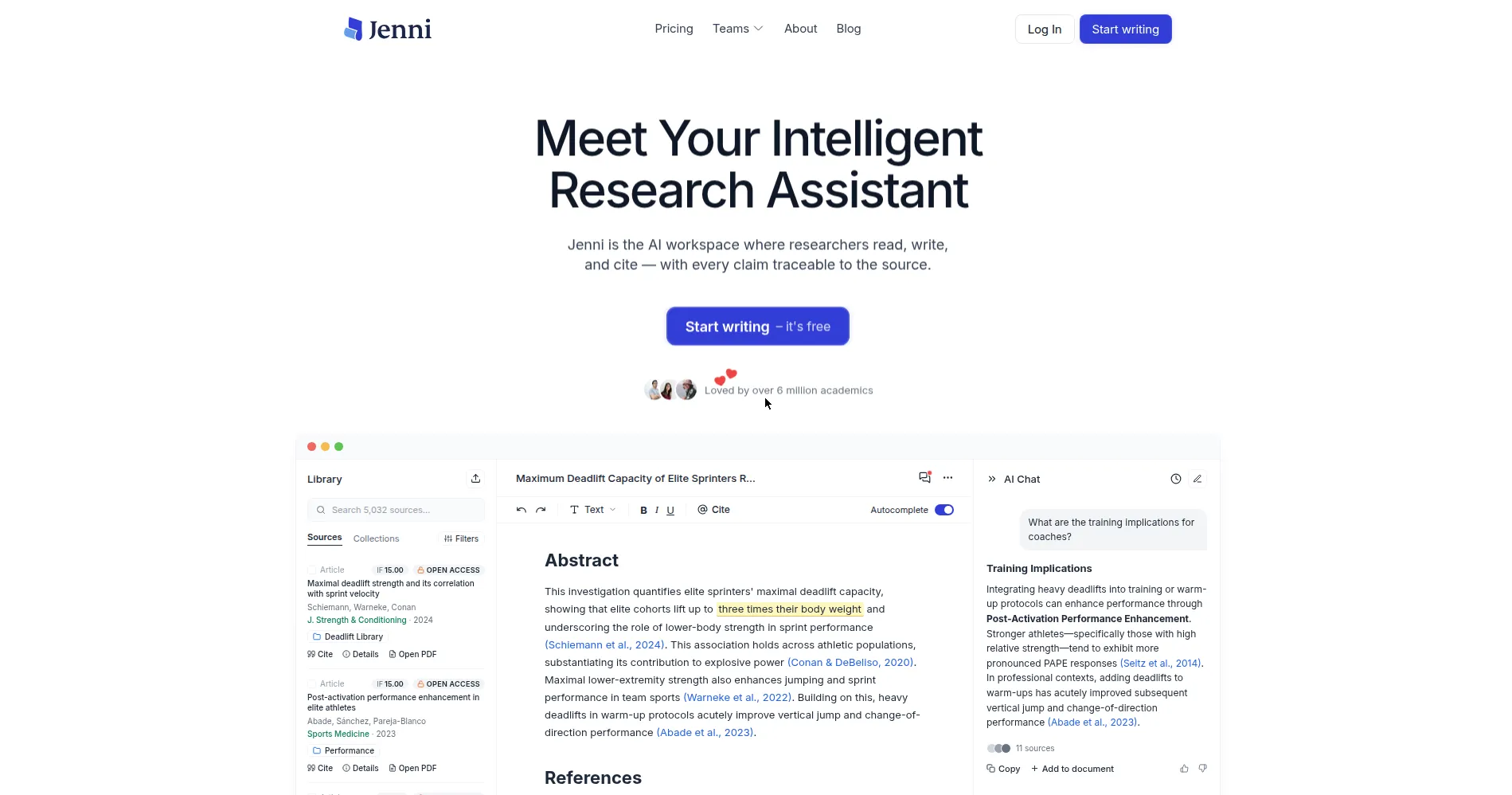
Jenni AI is an AI writing assistant built for academic work. It helps students and researchers draft papers faster. As you type, it suggests the next sentence. Its suggestions are grounded in your uploaded sources, not random web text. In-text citations come in more than 10,000 styles. You can upload PDFs, chat with your documents, and export the finished draft. Over six million academics use it. It fits theses, journal articles, and essays. Plans and limits change often, so check the pricing page on jenni.ai for current details.
Key Features
1. AI Autocomplete
Get sentence suggestions as you type. They are grounded in your uploaded sources. Accept, edit, or ignore each one.
2. In-Text Citations
Cite in more than 10,000 styles, including APA 7th, Chicago, Harvard, and IEEE. Citations format themselves as you write.
3. Research Library
Upload PDFs and keep them in one place. Search your sources, filter by open access, and open papers fast.
4. Chat With Documents
Ask questions about your uploaded papers. Answers link back to the exact source, so you can check them.
5. AI Edit
Select any text to simplify, expand, or paraphrase it. One click rewrites the passage in place.
6. Claim Reviews
Reviews flag claims that lack source support. Fix weak spots before you submit your paper.
7. Outline Builder
Plan your paper with built-in outlining tools. Structure sections first, then draft with AI help.
8. Easy Export
Export drafts to Word, LaTeX, or HTML. Export your library to BibTeX or CSV for reference managers.
Frequently Asked Questions (FAQ)
What is Jenni AI used for?
Drafting academic papers: theses, journal articles, and essays. It writes alongside you with autocomplete, citations, and source-grounded suggestions.
How does the autocomplete work?
It suggests the next sentence as you type, based on your prompt and uploaded sources. Accept a suggestion, edit it, or keep typing.
Can Jenni AI invent citations?
Yes, it can suggest papers that do not exist. Always verify every citation against the real source before submitting.
Which citation styles are supported?
APA 7th, Chicago, Harvard, IEEE, Vancouver, and journal-specific formats. Citations insert inline as you write.
How do I export my paper?
Export the draft to Word, LaTeX, or HTML from the editor. Export your saved sources to BibTeX or CSV.
Who should use Jenni AI?
Master's students, PhD candidates, and researchers writing theses or journal articles. It helps most when citations pile up.
Conclusion
Jenni AI suits anyone writing serious academic work. Autocomplete speeds up drafting, the citation engine handles formatting, and the library keeps sources close. The free plan covers light use, and paid plans raise the limits. Always verify AI-suggested citations yourself before submitting. For thesis and paper drafting, it is a genuine time-saver for busy students.
Keep exploring
Similar AI tools
Ranked by the job they do, their capabilities, and how closely they fit this workflow.