
Upvotes
0
Pricing
Freemium
Category
Research
In the database since
Oct 2026
Overview
About Komo
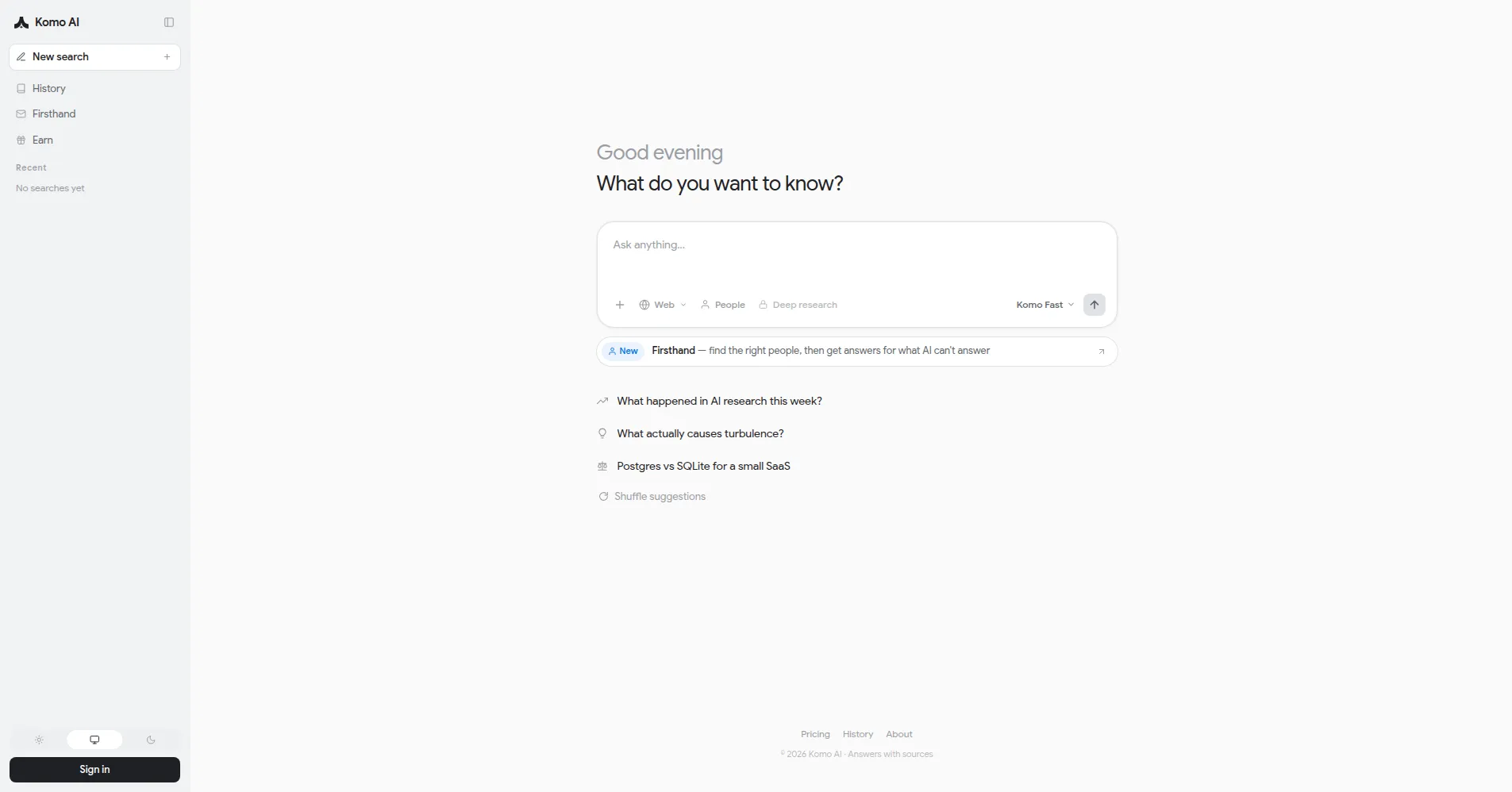
Komo is an AI-powered search engine that answers questions with direct, cited responses instead of a page of blue links. Built around generative AI, it combines traditional search with chat, community exploration, and deep research modes, all inside a clean, distraction-free interface.
Where conventional search engines rank pages, Komo reads them for you: type a question in plain language and it returns a synthesized answer with source links you can verify — ideal for students, researchers, and anyone tired of scrolling past sponsored results.
Key Features
1. Generative AI search with citations
Type a question in plain language and get a direct answer with clickable citations to the sources it came from.
2. Research mode
Submit a complex topic and Komo produces a structured, chaptered report with diagrams and sources — for homework, market research, or deep dives.
3. Explore mode
Browse trending community topics and live discussions to see what other users are asking and reading, without needing a query of your own.
4. Chat mode
Turn any search into a conversation: ask follow-ups, brainstorm ideas, or debate a topic with the AI in an ongoing dialogue.
5. Mindmap visualization
Convert a topic into a visual mind map that lays out subtopics and relationships, making it easier to grasp complex subjects at a glance.
6. AI Fact Check and Perspective Pulse
Run answers through an AI fact check for verification, or use Perspective Pulse to surface balanced viewpoints when a topic has competing opinions.
7. Private, ad-free experience
Search with no advertisements, no tracking, and no sale of personal data — the entire interface is built to stay distraction-free.
Frequently Asked Questions
What is Komo used for?
Komo is used for AI-assisted web search: quick factual answers, deep research reports, brainstorming through chat, and exploring trending community topics.
Do I need an account to use Komo?
No — you can start searching without an account. Signing in gives you a free account with daily credits, deeper research access, and premium features.
What is Research mode in Komo?
Research mode is Komo's deep-research workflow for complex questions: it returns a structured, chaptered report with diagrams and cited sources instead of a single quick answer.
What are Mindmap and Perspective Pulse?
Mindmap turns a topic into a visual diagram of subtopics and their relationships, while Perspective Pulse shows balanced viewpoints on debated topics so you see more than one side of an issue.
How is Komo different from Google?
Google ranks and lists web pages; Komo reads the pages and answers the question directly, with citations. Komo is also ad-free and does not track users, unlike Google's ad-driven results.
Does Komo have mobile apps?
Yes. Komo offers dedicated apps for iOS and Android, plus a progressive web app that works on desktop and mobile browsers.
Conclusion
Komo suits anyone who wants search to behave like an answer engine: ask a question, get a cited response, and move on — with no ads or tracking. Quick search, chat, community exploration, and structured research cover everyday questions and serious deep dives. The free tier is enough to test it; paid plans add capacity and premium models.
Keep exploring
Similar AI tools
Ranked by the job they do, their capabilities, and how closely they fit this workflow.