Upvotes
0
Pricing
Freemium
Category
Study Assistants
In the database since
Oct 2026
Overview
About Notability AI
Notability is a note-taking app that helps you learn from your notes, not just store them. You can handwrite notes, record lectures with live audio transcription, and annotate documents. Its built-in AI turns your notes into practice questions, quizzes, flashcards, and summaries in real time. You can even chat with your notes to get instant explanations. It runs on iPad, iPhone, Android, Mac, Windows, and the web. Download it free and see the official site for current details. It keeps all your subjects in one place.
Key Features
1. AI Study Materials
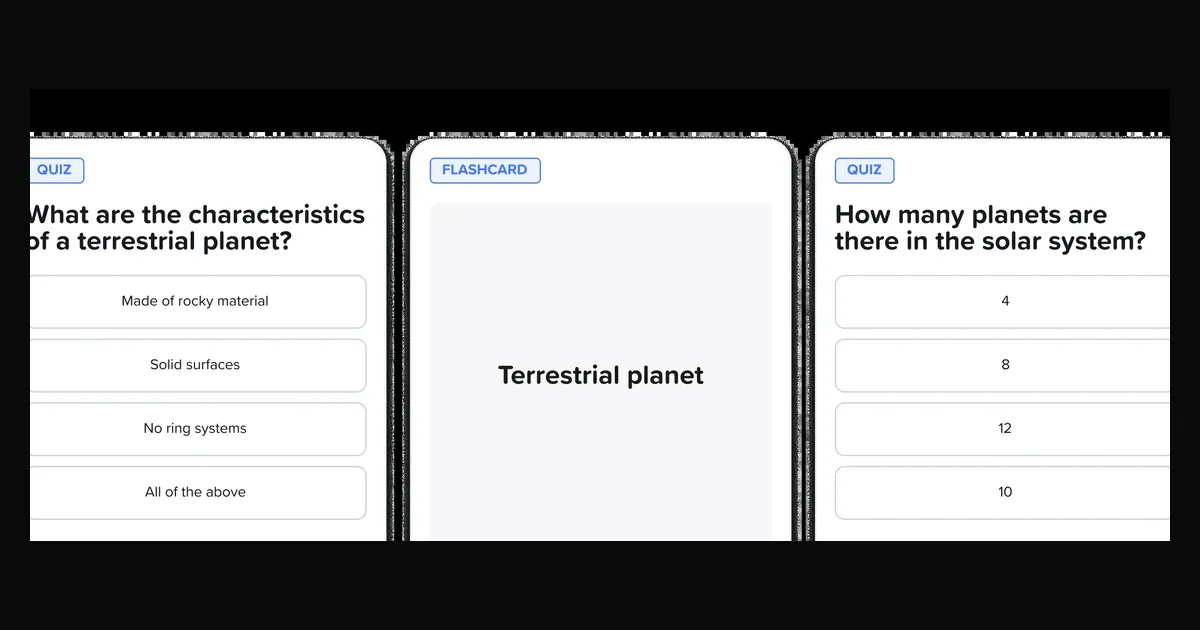
Turn your notes into practice questions, quizzes, and flashcards instantly. You study directly from what you wrote instead of starting over.
2. Instant Summaries
Take notes, import documents, or record audio and get clear summaries in real time. Long lectures become short, readable notes.
3. Chat With Your Notes
Ask questions about any note and get instant explanations. It works like a tutor living inside your notebook.
4. Handwriting and Audio
Write by hand and record lectures with live transcription. Your audio links to your written notes for easy review.
5. YouTube Link-to-Note
Paste any YouTube link to get a full note with a transcript and summary. You can learn from videos without watching every minute.
6. Action Items
Get checklists pulled from your meeting notes or recordings. You will never miss a follow-up task again.
Frequently Asked Questions (FAQ)
Do I need an iPad to use Notability?
No. Notability runs on iPad, iPhone, Android, Mac, Windows, and the web. Handwriting feels best on a tablet with a stylus, but every platform gets the AI tools.
How can Notability help me study for exams?
Record the lecture, get the transcript and summary, then generate flashcards and quizzes from your notes. One app takes you from class to test day.
What is the Learn Guarantee?
Notability promises its app helps you learn: if it does not help, they say they will cover the cost for the rest of the semester. Check the official site for the full terms.
Can I import and annotate PDFs?
Yes. Notability supports document import and annotation, so you can mark up readings, slides, and worksheets right inside your notes.
Does Notability replace a flashcard app like Anki?
For many students, partly. Its AI builds flashcards from your notes in seconds, which is great for class material. Dedicated apps still win for huge, long-term decks.
Conclusion
Notability is a note-taking app with AI study tools built in. It suits students who handwrite notes and want quizzes, summaries, and flashcards from them. The app is free to download; a paid plan unlocks the full AI toolkit. If your notes should do more than sit still, Notability is worth trying today. Start free and see how it fits.
Keep exploring
Similar AI tools
Ranked by the job they do, their capabilities, and how closely they fit this workflow.