Upvotes
0
Pricing
Freemium
Category
Marketing
In the database since
Oct 2026
Overview
About PandaDoc
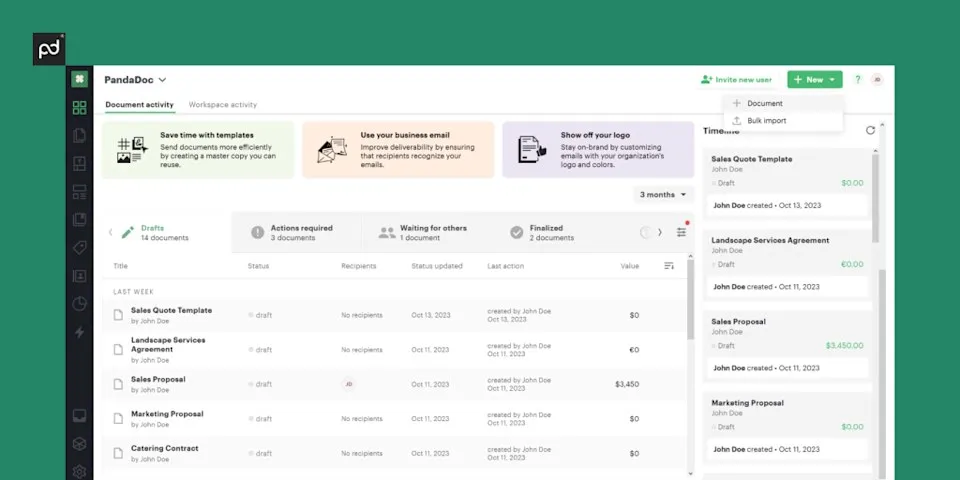
PandaDoc is document software for sales and business teams. It helps you create proposals, contracts, quotes, and invoices, then get them approved and e-signed online. A drag-and-drop editor, ready templates, and pricing tables speed up document building. Built-in tracking shows when a prospect opens, reads, or signs each file. It pulls data from CRMs like HubSpot and Salesforce, so you never retype customer details. A free plan covers 5 document sends a month. You can also collect payments right inside the document. See pandadoc.com for current plan limits.
Key Features
1. Proposals and Contracts Builder
A drag-and-drop editor with ready templates builds branded proposals, contracts, and quotes in minutes, not hours.
2. Legally Binding eSignatures
Collect signatures online with full audit trails. PandaDoc meets E-SIGN, UETA, and HIPAA rules and is SOC 2 certified.
3. Document Tracking and Analytics
See when a recipient opens, reads, or signs your document, so you know exactly when to follow up.
4. Pricing Tables and Quote Tools
Configurable pricing tables and quote tools handle discounts and add-ons, making accurate quotes inside every proposal.
5. CRM and Payment Integrations
Pulls data from Salesforce, HubSpot, and Pipedrive, and collects payments through Stripe or PayPal inside documents.
6. Approvals and Workflow Automation
Approval routing, auto-reminders, and expirations keep documents moving forward without manual follow-up emails from your team.
Frequently Asked Questions (FAQ)
What is PandaDoc used for?
PandaDoc is used to create, approve, track, and e-sign business documents. Sales teams use it for proposals, contracts, quotes, and invoices, replacing manual paperwork with templates, analytics, and legally binding online signatures.
Are PandaDoc signatures legally binding?
Yes. PandaDoc is E-SIGN, UETA, and HIPAA compliant and SOC 2 certified. Every signed document carries an audit trail with IP addresses, timestamps, and completion events that records the signing process.
How is PandaDoc different from DocuSign?
PandaDoc combines document creation and e-signatures in one tool: templates, pricing tables, payments, and tracking live in the document itself. DocuSign focuses mainly on signing. PandaDoc suits teams that build proposals; DocuSign suits teams that mostly need signatures.
What are Usage Credits in PandaDoc?
A Usage Credit is used each time you create a document through an integration or automated workflow, such as the API, Zapier, Make, forms, or bulk send. Plans include trial credits, and API document creation pauses when credits run out until you add more or upgrade.
Can I take payments through PandaDoc?
Yes. PandaDoc supports payment collection inside proposals and quotes through gateways like Stripe and PayPal, so clients can sign and pay in the same document.
Does PandaDoc work on mobile?
Yes. The PandaDoc mobile app lets you create, track, approve, negotiate, and e-sign documents from your phone or tablet, so deals keep moving when you are away from your desk.
Conclusion
PandaDoc suits sales teams that want proposals, contracts, and signatures in one tool. Its templates, pricing tables, live tracking, and CRM integrations remove the back-and-forth of deal paperwork. You can even collect payments inside a proposal. But automation limits and send caps make paid plans a must for busy teams. Check pandadoc.com for current plan details.
Keep exploring
Similar AI tools
Ranked by the job they do, their capabilities, and how closely they fit this workflow.