
Upvotes
0
Pricing
Free
Category
Prompt Generators
In the database since
Oct 2026
Overview
About Promptomania
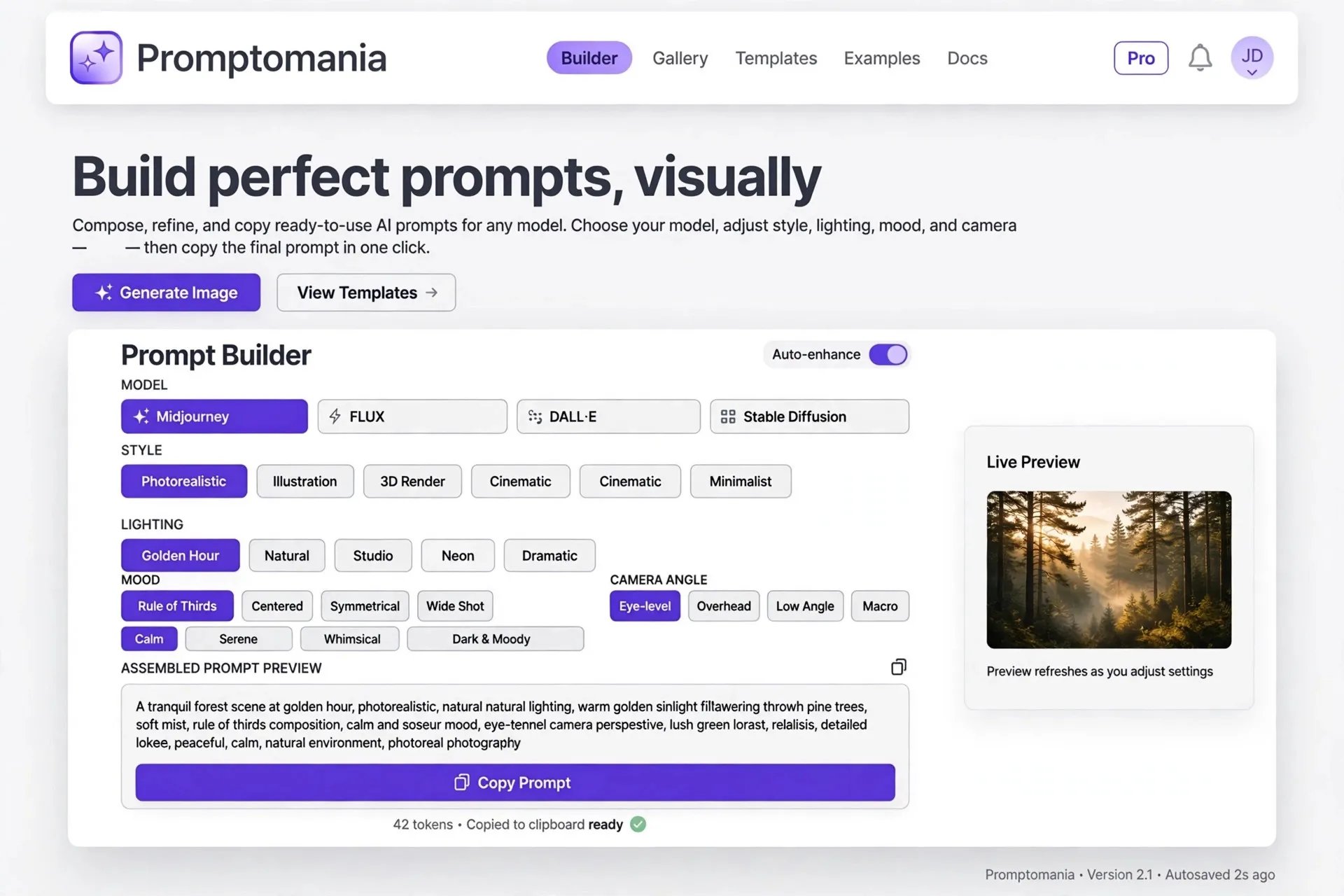
Promptomania is a free hub for learning and building AI prompts, focused on image, video, 3D, and audio generation. Its visual Prompt Builder lets you assemble a polished prompt by picking a model and choosing options for style, lighting, and composition, without memorizing each platform's syntax. A model directory catalogs dozens of generators, and the guide library teaches prompting for everything from logos to landscapes. Everything is free to browse with no sign-up. You run the finished prompts in your own tools.
Key Features
1. Visual Prompt Builder
Pick your model, then choose style, lighting, composition, mood, color palette, and camera angle while the builder assembles the prompt.
2. Model-Specific Syntax
The builder formats the prompt correctly for each platform, so a Midjourney workflow looks different from a FLUX or DALL-E one.
3. AI Model Directory
Browse dozens of indexed models across image, video, 3D, and audio, each with modality tags and recommended prompt categories.
4. Prompt Guide Library
Copy-ready guides cover 20+ creative categories, from logo design and portraits to anime art and food photography.
5. Grid Splitter Tool
Upload a grid image from Midjourney or Stable Diffusion and split it into separate, high-quality images for saving.
6. Share and Export
Copy any built prompt, share it with a URL, or open it directly in Creative Fabrica Studio to generate there.
Frequently Asked Questions (FAQ)
How does the Promptomania Prompt Builder work?
You select your AI model first, such as Midjourney, DALL-E, Stable Diffusion, or FLUX. Then you pick options for style, lighting, composition, mood, and camera angle. The builder combines your choices into a complete prompt with the right syntax, ready to copy or share.
Does Promptomania generate images itself?
No. It helps you write and refine prompts but does not run generations on the site. You copy the finished prompt into Midjourney, DALL-E, Stable Diffusion, or open it in Creative Fabrica Studio. The site stays free because it never pays for image rendering.
Do I need an account to use it?
No. The model directory, Prompt Builder, and prompt guides are free to browse with no registration. You can start building a prompt the moment the page loads, which makes it handy for quick experiments.
What is the grid splitter for?
Image models often return several pictures in one grid. The grid splitter takes that composite image and cuts it into individual files. This saves you from manual cropping when you want to keep just one variation from a batch.
Which prompt guides are most useful for beginners?
The logo design and portrait photography guides are good starting points, since they show concrete formulas you can reuse. The photorealism FAQ explains camera terms, lighting phrases, and realism cues step by step. Each guide includes starter prompts tuned for major models.
Conclusion
Promptomania is a friendly starting point for anyone learning AI image prompting. The visual builder removes the syntax headache, the model directory helps you compare options, and the guides teach lasting skills. Since it is free with no account needed, there is no reason not to try it. It is ideal for beginners and for quick experiments before paid tools.
Keep exploring
Similar AI tools
Ranked by the job they do, their capabilities, and how closely they fit this workflow.