Remaker AI
Realistic AI face swaps for photos and videos, plus photo editing tools
Upvotes
0
Pricing
Freemium
Category
Image Tools
In the database since
Oct 2026
Overview
About Remaker AI
Remaker AI is an AI photo and video toolbox best known for realistic face swapping. It serves casual users, content creators, and marketers who want quick visual edits without software skills. Beyond face swaps, it offers an AI headshot generator, background remover, image upscaler, and text-to-image creation. You start with free signup credits plus a small daily allowance, and buy one-time credit packs for heavier use. Credits do not expire. Check the official site for current features and credit rates.
Key Features
1. AI face swap
Swap faces in photos with realistic blending in seconds. Single, multi-face, and batch modes cover group shots and large jobs.
2. Video face swap
Swap faces in uploaded videos or GIFs, with frame-by-frame tracking. Clips up to 30 minutes are supported.
3. AI headshot generator
Create professional-looking headshots from casual selfies. Useful for profiles, resumes, and team pages. The AI matches lighting and style for a studio look.
4. Photo editing tools
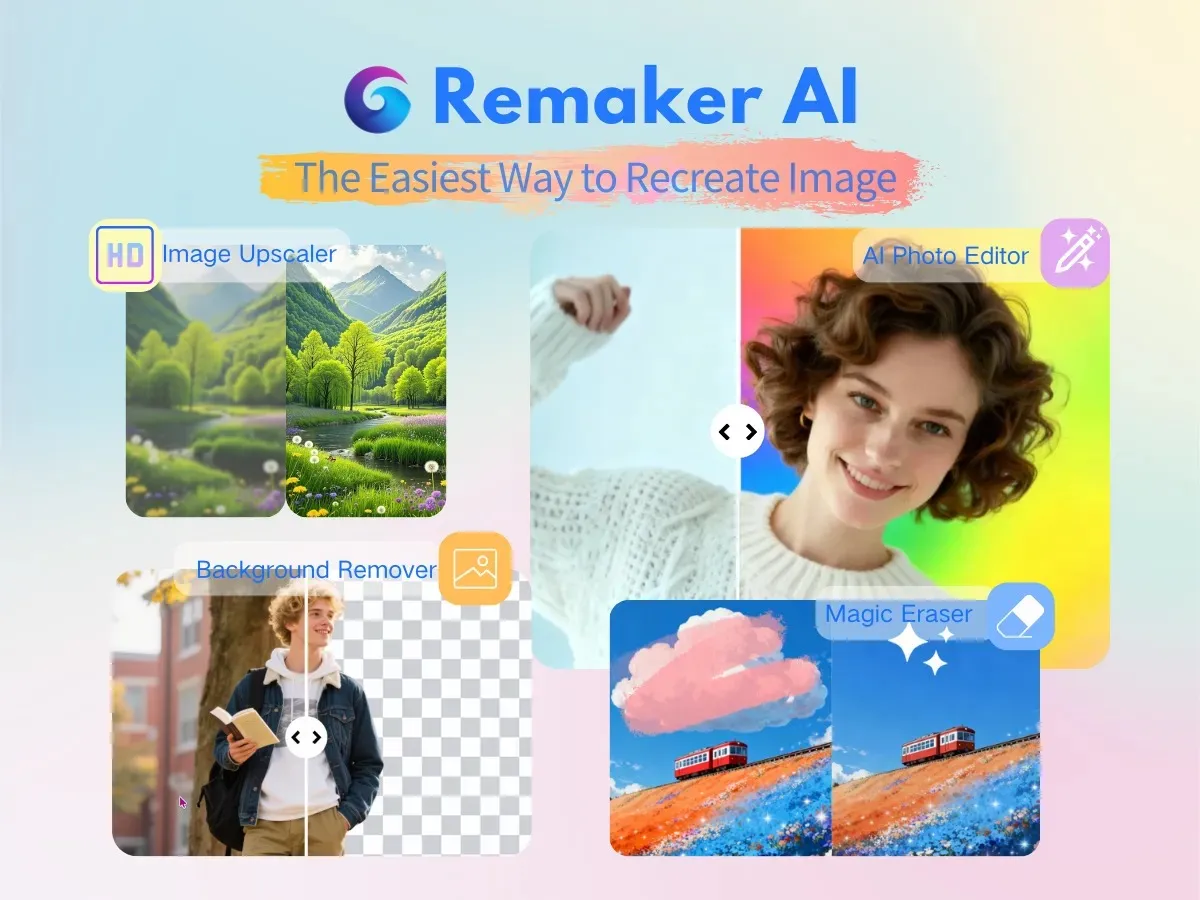
Remove backgrounds, erase objects, upscale resolution, and apply artistic filters. Everything runs in the browser.
5. Text-to-image and video
Generate images from text prompts and turn still photos into short animated clips for social posts.
6. Developer API
A face swap API lets developers add the technology to their own apps and workflows.
7. Photo-to-anime conversion
Turn ordinary photos into anime-style artwork. The AI redraws the scene while keeping the original composition.
Frequently Asked Questions (FAQ)
Do I need to pay to try Remaker AI?
No. New accounts get free signup credits, plus a small daily allowance, which is enough to test most features before buying anything.
Do purchased credits expire?
No. Remaker sells one-time credit packs with no subscription, and purchased credits stay in your account until you use them.
Can I swap faces in a video?
Yes. The video tool accepts uploaded videos or GIFs up to 30 minutes long and 500 MB, and tracks faces frame by frame for smooth results.
What else can Remaker AI do besides face swaps?
It includes an AI headshot generator, background remover, image upscaler, magic eraser, text-to-image generation, photo-to-anime conversion, and image-to-video clips.
Is face swapping safe and legal to use?
Only use photos and videos you have permission to edit. Creating misleading content with someone else's face can break the law, so use the technology responsibly.
Where can I see current credit prices?
Visit the official Remaker AI website. Credit pack prices and per-tool credit costs can change, so the site shows the latest details.
Does Remaker AI have a mobile app?
The main experience is the website, which works in mobile browsers. Check the official site for any current iOS or Android app versions.
Conclusion
Remaker AI is a face swap and photo toolbox for creators who want fast, realistic edits. It suits casual users and marketers who edit in bursts, since one-time credit packs replace monthly fees. Free signup and daily credits cover light use. Video swaps use more credits than photos. Check the official site for current credit prices and feature limits.
Keep exploring
Similar AI tools
Ranked by the job they do, their capabilities, and how closely they fit this workflow.