StayFocusd
Chrome extension that blocks distracting sites to protect study time.
Upvotes
0
Pricing
Free
Category
Tools for Students
In the database since
Oct 2026
Overview
About StayFocusd
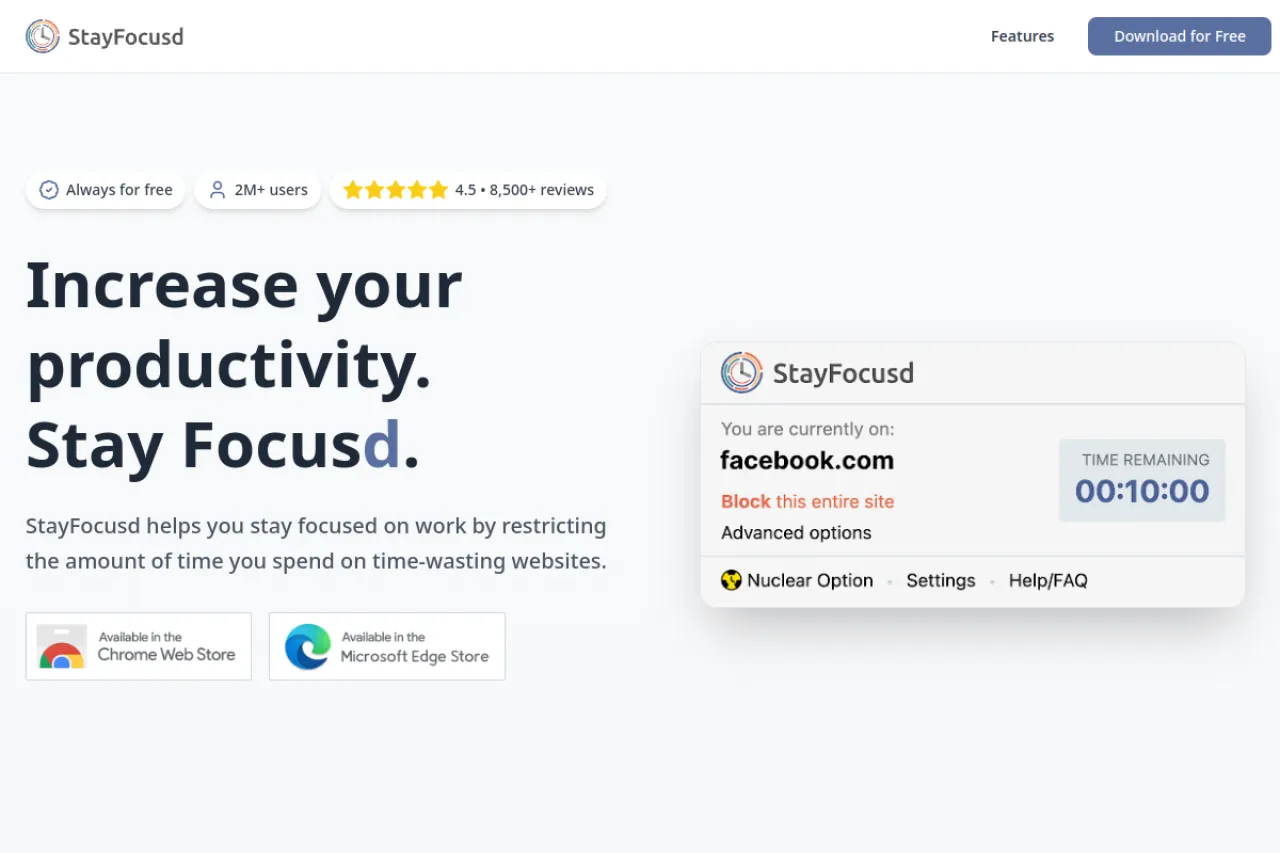
StayFocusd is a free Chrome extension that keeps you off distracting websites while you study or work. You set a daily time allowance for sites like social media, news, and video platforms. Once your allowance runs out, StayFocusd blocks those sites for the rest of the day. It suits students and remote workers who lose hours to scrolling. The extension is highly configurable but simple at its core. Check the official site or Chrome Web Store for install details today.
Key Features
1. Daily Time Allowance
Set how many minutes per day you may spend on blocked sites. When time expires, the sites lock until tomorrow.
2. Block Whole Sites or Pages
Block entire domains or just specific pages and paths. Fine control keeps useful pages reachable.
3. Active Days and Hours
Schedule blocking for workdays or study hours only. Your evenings and weekends stay fully open and unrestricted.
4. Nuclear Option
The Nuclear Option blocks everything except allowed sites for a set time. It cannot be undone once started.
Frequently Asked Questions (FAQ)
What is StayFocusd?
StayFocusd is a free Chrome extension that limits time on distracting websites by blocking them once your daily allowance runs out.
How does StayFocusd work?
You list distracting sites and set a daily time allowance. When the allowance is spent, those sites stay blocked until the next day.
What is the Nuclear Option?
It is a strict mode that blocks all sites except ones you allow, for hours you choose. Once started, it cannot be turned off early.
Is StayFocusd only for Chrome?
It is built as a Chrome extension and works in Chromium-based browsers. Check the Chrome Web Store for current availability.
Conclusion
StayFocusd is a simple, strict guard against procrastination. It suits students and remote workers who keep falling into social media rabbit holes. The extension is completely free with no paid plans. Install it, set an honest daily allowance, and let the blocker protect your focus. Pair it with a timer for focused study sessions. Your future self will thank you.
Keep exploring
Similar AI tools
Ranked by the job they do, their capabilities, and how closely they fit this workflow.