Upvotes
0
Pricing
Freemium
Category
Social Media
In the database since
Oct 2026
Overview
About Thumblore.com
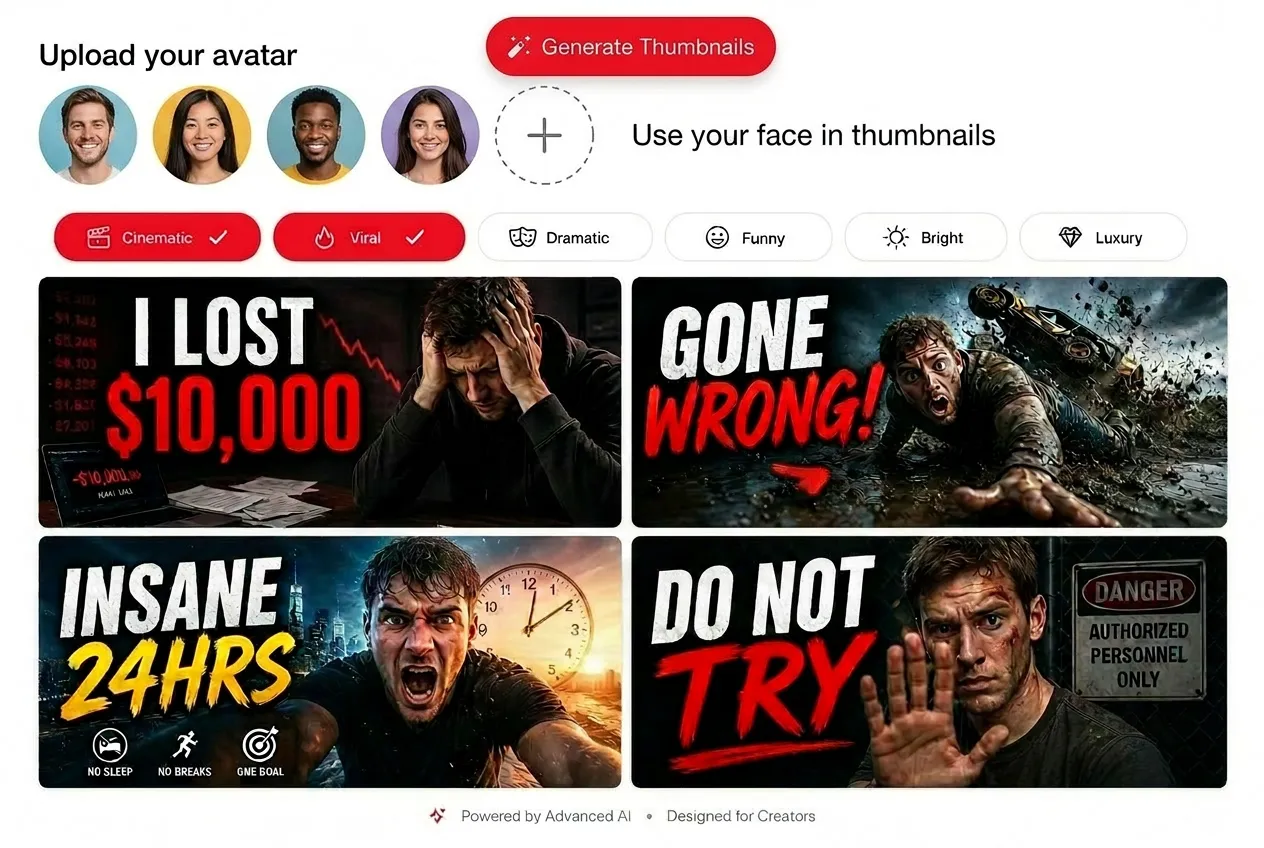
Thumblore is an AI thumbnail maker for YouTubers who want more clicks without design skills. Describe your video, and it generates two click-worthy thumbnails built on the patterns that high-performing thumbnails share: strong facial expressions, bold contrast, and short readable text. You can edit by chatting in plain English, save your face as a reusable avatar, and export at the correct YouTube size, automatically, every time, with zero design skills needed. For current details and generation limits, check the official site at thumblore.com.
Key Features
1. AI Thumbnail Generation
Describe your video and get two click-worthy thumbnail options. The text, faces, and colors are all handled for you.
2. Edit by Chatting
Ask for changes in plain English, like a new headline or color. Thumblore rewrites the parts you name and keeps the rest.
3. Reusable Face Avatars
Describe a face once and reuse the same avatar in every thumbnail. That keeps your channel's look consistent across videos.
4. Multi-Avatar Frames
Place two or more saved avatars into a single thumbnail. It is built for collabs, podcasts, and versus-style videos.
5. Face and Background Swap
Replace a face, change an expression, or drop in a new backdrop. The layout that already works stays exactly where it is.
6. Mood Presets
Pick styles like Cinematic, Horror, Dramatic, Bright, or Gaming. Each preset follows layout patterns proven to earn clicks.
Frequently Asked Questions (FAQ)
What size are Thumblore thumbnails?
They export at the size YouTube recommends, 1280 by 720 pixels. Both 16:9 and 9:16 formats are supported, so Shorts work too.
Can I use my own face in thumbnails?
Yes. Upload a photo or generate an AI avatar from a description, save it once, and reuse it across every thumbnail you make.
Do I need design skills to use Thumblore?
No. Layout, typography, and color are handled automatically. You only describe your video and pick from the generated options.
What is the difference between Thumblore and Canva?
Thumblore is built only for YouTube thumbnails, with AI generation and avatar tools. Canva is a general design tool where you build thumbnails by hand.
How does the thumbnail generation process work?
First, describe your video in a sentence. Thumblore returns two options. Then edit by chat or download the one you like.
Conclusion
Thumblore suits YouTube creators who want fast, high-click thumbnails without learning design software. Its avatar system and chat-based editing make repeat production easy for regular uploaders. The style presets cover most popular niches well. You can start with some generation credits at no cost, so check thumblore.com for current details before you upgrade to a bigger tier.
Keep exploring
Similar AI tools
Ranked by the job they do, their capabilities, and how closely they fit this workflow.