Upvotes
0
Pricing
Open Source
Category
Cartoon Generators
In the database since
Oct 2026
Overview
About Toonify
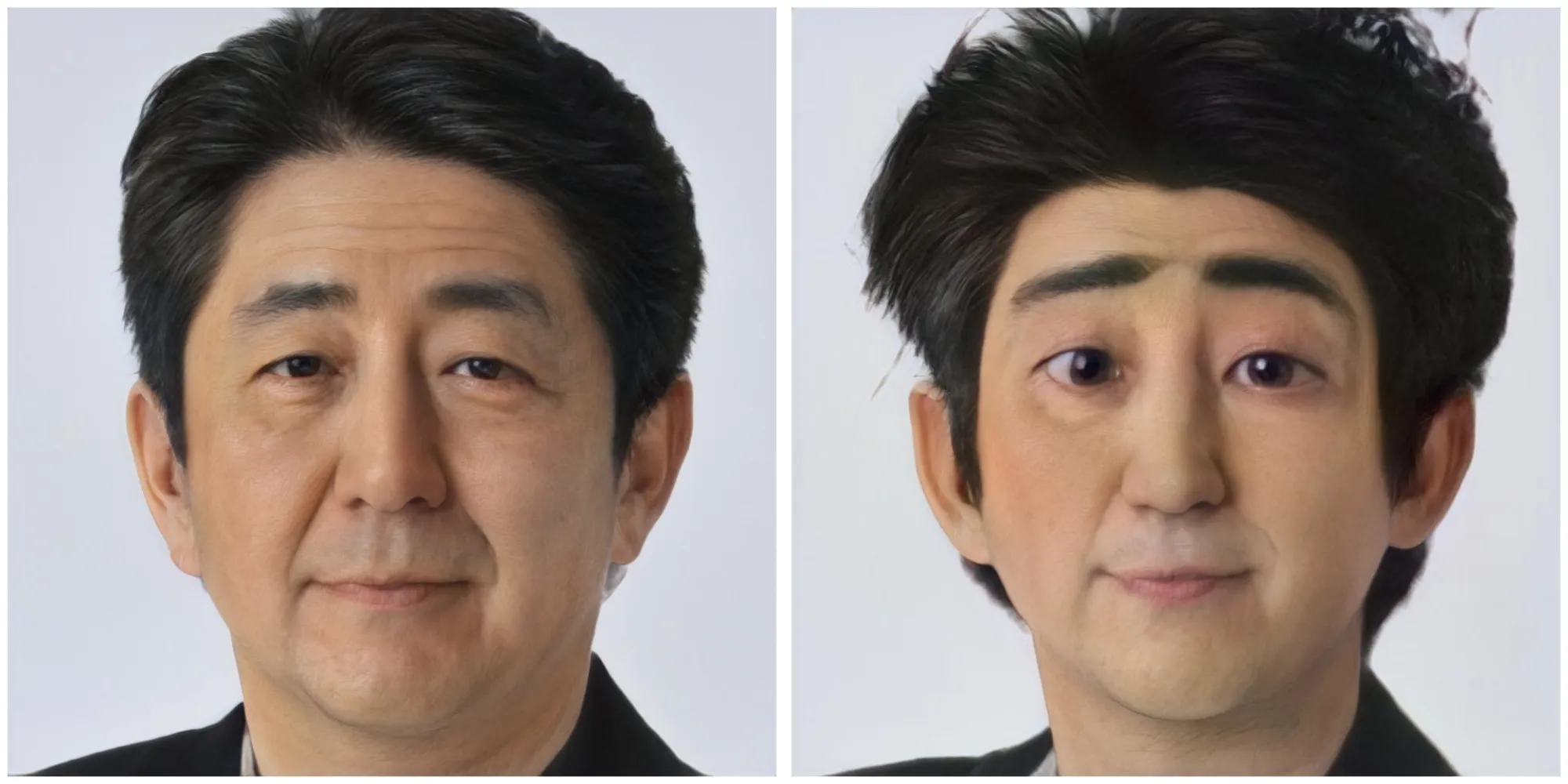
Toonify is a research repo by Justin Pinkney that turns your face into a cartoon using StyleGAN. It is based on a NeurIPS 2020 workshop paper about blending GAN networks at different resolutions. Instead of a plain filter, it mixes a real-face AI model with a cartoon-face model layer by layer. You run the code in Colab notebooks. It needs no local install. The repo also shares two datasets: aligned ukiyo-e faces and cartoon faces. The project went viral in 2020 as toonify.photos.
Key Features
1. Layer-by-Layer Style Mixing
Low layers of a real StyleGAN keep your face shape, high layers from a cartoon StyleGAN add the look. You control how the two mix.
2. Two Free Colab Notebooks
One notebook shows the network blending step by step. The other recreates the paper's toonify-yourself figure on your photo. Both run free on Google Colab.
3. Ukiyo-e Face Dataset
The repo shares over 5,000 aligned ukiyo-e faces at 1024x1024. It uses a CC BY-SA 4.0 license. Artists and researchers can reuse it freely.
4. Cartoon Face Dataset
A second dataset holds cartoon faces for training your own models. It downloads from Mega. It pairs well with the ukiyo-e set for style experiments.
5. Went Viral as Toonify.photos
The author later turned this research into toonify.photos. It let anyone cartoon their face in a browser. The site made the paper's idea famous worldwide.
Frequently Asked Questions (FAQ)
How is Toonify different from a cartoon filter app?
Apps use fixed filters on your photo. Toonify blends two StyleGAN models layer by layer, so the result is a newly generated image, not a filter. That is why faces look more natural and detailed.
What resolution do the outputs have?
The models work at 1024 by 1024 pixels, which is high for face images. The ukiyo-e dataset is aligned at that size too. You get sharp cartoon portraits.
Can I train my own Toonify style?
Yes, with the shared datasets and the blending notebooks. You need a StyleGAN model trained on your cartoon style first. Then the layer-swap code mixes it with a face model.
Conclusion
Toonify remains a landmark starting point for AI face cartoonization. The layer-blending idea is elegant, and the open datasets keep it useful for new experiments. It covers faces only, so full-scene work needs other tools. For anyone studying StyleGAN style transfer, this repo is essential reading. Justin Pinkney's clear notebooks make the method easy to grasp.
Keep exploring
Similar AI tools
Ranked by the job they do, their capabilities, and how closely they fit this workflow.