
Upvotes
0
Pricing
Free
Category
Avatars
In the database since
Oct 2026
Overview
About VSeeFace
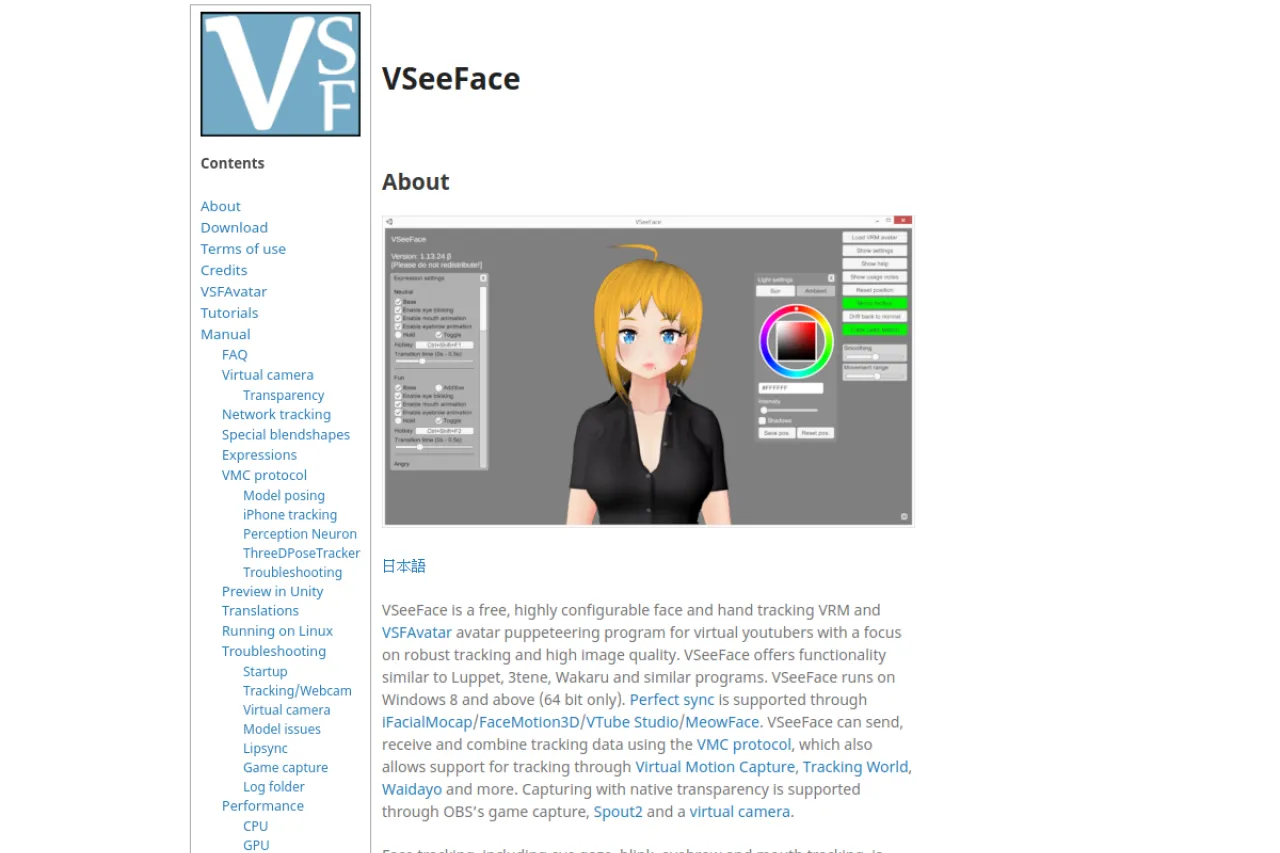
VSeeFace is a free face and hand tracking program for virtual YouTubers, also called VTubers. It puppeteers 3D VRM and VSFAvatar models, meaning your avatar copies your real movements on screen. It focuses on robust tracking and high image quality for live shows. It suits VTubers and streamers who want reliable avatar animation without expensive gear. The site also hosts manuals, tutorials, and an FAQ for setup help. Visit the official VSeeFace site for current details, downloads, and setup guides.
Key Features
1. Webcam Face Tracking
Track your face with a regular webcam. It captures eye gaze, blinks, eyebrow movement, and mouth shapes for natural avatar motion.
2. Hand Tracking Support
Add hand tracking with a Leap Motion device. This lets your avatar copy your hand and finger movements during streams.
3. VRM and VSFAvatar Models
Load VRM and VSFAvatar 3D models into the program. These are common avatar formats used across the VTuber world.
4. VMC Protocol Support
Send, receive, and combine tracking data using the VMC protocol. This connects VSeeFace with tools like Virtual Motion Capture and Tracking World.
5. OBS and Virtual Camera Output
Capture with native transparency through OBS game capture, Spout2, or a virtual camera. This makes it easy to overlay your avatar on streams.
6. iPhone Tracking Compatibility
Pair with iFacialMocap, FaceMotion3D, VTube Studio, or MeowFace for Perfect Sync. iPhone-based tracking gives smoother facial results.
Frequently Asked Questions (FAQ)
What is VSeeFace used for?
VSeeFace animates 3D VTuber avatars using your real face and hand movements. Streamers use it to appear as an avatar on YouTube and Twitch.
What do I need to run it?
VSeeFace runs on Windows 8 and above, 64-bit only. You need a webcam for face tracking; a Leap Motion device adds hand tracking.
Which avatar formats work with it?
VRM and VSFAvatar models. These are standard formats in the VTuber community, and many free and paid models exist in both.
How do I get my avatar into OBS?
Use OBS game capture with native transparency, Spout2, or the built-in virtual camera. All three options place your avatar over your stream scene.
Can I use my iPhone for tracking?
Yes. VSeeFace supports Perfect Sync through iFacialMocap, FaceMotion3D, VTube Studio, and MeowFace, which use your iPhone's sensors.
Conclusion
VSeeFace gives VTubers free, configurable face and hand tracking that drives VRM and VSFAvatar models with strong quality. It fits streamers who want robust avatar animation on Windows without pricey hardware. The program is completely free, and its guides cover everything from setup to OBS streaming. It is a top pick for VTubers on a budget.
Keep exploring
Similar AI tools
Ranked by the job they do, their capabilities, and how closely they fit this workflow.