Upvotes
0
Pricing
Free
Category
Image Tools
In the database since
Oct 2026
Overview
About XnConvert
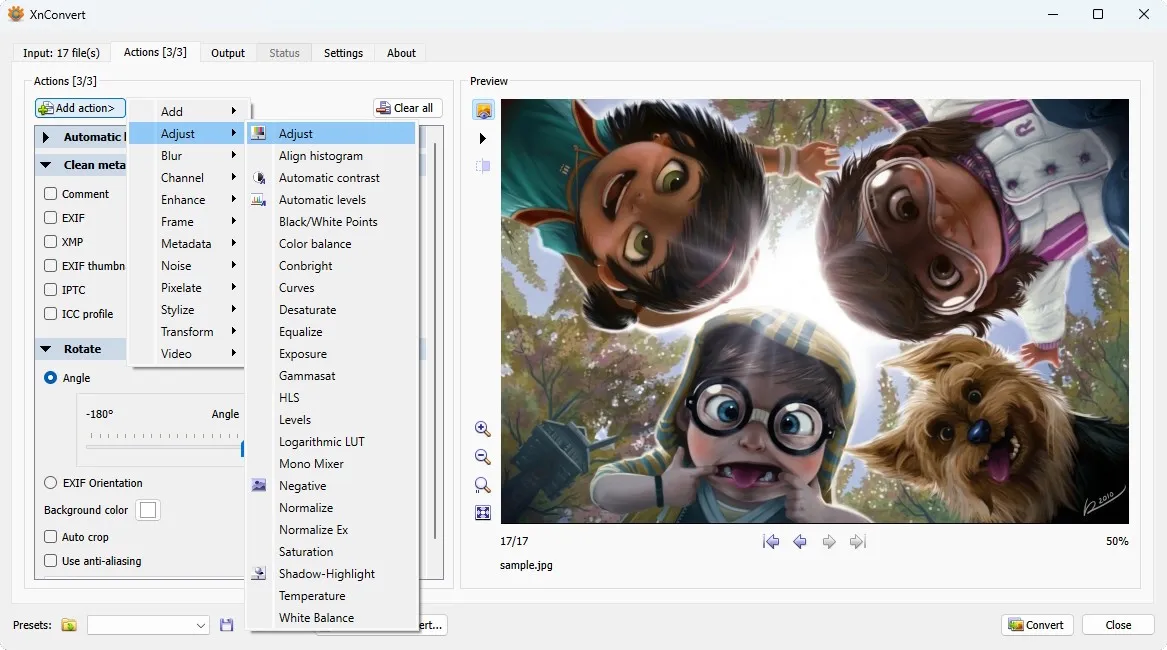
XnConvert is a free batch image converter for Windows, Mac, and Linux. You can rotate, resize, crop, and convert whole photo collections at once. It applies more than 80 actions, from color fixes to watermarks, in one pass. It suits photographers and designers with big image folders. The app is free for personal and educational use. Check xnview.com for the current version and download before you start. Batch means it handles many files at once, which saves hours of manual edits.
Key Features
1. 80+ Actions
Choose from more than 80 operations like resize, crop, rotate, and color tweaks. Combine them in one workflow.
2. 500+ Formats
It reads more than 500 image formats and exports to about 70. Old and new formats both work.
3. Saveable Presets
Save your action sets as presets. You can reuse them for the next batch with one click.
4. Watch Folders
Point it at a folder and it watches for new images. Fresh files get your edits applied by themselves.
5. Three Platforms
It runs on Windows, Mac, and Linux in 32-bit and 64-bit builds. The interface speaks 20+ languages.
6. Free For Personal Use
XnConvert is free for personal and educational use. Companies must buy a license for business use.
Frequently Asked Questions (FAQ)
What is XnConvert used for?
It converts and edits many images at once. You can resize, crop, rotate, and compress whole folders.
How many formats does it support?
It reads more than 500 formats and exports to about 70. That covers nearly every image type.
Can I reuse my settings?
Yes. Save your action sets as presets. Apply them to new batches with one click.
What does the watch folder do?
It watches a folder for new or changed images. It then applies your chosen edits by itself.
Can businesses use it for free?
No. Companies must buy a license. It is free only for personal and educational use.
Conclusion
XnConvert is a strong free tool for batch image work. It suits photographers and designers with many files. You get 80+ actions and 500+ formats on three platforms. It is free for personal and educational use. Check xnview.com for the current version before you start today. It turns hours of manual edits into minutes for big folders.
Keep exploring
Similar AI tools
Ranked by the job they do, their capabilities, and how closely they fit this workflow.