Any.do
To-do list, calendar, planner and reminders in one simple app
Upvotes
0
Pricing
Freemium
Category
Project Management
In the database since
Oct 2026
Overview
About Any.do
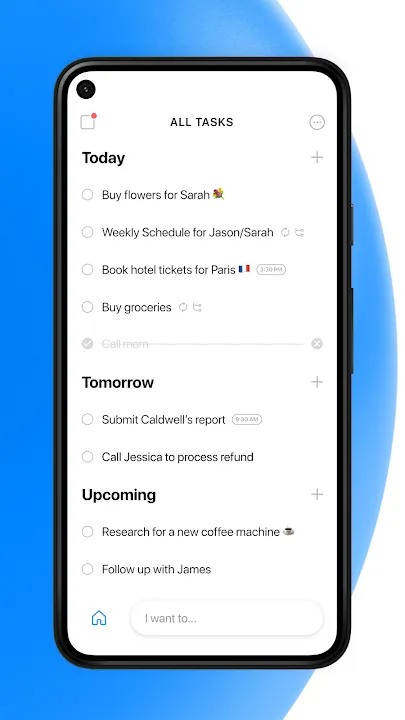
Managing your day gets easier when your tasks and calendar live in one place. Any.do is a to-do list, calendar, planner and reminder app that keeps personal tasks, family chores and work projects organized together. Add tasks in seconds, set due dates, and get reminders so nothing slips through. You can share lists with family or teammates, assign tasks to others, and plan projects on visual boards. It syncs with Google Calendar and Outlook, connects with thousands of apps, and works on your phone, watch and computer.
Key Features
1. To-Do List and Calendar in One
Your tasks and calendar live in one view, so you always know what needs doing and when it is due. No app switching needed.
2. Daily Planner and Focus Mode
A built-in daily planner helps you map out your day each morning, while focus mode cuts distractions so you finish one task at a time.
3. Smart Reminders
Set one-time, repeating or location-based reminders. Any.do can remind you when you arrive at or leave a place, like the grocery store.
4. Shared Lists and Task Assignment
Share lists with family or coworkers, assign tasks to specific people, and chat on tasks to keep everyone in sync.
5. Project Boards
Organize bigger work on boards with Kanban, calendar and table views. Add custom fields, statuses and automations to match your workflow.
6. More Than 100 Templates
Start faster with more than one hundred ready-made templates covering projects, daily routines, grocery lists and common team workflows.
7. Thousands of Integrations
Any.do connects with more than six thousand apps, including Google Calendar, Outlook, Slack, WhatsApp and Zapier, to automate your work.
8. Email to Task
Forward any email to do@any.do and it becomes a task on your list, complete with the original message attached.
Frequently Asked Questions (FAQ)
Which devices does Any.do work on?
Any.do works on Android, iPhone, iPad, Mac, Windows, the web, Apple Watch and Wear OS. Your lists sync across all of them automatically.
Can I share lists with my family?
Yes. You can share any list with family members, assign tasks to each other, and chat on tasks. A shared grocery list even groups items by aisle.
Does Any.do sync with Google Calendar or Outlook?
Yes. Any.do syncs both ways with Google Calendar and Outlook, so events and tasks stay matched on both sides.
What are location-based reminders?
They remind you when you reach or leave a chosen place. For example, Any.do can remind you to buy milk when you arrive at the store.
Can I automate repetitive work?
Yes. Any.do can auto-assign tasks, set due dates and update statuses for you, and its integrations connect it to thousands of other apps.
Does Any.do have an AI assistant?
Yes. Any.do includes an AI assistant that helps you create and organize tasks faster, saving time on routine planning.
Conclusion
Any.do is a strong pick if you want one simple place for tasks, calendar and reminders. It is easy to learn, works on every device, and scales from personal lists to team boards. Shared lists and smart reminders keep everyone aligned. Use it for daily planning now, and add boards and automations as your workload grows.
Keep exploring
Similar AI tools
Ranked by the job they do, their capabilities, and how closely they fit this workflow.