Image26
GPT Image 2.6 generator and editor for posters, logos, and photos
Upvotes
0
Pricing
Freemium
Category
Image Generators
In the database since
Nov 2026
Overview
About Image26
Image26 is an online AI image generator and photo editor built on GPT Image 2.6, the image model from OpenAI. Write a short brief in plain words, or upload a photo and describe the change you want. It makes posters, logos, thumbnails, infographics, stickers, and comics, and it can restore old photos and fix small details. New accounts get free credits for a first image, and paid plans add more credits and a commercial license. It suits creators, marketers, and small shops. Check the official site for current details.
Key Features
1. Text-to-Image Generation
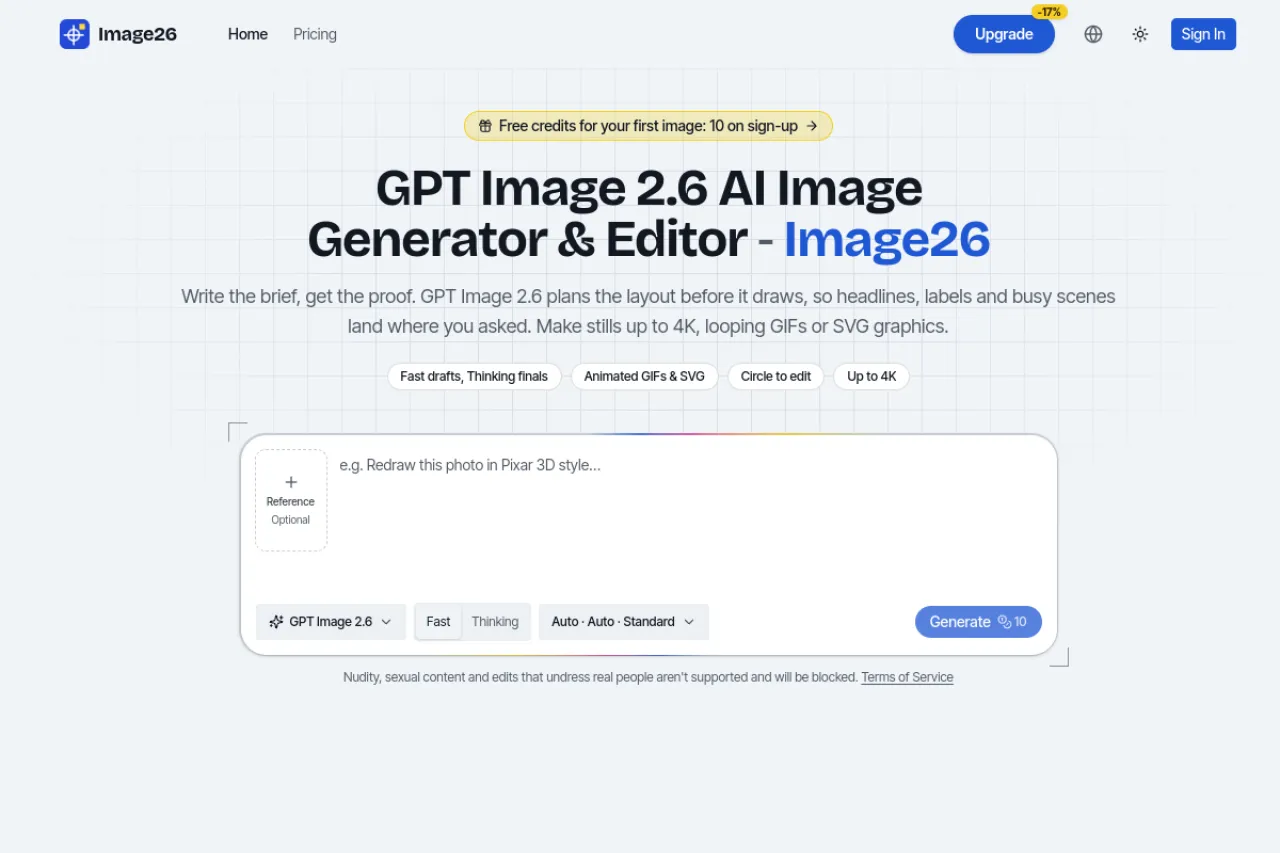
Write a short brief in plain words and get an image. The model plans the layout first, so headlines and labels land where you asked.
2. Photo Editing by Description
Upload a photo and describe the change in plain words. The model edits only what you asked and keeps the rest unchanged.
3. Circle to Edit
Circle the spot you want to change and say what should happen there. The model edits the marked area and leaves the rest alone.
4. Fast and Thinking Modes
Fast gives quick drafts in seconds, while Thinking plans harder for dense layouts and exact edits. Both modes cost the same credits per image.
5. Looping GIFs and SVG Graphics
Turn a prompt into a looping GIF for the price of a still image. Or make an SVG logo that stays sharp at any size.
6. Reference Images and Sizes
Combine several photos in one request, like a model and a jacket for a try-on. Choose from fifteen aspect ratios: 1K, 2K, 4K.
Frequently Asked Questions (FAQ)
What is Image26 used for?
Image26 is an online AI image generator and photo editor. People use it to make posters, logos, thumbnails, infographics, stickers, and comics, or to edit and restore photos. It also makes product shots and social covers.
How does Image26 work?
Write a brief in plain words, or upload a photo and describe the change. Pick Fast or Thinking, check the credit cost on the button, and generate. You can refine the result with circle edits or by re-attaching it as a reference. A failed run gives its credits back.
What is the difference between Fast and Thinking?
Fast is for quick drafts and everyday images, and it comes back in seconds. Thinking plans harder for dense layouts, small details, and edits that must be exact. Both modes cost the same credits.
Can I use Image26 images commercially?
Yes, paid plans include a commercial license for what you create. For large-scale publishing, also review OpenAI's usage policies before you publish. Check the official pricing page for current plan details.
Which sizes and resolutions does Image26 support?
It offers fifteen aspect ratios, from wide 3:1 panoramas to tall 1:3 strips, at 1K, 2K, or 4K. Leave size and ratio on Auto and the model picks what fits your prompt.
Is Image26 made by OpenAI?
No. Image26 is run independently and has no affiliation with OpenAI. It accesses GPT Image 2.6 through third-party model platforms.
Conclusion
Image26 is a simple way to make and edit images with GPT Image 2.6, from posters and logos to photo fixes. It suits creators, marketers, and small shops who want fast results without design software. New accounts get free credits for a first image, and paid plans add more credits. Check the official site for current plans and details.
Keep exploring
Similar AI tools
Ranked by the job they do, their capabilities, and how closely they fit this workflow.