Upvotes
0
Pricing
Open Source
Category
Note-Taking Tools
In the database since
Oct 2026
Overview
About Joplin
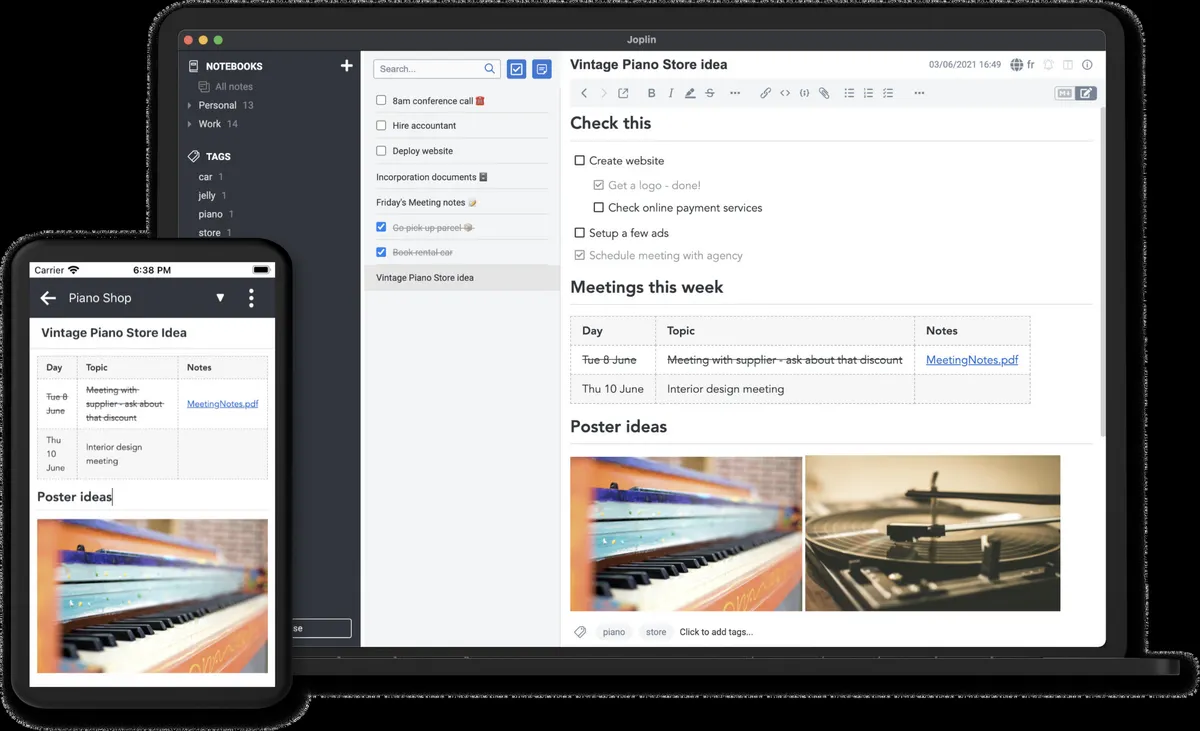
Joplin is an open-source note-taking app that keeps your notes private and portable. It works on Windows, macOS, Linux, Android, and iOS, plus a terminal app for keyboard lovers. Capture text, images, audio, and web pages, then sync everything across devices. Your notes are stored in an open format and protected with end-to-end encryption. End-to-end encryption scrambles your data so only you can read it. Joplin Cloud adds sharing and collaboration if you need it. Check the official site for the latest downloads and plans.
Key Features
1. Open Source and Portable
Joplin's code is public and your notes live in an open format. You can export them anytime and never feel locked in.
2. End-to-End Encryption
Turn on E2EE and your notes are scrambled before sync. Not even the sync provider can read them.
3. Sync Across Devices
Sync through Joplin Cloud, Dropbox, or OneDrive. Your notes stay updated on every device you own.
4. Web Clipper
Save web pages and screenshots as notes with the Chrome and Firefox extension. Research stays in one place.
5. Rich Media Notes
Attach images, video, PDFs, and audio to notes. Write math formulas and diagrams right inside the app.
6. Plugins and Themes
Extend Joplin with community plugins and custom themes. Developers can build more with the Extension API.
7. Markdown and Rich Text
Write in Markdown or switch to the rich text editor. Pick the style that feels natural to you.
Frequently Asked Questions (FAQ)
What is Joplin used for?
Joplin is used to capture and organize notes, to-dos, and web clips. People use it for journaling, project notes, and research on any device.
Do I need Joplin Cloud to use Joplin?
No. The app works with Dropbox, OneDrive, and other sync services. Joplin Cloud is an optional service that adds note sharing and publishing to the web.
Does Joplin work offline?
Yes. Joplin is offline-first, so your notes live on your device. Sync only runs when you connect to your chosen service.
Which devices does Joplin support?
Windows, macOS, Linux, Android, iOS, and a terminal app. Your notes sync across all of them.
Is Joplin good for developers?
Yes. It supports code blocks, math formulas, and diagrams, offers a plugin API, and includes a terminal app for keyboard workflows.
Conclusion
Joplin gives you a private, open-source home for your notes. It runs on every platform, encrypts your data end to end, and syncs through services you already use. Plugins and themes let you shape it to your workflow. The app is free; Joplin Cloud adds sharing for teams and families. Visit the official site and take your notes back.
Keep exploring
Similar AI tools
Ranked by the job they do, their capabilities, and how closely they fit this workflow.