LivePortrait
Animate still portraits with AI — open-source, runs locally.
Upvotes
1
Pricing
Open Source
Category
Video Generators
In the database since
Oct 2026
Overview
About LivePortrait
LivePortrait is an open-source portrait animation toolkit from researchers at Kuaishou Technology, the University of Science and Technology of China, and Fudan University. Give it a single still portrait — a photo of a person, a cat, or a dog — plus a driving video, and it transfers the motion onto the portrait: head turns, smiles, blinks, and subtle expressions become a lifelike animated clip. It is the official PyTorch implementation of the research paper "LivePortrait: Efficient Portrait Animation with Stitching and Retargeting Control."
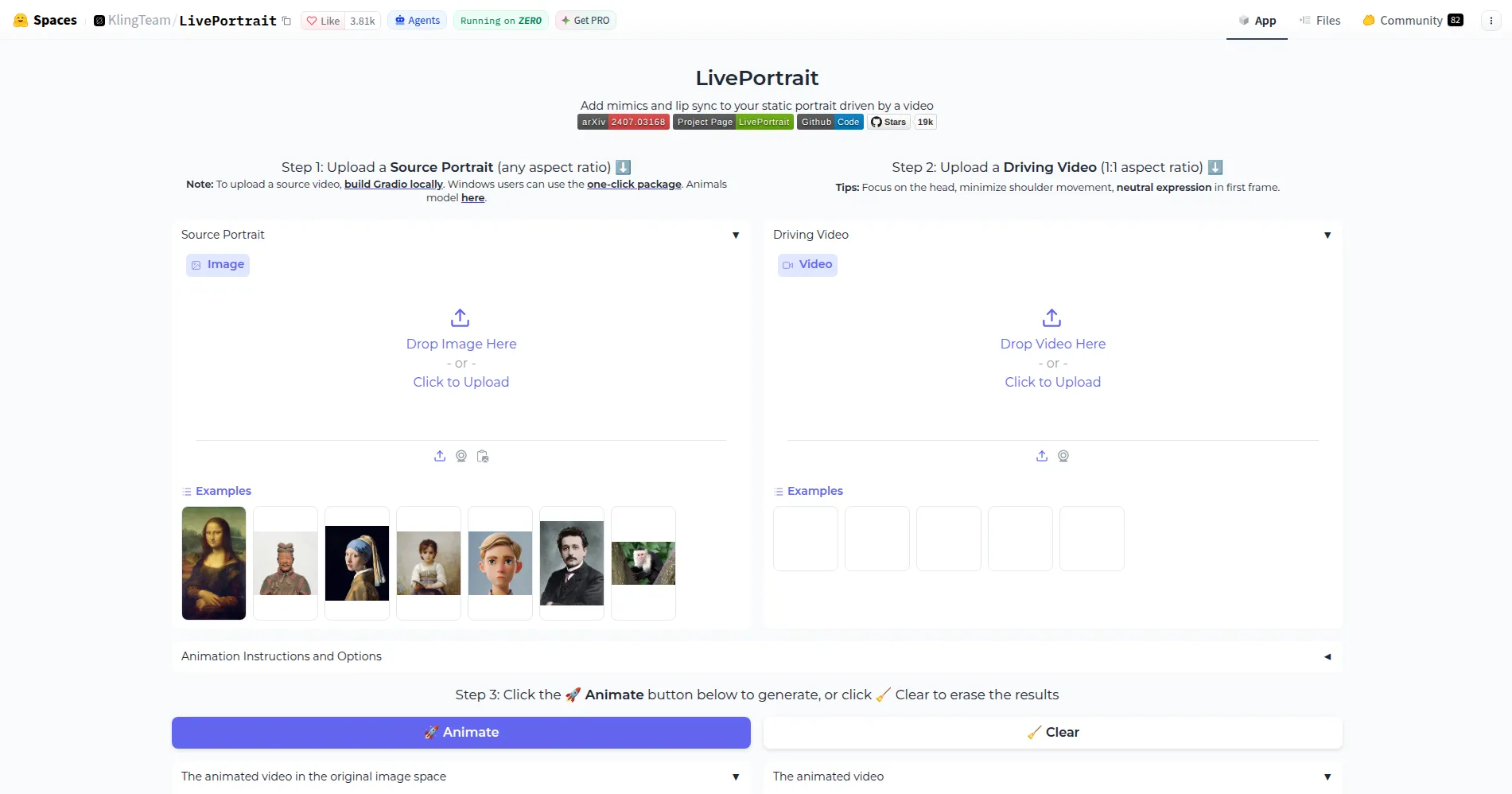
Since its release, the project has grown into one of the most popular open-source LivePortrait animation repos on GitHub, and the authors report adoption by major video platforms. Everything runs locally: clone the repository, download the pretrained weights, and run inference with a single command. A Gradio web interface, a Windows one-click installer, and a hosted online demo make it approachable even if you have never run a machine-learning model before.
Key Features
1. Single-Image Portrait Animation
Animate any portrait photo from just one source image and a driving video, with no per-subject training or fine-tuning required.
2. Stitching and Retargeting Control
Built-in stitching blends the animated face back into the original portrait seamlessly, while retargeting controls adjust exactly how motion transfers from the driver to the source.
3. Animals Mode
A dedicated model brings pet photos to life too, animating cats and dogs with the same driving-video approach used for humans.
4. Portrait Video Editing (v2v)
Beyond still images, LivePortrait can re-animate an existing portrait video, enabling video-to-video editing workflows.
5. Gradio Web Interface
A browser-based UI covers the full workflow — including pose editing and precise portrait adjustments — without touching the command line.
6. Motion Templates for Speed and Privacy
Driving motions can be saved as compact template files that accelerate inference and let you animate portraits without sharing the original driving footage.
7. Easy Ways to Try It
Windows users get a one-click installer with auto-updates, and anyone can test the tool instantly in the hosted HuggingFace demo before installing anything.
Frequently Asked Questions (FAQ)
Is LivePortrait a website or software I install?
It is open-source software you run on your own machine — clone the repository, download the pretrained weights, and run inference with a single command. A Gradio web interface, a Windows one-click installer, and a hosted online demo are also available.
What hardware do I need to run it?
An NVIDIA GPU is recommended for practical speeds. Apple Silicon Macs can run the humans mode but substantially slower, and a built-in torch.compile option makes repeat inferences roughly 20–30% faster.
Can I use my own driving video?
Yes. The project recommends a square crop focused on the head with a neutral expression in the first frame, and ships an auto-cropping option to prepare your clip.
Can it animate pets as well as people?
Yes. A separate Animals model handles cats and dogs, though it requires an NVIDIA GPU on Linux or Windows.
What should I know about misuse?
The repository carries an ethics section for good reason: realistic face animation can be misused to create deepfakes. Only animate portraits you own or have permission to use, and follow your local rules on synthetic media.
How is this different from talking-head apps?
LivePortrait is a research-grade, open-source toolkit you run yourself — full control and no subscription — whereas commercial talking-head apps are closed, hosted services.
Conclusion
LivePortrait is one of the most capable open-source portrait animation projects available: efficient, controllable, and genuinely fun to experiment with. If you have a GPU and a portrait worth bringing to life, you can go from install to first animation in minutes. Try the online demo to see what it does, then run it locally for full control.
Keep exploring
Similar AI tools
Ranked by the job they do, their capabilities, and how closely they fit this workflow.