Monday.com
Custom boards, automations and dashboards to run any workflow.
Upvotes
0
Pricing
Freemium
Category
Project Management
In the database since
Oct 2026
Overview
About Monday.com
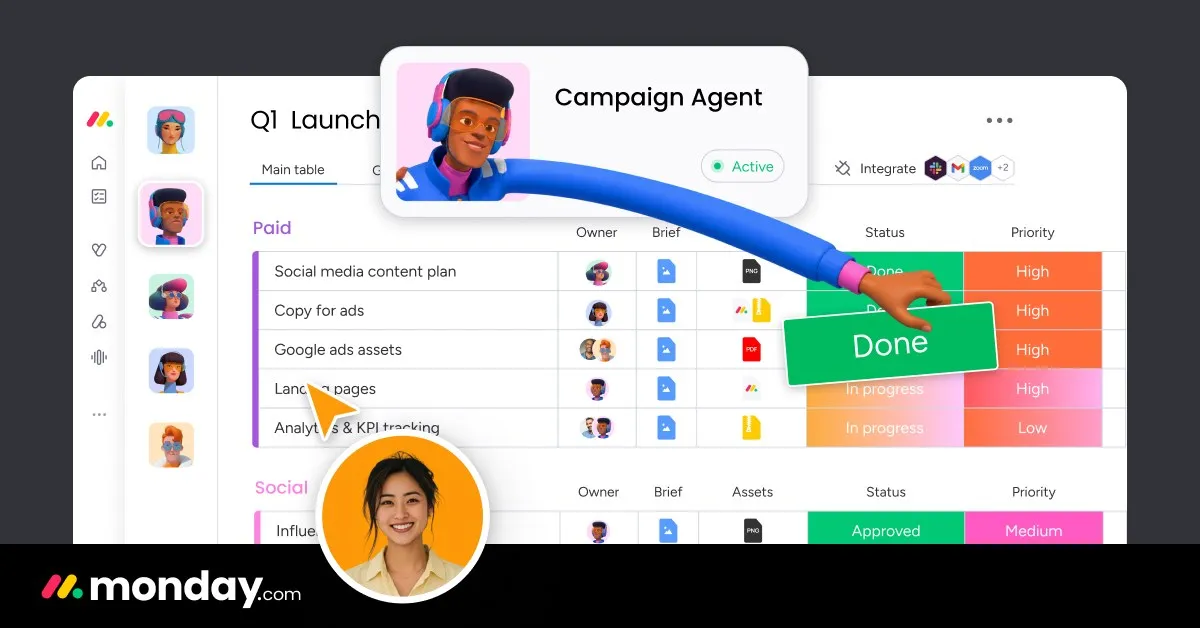
Monday.com is a work management platform built around colorful, customizable boards. Teams use it to run projects, track tasks, and manage daily operations in one visual space. You can switch between Kanban, Gantt, timeline, and calendar views, then build dashboards that show progress at a glance. No-code automations move work forward without manual updates. With over 200 integrations, it connects to the tools you already use. It suits any team that wants structure without stiffness. AI agents can take on routine jobs like research and follow-ups, saving hours each week.
Key Features
1. Customizable Boards
Build boards with over 20 column types for status, dates, people, and files. Every team can shape its own workflow without writing any code.
2. Multiple Project Views
See the same work as Kanban, Gantt, timeline, or calendar. Each person picks the view that fits their role, while the data stays in sync.
3. No-Code Automations
Set up rules that assign tasks, send alerts, and update statuses on their own. Hundreds of ready recipes make it easy to start in minutes.
4. Dashboards and Workload
Combine data from many boards into one dashboard with 30+ widgets. The workload view shows who has too much on their plate.
5. Docs and Collaboration
Write docs, share files, and leave updates right on each item. Comments and mentions keep every conversation tied to the work itself.
6. AI Agents
Create agents that research vendors, triage tickets, or draft content for you. They work inside your boards with clear logs and human review.
7. Integrations and API
Connect 200+ tools like Slack, Gmail, and Dropbox, or use the open API for custom links. Your data flows between systems without copy-paste.
Frequently Asked Questions (FAQ)
What is monday.com used for?
Teams use it to manage projects, tasks, campaigns, and operations. Its boards adapt to departments from marketing and sales to IT and HR.
What products are part of monday.com?
Beyond work management, the suite includes monday CRM for sales teams, monday service for IT support, and WorkCanvas for visual collaboration.
Can I control what AI agents do?
Yes. Admins set permissions, test actions in simulation mode, and track every agent step in a real-time activity log.
Does monday.com work for large companies?
Yes. It is trusted by over 60% of the Fortune 500 and offers enterprise-grade security, governance, and AI usage controls.
Can I start with a template?
Yes. The platform offers over 200 ready-made templates for projects, campaigns, and workflows, so teams can get going fast.
Conclusion
Monday.com suits teams that want one flexible home for all their work. Boards adapt to any process, views fit every role, and automations remove busywork. AI agents add extra hands for research and follow-ups. With strong dashboards and 200+ integrations, it scales from small teams to the Fortune 500. A solid pick for organized teamwork.
Keep exploring
Similar AI tools
Ranked by the job they do, their capabilities, and how closely they fit this workflow.