Upvotes
0
Pricing
Freemium
Category
Image Generators
In the database since
Oct 2026
Overview
About PatentFig AI
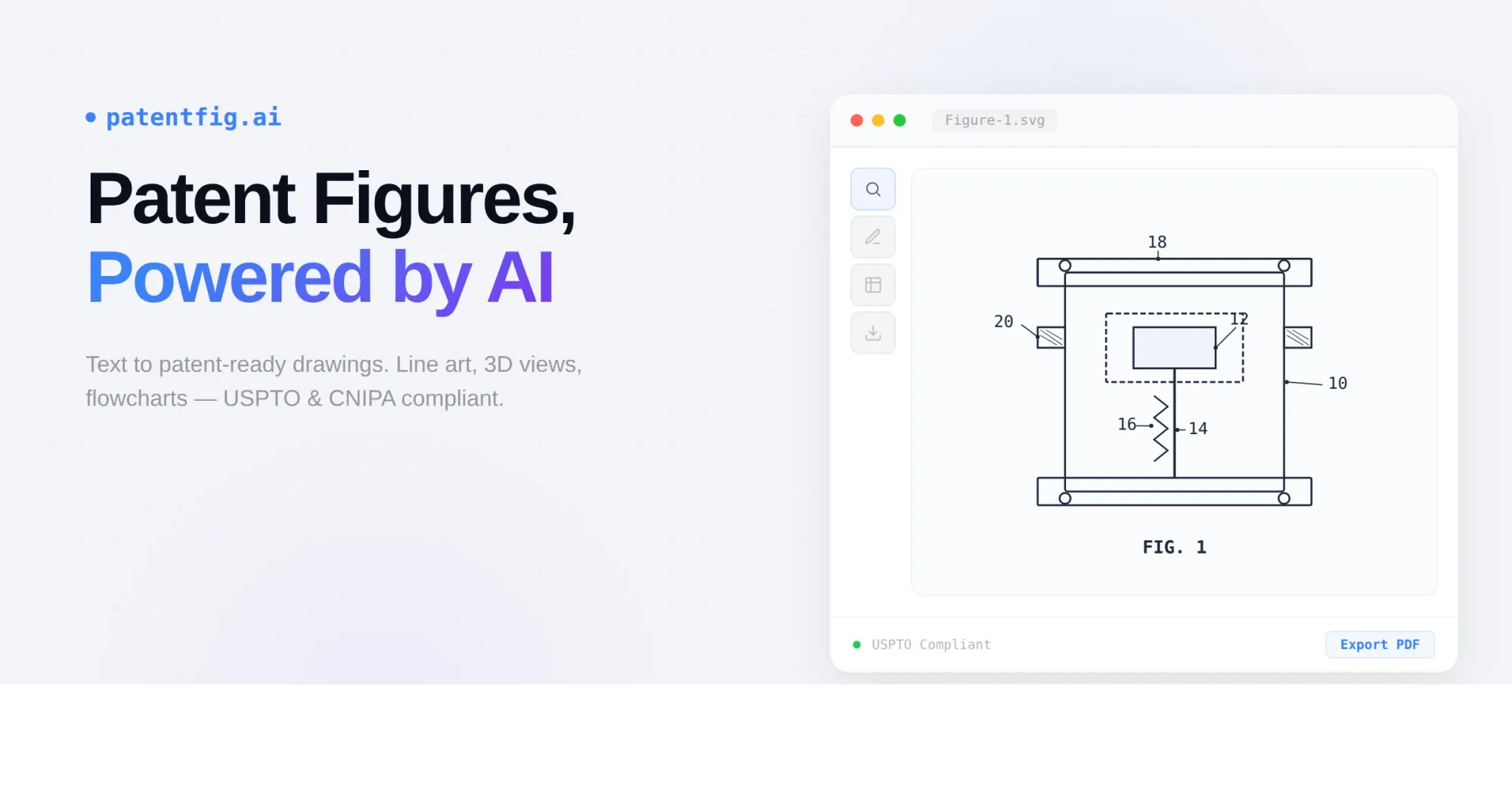
PatentFig AI is an AI platform that creates patent drawings for inventors and IP professionals. Describe an invention in text, or upload a sketch, product photo, or CAD screenshot, and it generates clean line art formatted for major patent offices — USPTO, EPO, CNIPA, JPO, KIPO, and PCT/WIPO. The AI adds reference numerals and leader lines following office conventions, and can produce 3D renderings, multi-view sets, and flowcharts. It suits patent attorneys, agents, and inventors filing applications. Check patentfig.ai for current plans.
Key Features
1. Text-to-drawing generation
Describe the invention in plain text and get compliant line drawings. No CAD or illustration skills are needed.
2. Sketch and photo conversion
Upload rough sketches or product photos. The AI turns them into polished black-and-white patent figures.
3. Reference numerals and leader lines
The AI labels parts with numbers and leader lines following patent office conventions automatically. It saves hours of manual numbering work.
4. Multi-view 3D renderings
Generate front, rear, top, bottom, and perspective views of an invention as one consistent figure set.
5. Flowcharts and block diagrams
Create process flowcharts and system diagrams for method and system patents with the same tool.
6. Chat-to-modify editing
Edit any figure with natural-language commands like "make the arrow thicker" or "add a cross-section view".
7. Version control
Every generation saves a version with sub-versions for edits. Compare revisions and revert to any earlier state.
Frequently Asked Questions (FAQ)
What is a patent figure?
A technical line drawing that shows how an invention looks or works. Patent offices require these drawings in applications.
Which patent offices does it support?
USPTO, EPO, CNIPA, JPO, KIPO, and PCT/WIPO workflows, with formatting that follows each office’s drawing standards.
What can I start from?
A text description, a hand sketch, a product photo, or a CAD screenshot. The AI understands all four input types.
What export formats are available?
PDF, PNG, SVG, and TIFF at exact office specifications, with batch export for whole figure sets.
Is my invention data kept private?
PatentFig states that uploads are never used to train models, data is encrypted, and you can delete projects anytime.
Conclusion
PatentFig AI removes the slowest part of patent filing: the drawings. Multi-office compliance, reference numerals, and chat-based editing suit busy IP teams and solo inventors alike. AI output still needs a professional review before filing. For fast, consistent patent figures, it is a serious time-saver. It handles mechanical, electrical, and software inventions with equal ease.
Keep exploring
Similar AI tools
Ranked by the job they do, their capabilities, and how closely they fit this workflow.