Upvotes
0
Pricing
Freemium
Category
Image Generators
In the database since
Oct 2026
Overview
About Photopea
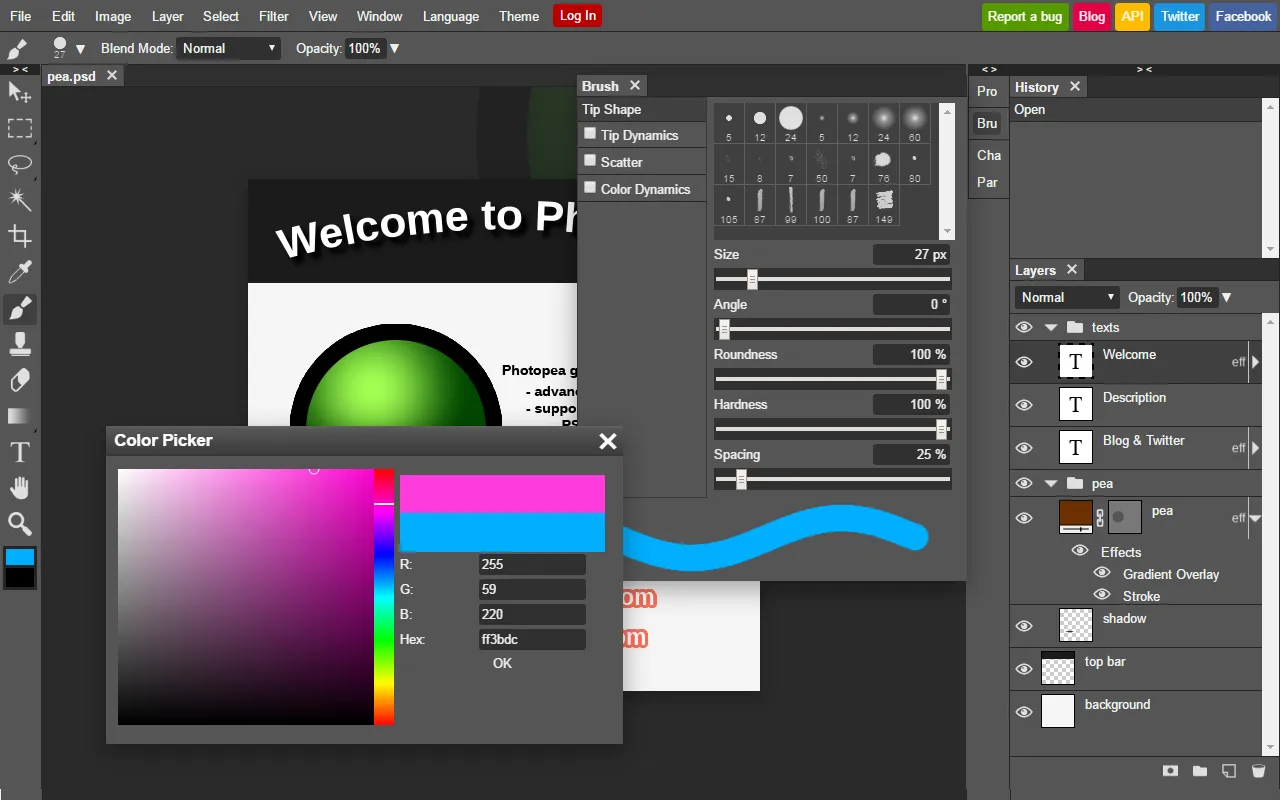
Photopea is a free online photo editor that runs entirely in your browser. It mirrors the Photoshop workflow with layers, masks, blend modes, and a familiar toolbar, and it opens PSD files with layers intact. It also handles XCF, Sketch, JPG, PNG, and SVG files. You can retouch photos, design graphics, and export for web or print without installing anything or creating an account. Photopea suits students, freelancers, and anyone who needs real editing power on any computer. Check photopea.com for current details.
Key Features
1. Photoshop-style layers
Work with layers, layer masks, blend modes, and adjustment layers. The layout feels familiar to Photoshop users.
2. Opens PSD files
Load Photoshop documents with layers preserved. Start work in Photoshop and finish it in the browser, or the reverse.
3. Wide format support
Opens PSD, XCF, Sketch, JPG, PNG, SVG, and more. Export to common formats for web, print, and sharing.
4. Full retouch toolkit
Selections, brushes, healing, clone stamp, filters, and text tools cover serious photo editing and design tasks.
5. Runs in the browser
No install and no signup for the core editor. It works on Windows, Mac, Linux, and Chromebooks.
Frequently Asked Questions (FAQ)
Is Photopea really like Photoshop?
Close. It offers layers, masks, and similar tools in the browser. Photoshop still leads on advanced pro features and plugins.
Can it open my PSD files?
Yes. Photopea opens PSD files with layers intact, so existing Photoshop work carries over directly.
Does it work offline?
The app runs locally in your browser once loaded, but you need an internet connection to open the site first.
What is the difference between Photopea and Photoshop?
Photopea is browser-based and free to start with ads; Photoshop is a paid desktop suite with deeper pro tools.
Who should use Photopea?
Students, freelancers, and casual editors who need layered editing without buying or installing software.
Conclusion
Photopea is the closest thing to Photoshop you can get in a browser tab. Layered editing and full PSD support cover real design work at no cost. Complex files can feel slower than desktop apps, so keep projects lean. For capable editing anywhere, it is an easy recommendation. Auto-save keeps your work safe, and keyboard shortcuts speed up frequent tasks.
Keep exploring
Similar AI tools
Ranked by the job they do, their capabilities, and how closely they fit this workflow.