Power Automate
Microsoft's automation tool for cloud and desktop flows.
Upvotes
0
Pricing
Freemium
Category
Workflows
In the database since
Oct 2026
Overview
About Power Automate
Power Automate is Microsoft's low-code automation tool inside the Power Platform. It runs two kinds of flows: cloud flows that start on a trigger, a schedule, or a button tap, and desktop flows that drive desktop apps like a person would — that second kind is called RPA (robotic process automation). It connects with over 1,500 connectors and has AI Copilot help for building flows. It is best for teams already living in Microsoft 365. Check the official site for current plans.
Key Features
1. Cloud flows
Cloud flows start on a trigger, run on a schedule, or launch from a button tap. They run in the cloud with no PC needed.
2. Desktop flows (RPA)
Desktop flows drive desktop apps like a person: clicking buttons and filling forms. They automate old apps with no API.
3. 1,500+ connectors
Connect with over 1,500 connectors to Microsoft and third-party apps. Premium connectors unlock more services.
4. AI Copilot assistance
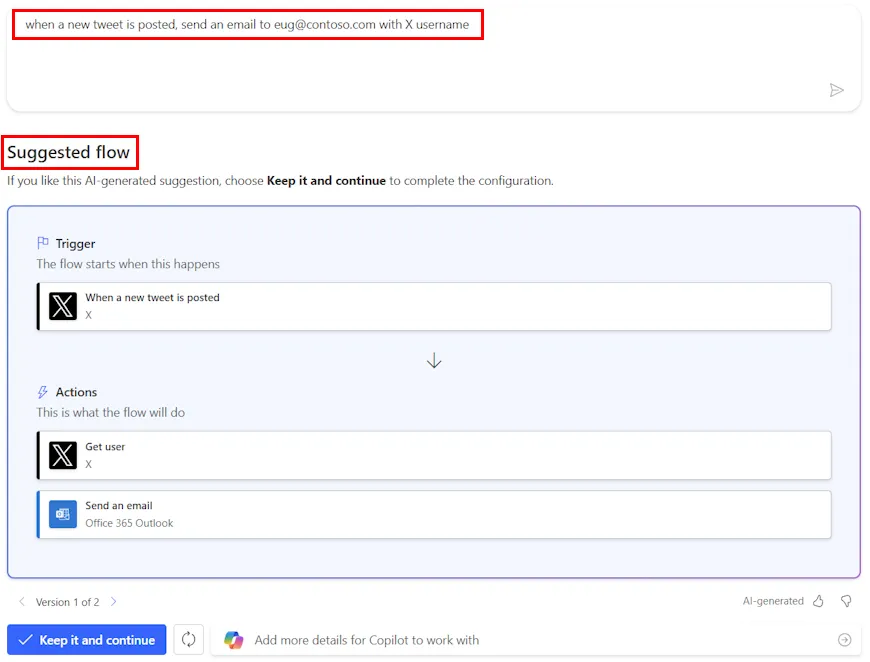
Describe what you want in plain words and Copilot helps draft the flow. You still review and adjust every step.
5. Deep Microsoft 365 ties
It works naturally with Excel, SharePoint, Teams, and Outlook. Approvals and notifications fit into the tools you already use.
Frequently Asked Questions (FAQ)
What is the difference between cloud flows and desktop flows?
Cloud flows run online from triggers, schedules, or buttons. Desktop flows run on your PC and control desktop apps like a person — RPA.
Is Power Automate included with Microsoft 365?
Basic features come with select Microsoft 365 licenses, using standard connectors. Premium connectors and RPA need separate paid plans.
What is RPA?
RPA stands for robotic process automation. It means software that drives desktop apps like a person — clicking buttons and typing — for tasks with no API.
How is Power Automate different from Zapier?
Power Automate fits companies already on Microsoft 365 and adds desktop RPA. Zapier is app-neutral and simpler for cross-platform teams.
Conclusion
Power Automate suits companies that already live in Microsoft 365 and want automation inside their existing tools. Its desktop flows add RPA for old apps that Zapier cannot touch. Pricing: a free tier for eligible work or school accounts, Premium at $15 per user a month, and Process at $150 per bot a month for unattended bots.
Keep exploring
Similar AI tools
Ranked by the job they do, their capabilities, and how closely they fit this workflow.