
Tableau Public
Build and publish interactive data visualizations online
Upvotes
0
Pricing
Free
Category
Research
In the database since
Oct 2026
Overview
About Tableau Public
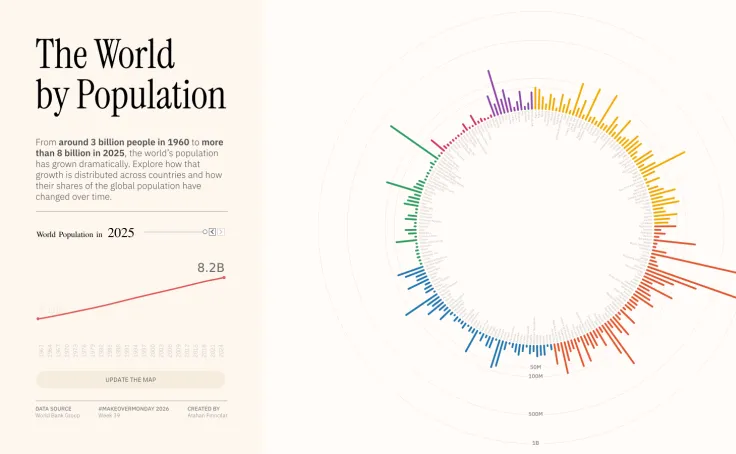
Tableau Public is Tableau's free platform for building and sharing interactive data visualizations, called vizzes. You create charts, maps, and dashboards in the browser, then publish them to the web with a link anyone can open. The catch is important: everything you publish is public, so it suits portfolios, journalism, teaching, and learning. A large community shares new work daily for inspiration, and Tableau Agent can help you build and refine vizzes with AI assistance. Check the official site for the latest details.
Key Features
1. Free Viz Builder
Build interactive charts, maps, and dashboards with drag and drop. No download or license is needed to start.
2. Publish to the Web
Share any viz with a public link. Viewers can filter, hover, and explore the data without an account.
3. Tableau Agent
The built-in AI assistant helps you create and refine visualizations. It can suggest chart types and layouts.
4. Community Gallery
Browse Viz of the Day, trending work, and topic collections. You can download vizzes to see how they were built.
5. Embed Anywhere
Put interactive vizzes on your site or blog with an embed code. They stay live and explorable for readers.
6. Profile and Following
Authors get public profiles with followers. Community programs like Iron Viz and Ambassador challenges run year-round.
Frequently Asked Questions (FAQ)
Is everything on Tableau Public really public?
Yes. Every workbook you save to Tableau Public is visible to anyone on the internet, and search engines can index it. Never publish private or sensitive data there.
What is the difference between Tableau Public and Tableau Desktop?
Tableau Public is free but everything is public. Tableau Desktop and Cloud are paid products that keep your workbooks and data private for business use.
Who should use Tableau Public?
Students, journalists, job seekers, and data hobbyists. It is ideal for building a public portfolio of visualization work that employers can browse.
Can I keep my data private on Tableau Public?
No. If your data must stay private, you need a paid Tableau product. Tableau Public has no private workbooks by design.
What is Viz of the Day?
Viz of the Day is a featured visualization chosen each weekday from the community. It highlights strong design and interesting data stories.
Conclusion
Tableau Public is the best free way to learn and show off data visualization. The builder is powerful, publishing is instant, and the community gallery teaches by example. Just remember the core rule: everything is public. For private business dashboards, look at Tableau's paid products instead. It is perfect for students, journalists, and anyone building a data portfolio.
Keep exploring
Similar AI tools
Ranked by the job they do, their capabilities, and how closely they fit this workflow.