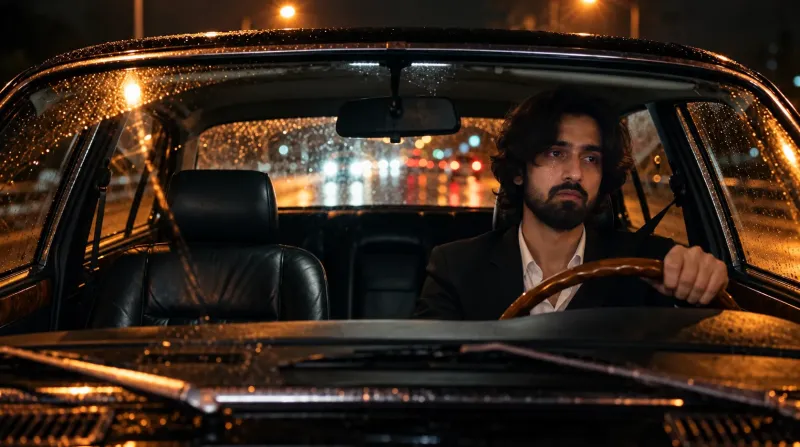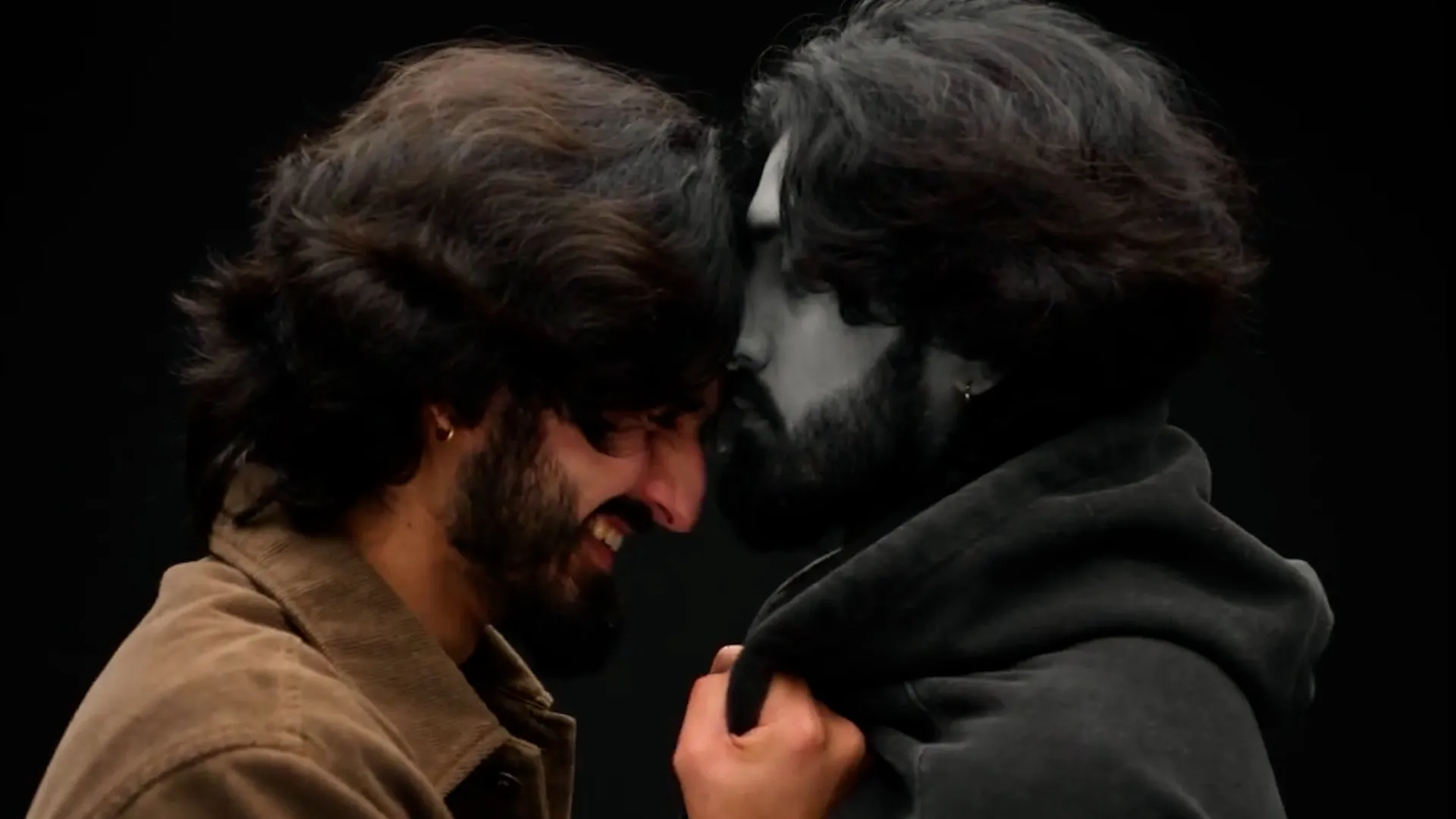
Character A / Character B • Seedance 2.5 • 14-second 360° orbit
1. What You’re Creating
A cinematic AI video featuring two versions of the same person standing face-to-face in a pitch-black studio void. Character A (Joy) is fully colored and laughing; Character B (Numb) is completely black-and-white and emotionally empty. They remain physically connected while the camera makes one continuous 360° orbit and returns to the opening composition, making the clip suitable for looping.
2. What You Need
- One clear identity/reference photo.
- Two character reference sheets made from the same identity reference.
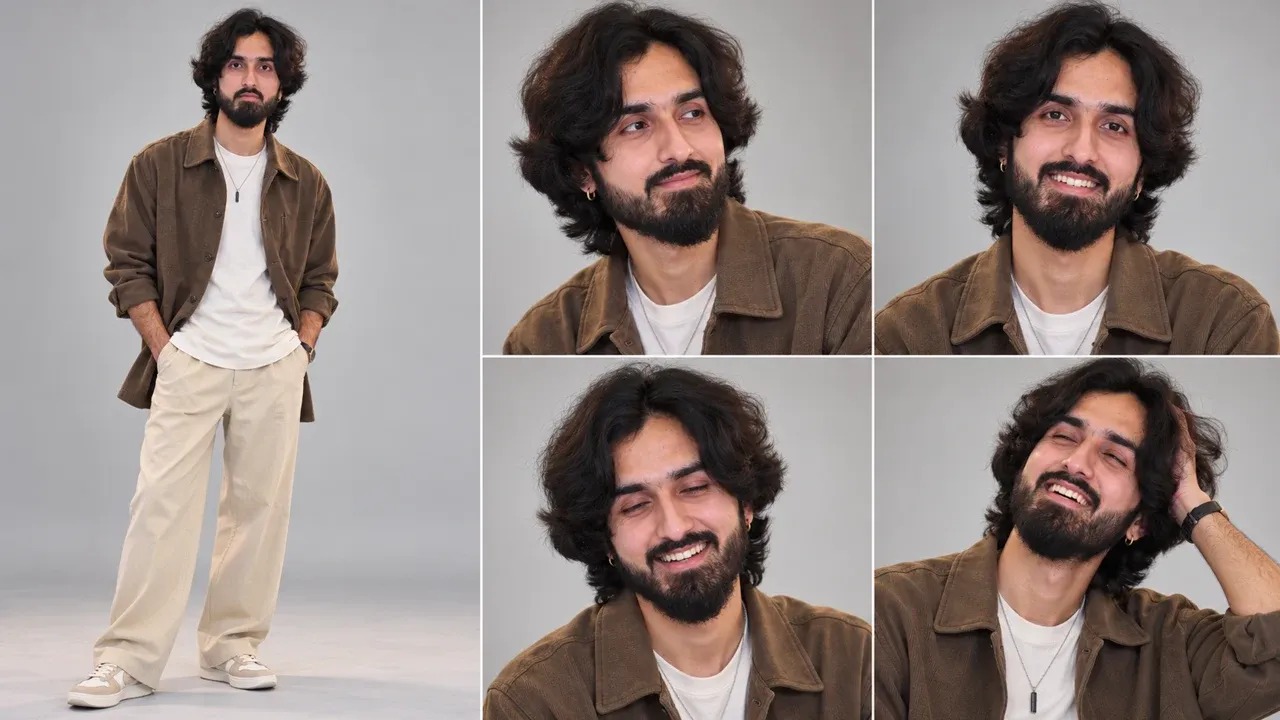
- Character A / Joy sheet: happy, full-color version.
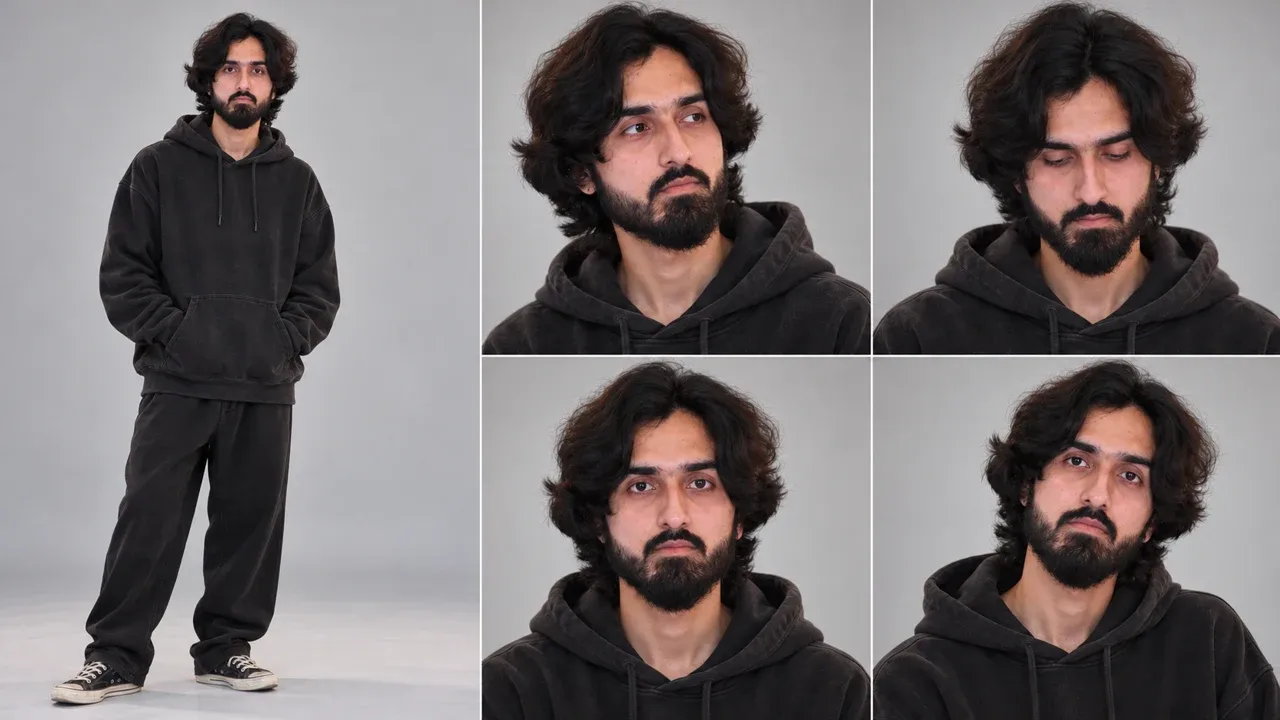
- Character B / Numb sheet: tired, empty, monochrome-oriented version.
- A video generator supporting Seedance 2.5 (the reference workflow uses OpenArt).
- 14-second video generation.
- Instagram Reels for adding the final music.
3. The Most Important Rule: Same Identity
Both character sheets must clearly be the same person. Face, facial proportions, skin tone, facial features, hairstyle, hair color, accessories and overall identity should remain consistent. The universal version does not hard-code a particular hairstyle, gender or accessory; the reference images are the source of truth.
Golden rule: Do not manually invent hair, earrings or accessories in the video prompt. Tell the model to preserve exactly what appears in @Image 1 and @Image 2.
4. Character Sheet A — Character A (Joy)
Use your original identity photo as Image 1. The following prompt is designed to preserve the reference appearance instead of forcing a specific hairstyle or outfit:
5. Character Sheet B — Character B (Numb)
Create the second sheet from the same identity photo. Preserve the identity while changing the mood and outfit according to your desired reference.
6. Check Both Sheets Before Video
- Put both sheets side-by-side.
- Confirm the face clearly belongs to the same person.
- Confirm hairstyle and hair color are consistent with the intended references.
- Confirm accessories and clothing are correct.
- Remove or regenerate any sheet that looks like a different person.
The grey studio background and sheet labels are reference-sheet elements only; they must not appear in the final video.
7. Seedance 2.5 Video Setup
- Open your Seedance 2.5 video workflow (the reference guide uses Wizstar).
- Go to the video generation area and select Seedance 2.5.
- Upload Character A / Joy sheet as @Image 1.
- Upload Character B / Numb sheet as @Image 2.
- Keep the upload order exactly the same as the prompt.
- Set duration to 14 seconds.
- Use 9:16 if the final destination is a full-screen Reel; 4:3 can also work.
- Paste the full video prompt below and generate.
8. Final Universal Video Prompt
9. What Happens in the 14 Seconds
| Time | Camera | Action |
|---|---|---|
| 0–3.5s | Opening side profile | Joy throws the head back laughing; Numb stays blank. |
| 3.5–7s | Quarter-turn / over-shoulder | Joy leans in and giggles; Numb blinks once. |
| 7–10.5s | Opposite side / behind shoulder | Joy wipes a laughing tear; Numb barely sways. |
| 10.5–14s | Returns to opening | Joy gives one more big laugh; camera matches the starting side. |
10. Why the Black-and-White Effect Works
Character B should lose color, not lighting. Keep the same key light, rim light, shadows, highlights and falloff used for Character A. The phrase “only the color is removed” helps prevent Character B from looking like a flat grey cut-out.
11. Making the Video Loop
The final camera position deliberately returns to the exact opening side profile: Character A on the right and Character B on the left. Because the start and end compositions match, the Reel can loop with less visible discontinuity.
12. Adding Music in Instagram
- Export the generated video with no added background music.
- Open Instagram and create a Reel.
- Add the generated video.
- Use Instagram's music/audio selector to choose the desired sound.
- I used this one: Andrea Vanzo - Soulmate x Amélie x Interstellar x Passacaglia
- Start with a slower emotional section of the track if you want the contrast between sad music and Joy's laughter.
- Lower the original video audio if the music should dominate, but keep a little laughter if you want the laugh to remain audible.
13. Troubleshooting
| Problem | Fix |
|---|---|
| Character B gets color back | Reinforce: “completely black-and-white”, “zero color”, and “only the color is removed.” |
| Character B looks flat or sticker-like | Keep the same-lighting instruction and explicitly preserve shadows, highlights and rim light. |
| Characters swap clothes | Verify @Image 1 is Character A/Joy and @Image 2 is Character B/Numb. |
| Camera stops or reverses | Keep “slow constant speed” and “never stops, reverses or cuts”; regenerate if needed. |
| Full 360° is incomplete | Regenerate or trim the end if necessary; timing can vary between generations. |
| Character B smiles | Keep “no smile, no tears, no frown” and “empty emotionless face.” |
| Grey studio background appears | Keep the instruction not to use the reference-sheet background. |
| Reference-sheet label appears | Keep the explicit ban on “Outfit 01” / “Outfit 02” and remove labels from the source sheets if possible. |
| Face identity changes | Regenerate the character sheets from the same original identity reference and compare them side-by-side. |
14. Universalization Rules
- Use Character A (Joy) and Character B (Numb) instead of gendered pronouns.
- Do not hard-code a hairstyle, hair color, earrings or accessories unless you intentionally want them fixed.
- Use “exactly as shown in @Image 1/@Image 2” as the appearance source of truth.
- Keep Joy/Numb as role names: Joy = color + laughter; Numb = monochrome + emotionless.
- The template can therefore be reused with male, female or mixed-gender references without rewriting the whole video prompt.
- Always upload the sheets in the same order referenced by the prompt.
15. Quick Checklist
- ☐ Same identity in both character sheets
- ☐ Character A/Joy sheet uploaded first
- ☐ Character B/Numb sheet uploaded second
- ☐ Seedance 2.5 selected
- ☐ Duration set to 14 seconds
- ☐ 9:16 selected for a full-screen Reel, if desired
- ☐ Full video prompt pasted without changing the image mapping
- ☐ Exactly two characters
- ☐ One continuous 360° orbit
- ☐ Character A = full color + laughing
- ☐ Character B = black-and-white + emotionless
- ☐ Pitch-black environment
- ☐ No cuts, stops or reversals
- ☐ End composition matches opening
- ☐ Music added afterward in Instagram
16. Final Word
The whole effect rests on one idea: same person, two feelings. Keep the identity locked in both sheets, let Joy stay loud and colorful, and let Numb stay quiet and grey. If the camera completes its full circle and lands back on the opening frame, the loop feels endless — and the contrast does the storytelling for you.