
Upvotes
2
Pricing
Freemium
Category
Video Generators
In the database since
Oct 2026
Overview
About Wizstar
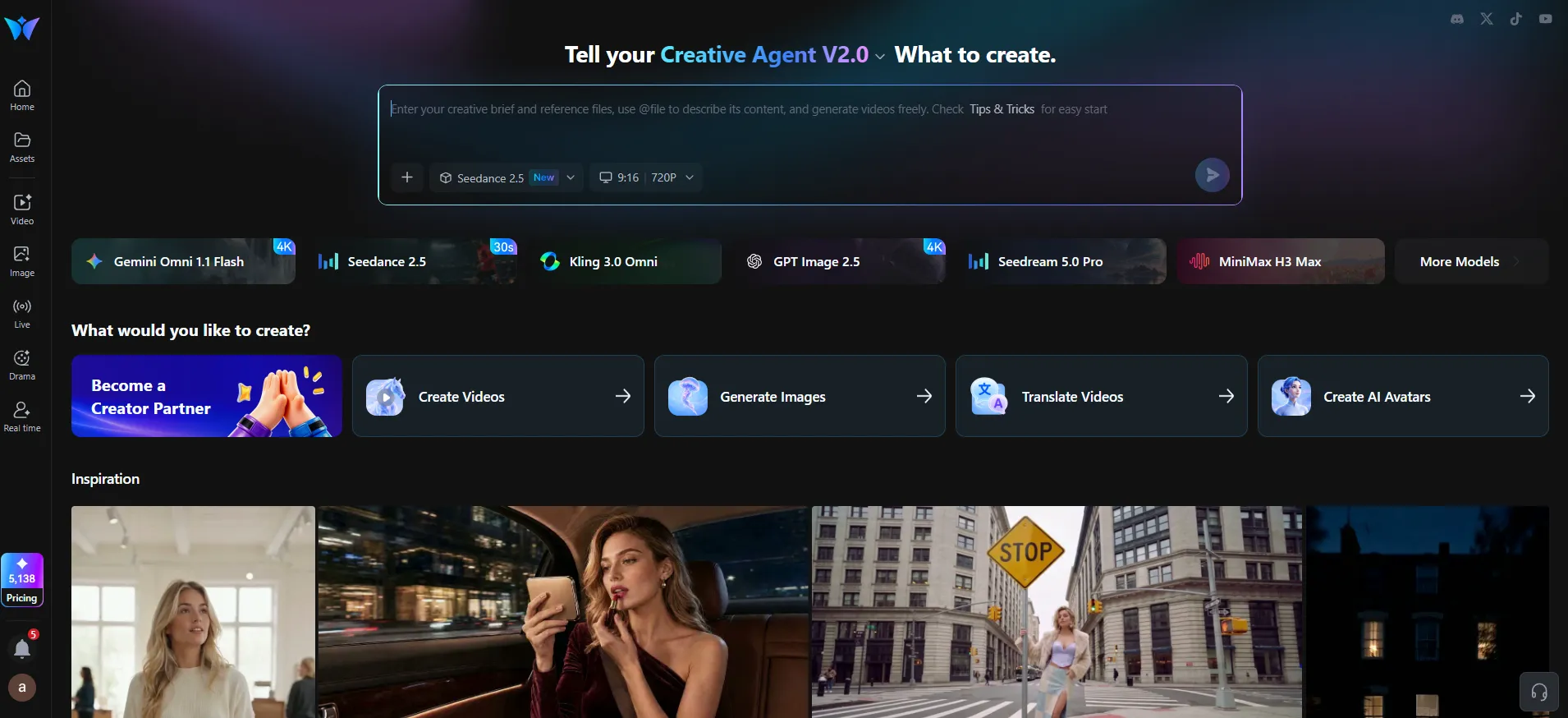
Wizstar is an AI video creation platform built for e-commerce sellers, creators, and brands. It turns product photos, links, and ideas into ready-to-publish marketing videos. One workspace combines video generation, digital avatars, lip sync, and multilingual translation. Its AI agents can plan the script, scenes, and voiceover for you. New users get free credits to try the tools, with paid plans for heavier use. Models include Seedance 2.5 and Kling 3.0 Omni for high-quality results. For current prices and limits, check the official site at wizstar.com.
Key Features
1. Reference-to-Video
Turn product photos into moving videos that keep the product looking accurate. The system preserves brand colors and details across every scene.
2. AI Avatar Studio
Create talking presenter videos from a photo and a script, no camera needed. You can generate many versions at once for different products or markets.
3. Video Translation
Translate a finished video into other languages with matched lip movements. This helps one ad reach buyers in many countries.
4. Seedance 2.5 and More Models
Generate with Seedance 2.5, Kling 3.0 Omni, and Nano Banana 2. These newer models produce sharper motion and more cinematic shots.
5. AI Agents
Describe your goal once and an agent builds the full video plan. It writes the script, picks scenes, and adds voiceover and captions.
6. Product Image Tools
Use GPT Image 2.5 Flare to explore many visual styles fast. Sunburst then refines backgrounds and lighting while keeping the product intact.
7. Lip Sync
Make any photo or avatar speak with natural lip movement. You can pair it with scripts, recordings, or translated audio.
Frequently Asked Questions
What is Wizstar used for?
Wizstar makes product videos, marketing clips, and avatar explainers. It is aimed at e-commerce sellers, agencies, and brands that need lots of video content.
What can I use as a starting input?
You can start with text prompts, images, product photos, product links, scripts, audio, or reference videos. Wizstar turns the input into a finished, captioned video.
What does Wizstar cost?
New users get free credits to try the tools. Paid plans add more credits and faster generation; avatar creation and voice synthesis need a paid plan.
Can Wizstar translate my videos?
Yes, it translates videos into multiple languages with AI dubbing. Lip movements are synced to the new audio for a natural result.
Which AI models does Wizstar use?
Its video tools run on models like Seedance 2.5 and Kling 3.0 Omni. Product images use GPT Image 2.5 Flare and Sunburst.
Who is Wizstar built for?
Creators, e-commerce sellers, marketers, and educators who need high-quality video fast. No filming or editing skills are required to start.
Conclusion
Wizstar packs video, avatar, and translation tools into one e-commerce-friendly workspace. Product sellers get reference-to-video and AI agents that handle scripts and scenes end to end. Free credits cover first tests; paid plans unlock more credits and pro features. The multilingual dubbing also makes one video work across many markets. It is a practical choice for high-volume product video marketing.
Keep exploring
Similar AI tools
Ranked by the job they do, their capabilities, and how closely they fit this workflow.