

Cleanup.pictures
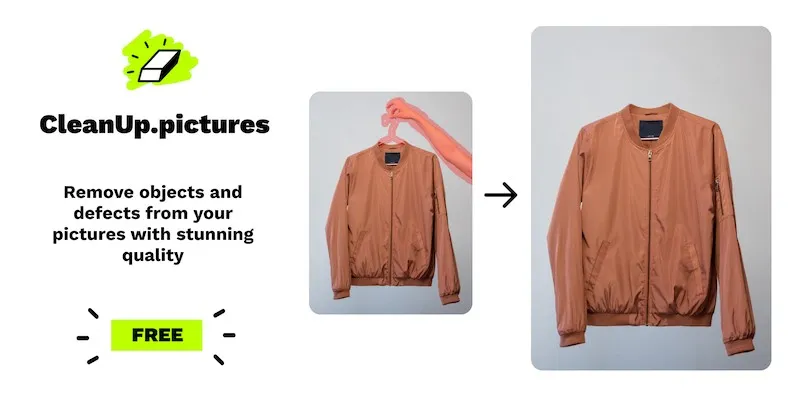
Brush away unwanted objects, people and text from any photo
Upvotes
0
Pricing
Freemium
Category
Image Editing
In the database since
Oct 2026
Overview
About Cleanup.pictures
Cleanup.pictures is a free browser tool that removes unwanted objects from photos. Drag in a picture, brush over the person, text, or defect you want gone, and the AI rebuilds the background. It runs on LaMa, an open-source inpainting model from Samsung Research, and was built by the ClipDrop team. No account is needed for basic use. Exports are capped at 720p on the free tier; Pro unlocks full resolution. It also powers a developer API for apps that need cleanup built in.
Key Features
1. Brush-based object removal
Paint over anything you want gone — tourists, trash cans, timestamps. The AI erases it and reconstructs the background.
2. LaMa inpainting engine
Inpainting means the AI redraws the covered area to match its surroundings. Samsung's LaMa model handles this with strong results.
3. Before/after slider
Drag the comparison slider to check the edit against the original. Undo and redo are one click if a removal looks off.
4. Text and defect cleanup
Remove watermarks, captions, scratches, and blemishes the same way. Works on JPG and PNG uploads of any size.
5. Developer API
An API (a tool that lets apps talk to each other) adds object removal to your own product. Paid plans cover high-volume use.
Frequently Asked Questions (FAQ)
How do I remove an object with Cleanup.pictures?
Upload your photo, pick a brush size, and paint over the object. The AI removes it and fills in the background automatically. Download the result when you are happy.
Why are my exports low resolution?
The free tier caps exports at 720p, so large originals come back smaller. Pro removes the cap and exports at full resolution. A free HD trial lets you test the difference first.
Who built Cleanup.pictures?
The engineering team behind ClipDrop, the AI photo app now part of Jasper. They open-sourced the web app on GitHub. The cleanup model itself is LaMa from Samsung Research.
Can it remove watermarks from stock photos?
Technically yes, but removing watermarks to use images without paying the owner breaks their license. Use the tool on your own photos or properly licensed images instead.
Does Cleanup.pictures work on phones?
Yes. The site works in mobile browsers on iOS and Android with the same brush tool. There is no separate app to install.
Conclusion
Cleanup.pictures is the fastest way to erase distractions from a photo. The brush workflow needs no learning, and results land in seconds. Free exports suit social posts, while Pro covers print-quality work. It will not replace Photoshop for complex edits. For quick cleanups, bookmark it and move on. The API option makes it useful inside other products too.
Keep exploring
Similar AI tools
Ranked by the job they do, their capabilities, and how closely they fit this workflow.


