
Upvotes
0
Pricing
Free
Category
Image Editing
In the database since
Oct 2026
Overview
About editghost
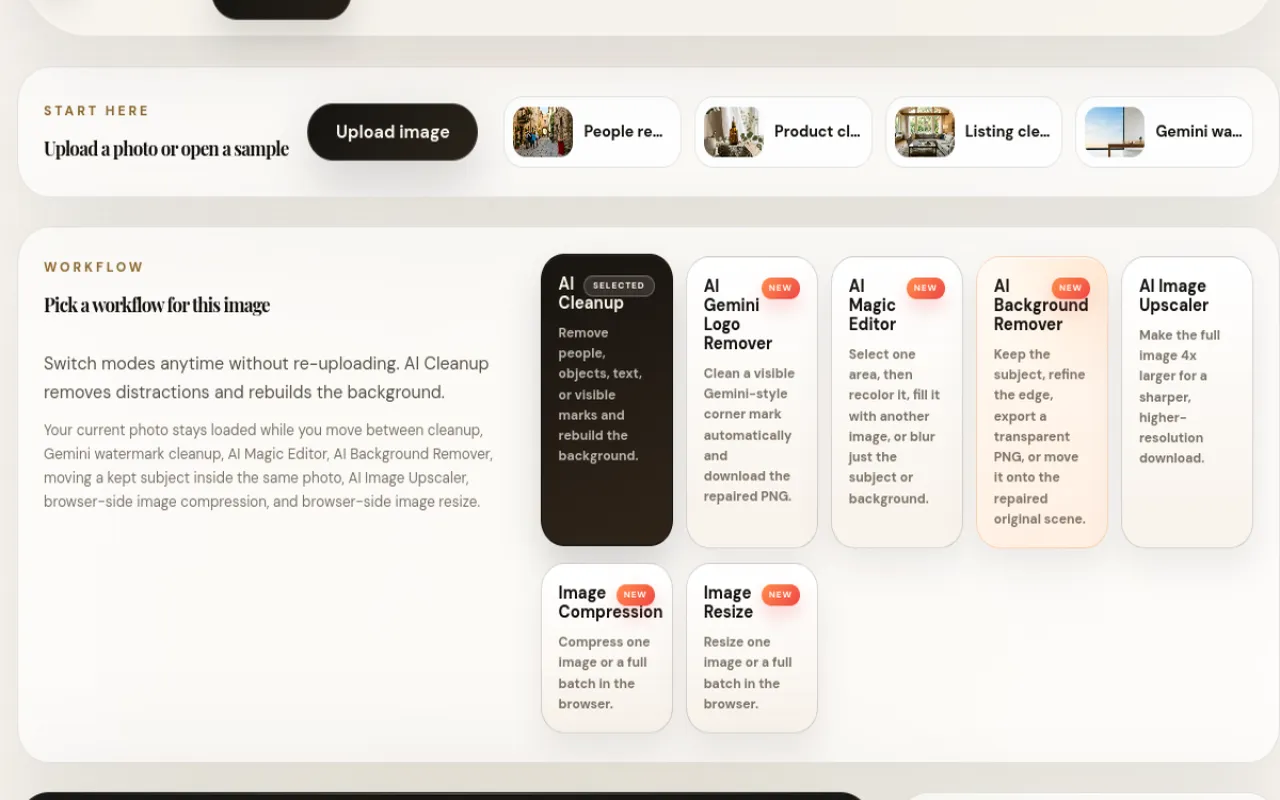
editghost is a free browser-based photo editor for quick cleanups. Paint over people, wires, text, date stamps or visible marks and it erases them while rebuilding the background. It also removes backgrounds to transparent PNGs, upscales images 4x, and compresses or resizes files in batches. An AI Magic Editor lets you recolor, replace or blur a selected area. Everything runs in your browser — no signup, no install, no watermark. For current tools and limits, check the official editghost site.
Key Features
1. AI Cleanup
Paint, auto-select or box-select people, objects, text and marks, then erase them. The tool rebuilds the background so the photo looks untouched.
2. Background Remover
Remove backgrounds from people, products or objects and export transparent PNGs. Refine edges, then place the subject on a new background.
3. AI Magic Editor
Select one area to recolor it, fill it with another image, or blur just the subject or background. Recoloring keeps the original light and shading.
4. 4x Image Upscaler
Make the full image four times larger for a sharper download. It helps when a small photo feels too tiny for its final use.
5. Batch Compression and Resize
Compress many images or resize them for fixed upload slots in one batch. Everything processes in your browser with no uploads.
6. Watermark Cleanup Mode
Clean visible corner marks from images you own, single or batch. Use it only on images you own or have permission to edit.
Frequently Asked Questions (FAQ)
Do I need an account to use editghost?
No. You can upload a photo and start editing right away — there is no signup step and no install.
Where are my photos processed?
In your browser. The editing, compression and resizing happen on your device, so your images never leave your computer.
Will my downloads have a watermark?
No. editghost does not add watermarks to the images you download.
Which file formats can I export?
You can export as JPG, WebP or PNG, and set width, height and quality. PNG is best when you need a transparent background.
What should I use it for?
Travel and product photos with unwanted people or objects, ecommerce cutouts, real-estate listing cleanup and quick fixes before opening a heavier editor.
Conclusion
editghost is a handy free editor for everyday photo fixes. It erases distractions, removes backgrounds, upscales images and handles batch resize and compression in one browser workspace. It suits sellers, travelers and creators who want quick results without a desktop app. For fast cleanups, it is worth bookmarking. Check the official site to try it on your own photo.
Keep exploring
Similar AI tools
Ranked by the job they do, their capabilities, and how closely they fit this workflow.


