Flow AI Video
All-in-one image and video studio with leading models and one gallery.
Upvotes
0
Pricing
Freemium
Category
Video Generators
In the database since
Nov 2026
Overview
About Flow AI Video
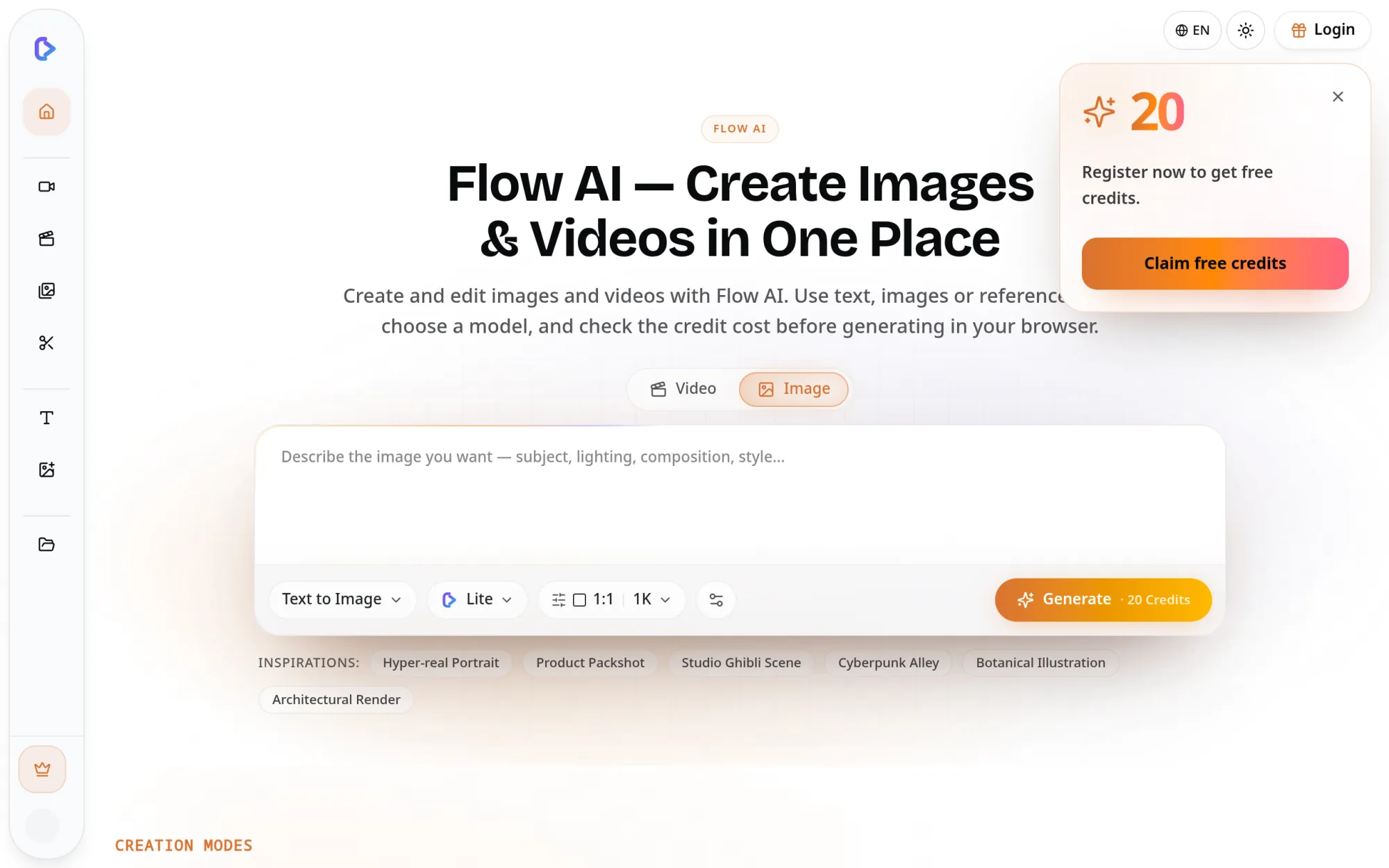
Flow AI Video brings image and video creation into one workspace. You type a prompt, upload a photo, or add reference media, then pick a model and see the credit cost. Image models include GPT Image 2, Nano Banana 2, and Seedream 5 Pro, while video models include Seedance 2.0 Mini, Seedance 2.5, Wan 3.0, and Grok Imagine Video 1.5. Images and videos share one credit balance and gallery, so a still can move straight into image-to-video without leaving the page.
Key Features
One workspace for images and video
Create images from text, edit images, generate video from text or images, and edit video clips inside one workspace.
Leading image and video models
Pick from GPT Image 2, Nano Banana 2, and Seedream 5 Pro for images, plus Seedance, Wan 3.0, and Grok Imagine Video for video.
Still to motion in one click
Send any generated image straight into image-to-video and keep its composition, colors, and subject intact.
Prompts in your own language
Write prompts in English, Chinese, Japanese, or Spanish, or mix languages in one paragraph-length description.
Cost shown before you generate
The credit cost depends on the model, resolution, duration, and reference media, and it appears before generation starts.
Commercial rights on paid plans
Work made on a paid plan carries commercial rights, with no watermark and no attribution line attached.
Frequently Asked Questions (FAQ)
What can Flow AI Video create?
Images and videos, from one workspace. You can generate images from text, edit images, generate video from text or images, use reference media, and edit video clips.
Which models does it offer?
GPT Image 2, Nano Banana 2, and Seedream 5 Pro for images; Seedance 2.0 Mini, Seedance 2.5, Wan 3.0, and Grok Imagine Video 1.5 for video. Controls vary by model and mode.
How do credits work?
Images and videos share one credit balance. The cost depends on the model, resolution, duration, and reference media, and the site shows it before you generate.
Can I use results commercially?
Yes, on a paid plan. Work created on a paid plan includes commercial rights, with no watermark and no attribution line.
Can I animate an image I made?
Yes. Because image and video tools share one gallery, any generated image can move straight into image-to-video.
Conclusion
Flow AI Video suits creators who want images and video in one place, without juggling separate apps and accounts. The shared gallery, visible credit costs, and wide model choice cover social clips, product visuals, and storyboards in a single session. Pick a model, check the cost, and generate from one prompt box — the workspace handles the rest.
Keep exploring
Similar AI tools
Ranked by the job they do, their capabilities, and how closely they fit this workflow.