
Upvotes
0
Pricing
Freemium
Category
Image Editing
In the database since
Oct 2026
Overview
About Fotor
Fotor is a browser-based photo editor and design platform with over 800 million users. It combines one-click AI enhancement, background removal, and retouching with templates, collages, and text tools. Beginners fix photos in seconds, while small businesses make social posts and ads. The free tier covers basics but shows ads and watermarks. Pro removes limits and unlocks the full toolkit. Check fotor.com for current prices, since they change. Apps for Windows, Mac, iOS, and Android keep your projects in sync.
Key Features
1. One-click AI enhancer
Fix blur, noise, and bad lighting instantly. The AI sharpens details while keeping faces natural.
2. Background remover
Cut out subjects with one click for product shots and portraits. Swap in studio-style backdrops from the library.
3. AI portrait retouch
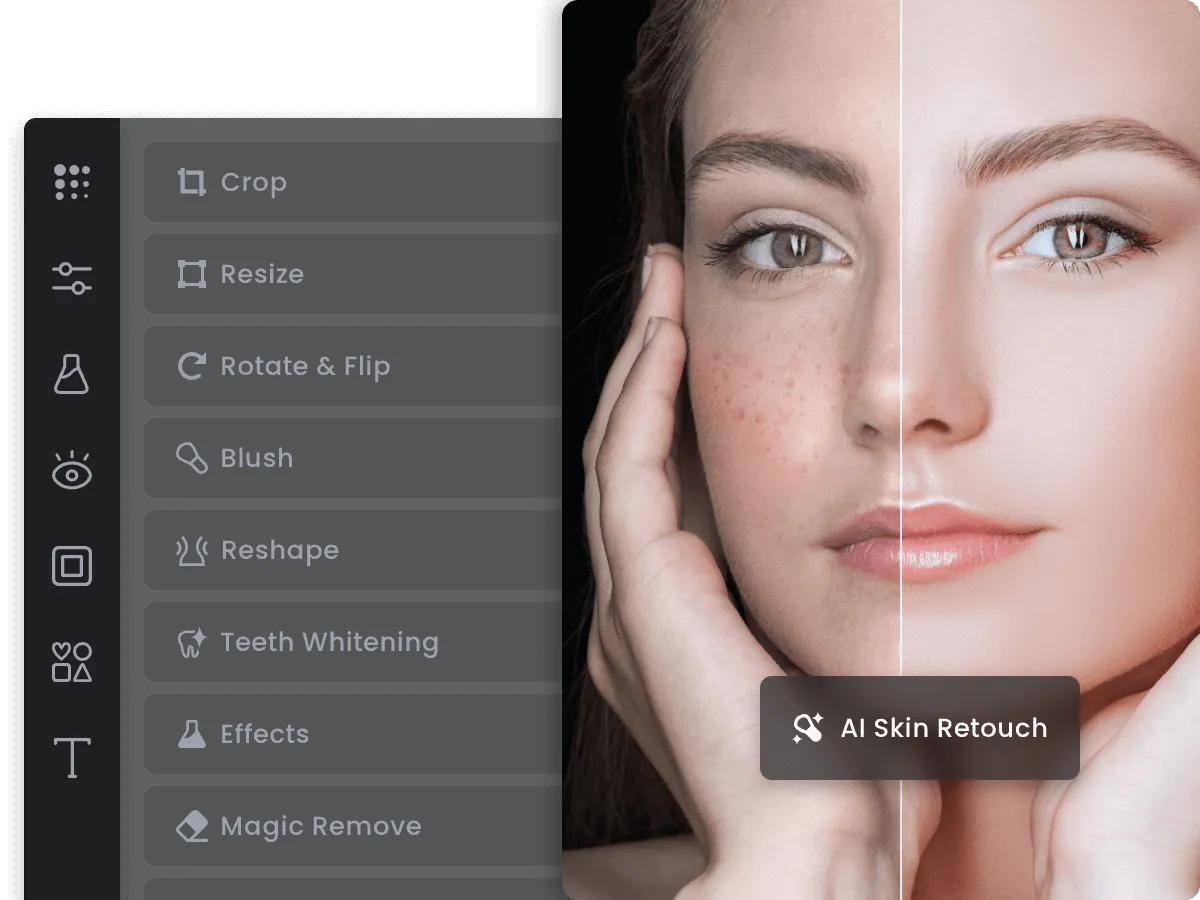
Smooth skin, whiten teeth, and reshape features with sliders. Over 20 retouch tools target selfies and headshots.
4. Templates and collages
Start from 100,000+ templates for posts, flyers, and ads. The collage maker arranges photos into grids in seconds.
5. AI image generator
Turn text prompts into images or generate AI avatars. Multiple art styles suit profile pictures and creative posts.
6. Batch editing
Apply the same edits to many photos at once on Pro plans. E-commerce sellers keep product images consistent fast.
Frequently Asked Questions (FAQ)
What is Fotor best for?
Quick photo fixes and simple designs without a learning curve. Beginners, social media creators, and small businesses get the most value. It is not a Photoshop replacement for professional retouching.
Why does the free version show watermarks?
Free exports carry watermarks and limited resolution — that is how Fotor funds the free tier. Pro removes watermarks and unlocks HD downloads. Annual billing cuts the monthly cost sharply.
Can I use Fotor on my phone?
Yes. Fotor has iOS and Android apps with the editor, templates, and AI tools. Windows and Mac desktop apps exist too. Projects stay available across devices.
Does Fotor have AI features?
Yes: one-click enhancement, background removal, object erasing, AI avatars, and text-to-image generation. Free accounts get limited AI credits; Pro raises them substantially.
How is Fotor different from Canva?
Fotor leans harder into photo editing — enhancement, retouching, and restoration — while Canva leads on design templates and collaboration. Fotor's template library is solid but smaller than Canva's.
Conclusion
Fotor suits casual editors and small businesses that want quick, good-looking visuals. The free tier handles basics; Pro is cheap on annual billing. Ads and paywalled tools annoy on the free plan. For budget-friendly editing plus templates in one tab, it delivers. Power users who need layers and masks should look at Pixlr or Photoshop instead.
Keep exploring
Similar AI tools
Ranked by the job they do, their capabilities, and how closely they fit this workflow.


