Upvotes
0
Pricing
Freemium
Category
Design Generators
In the database since
Oct 2026
Overview
About Mermaid
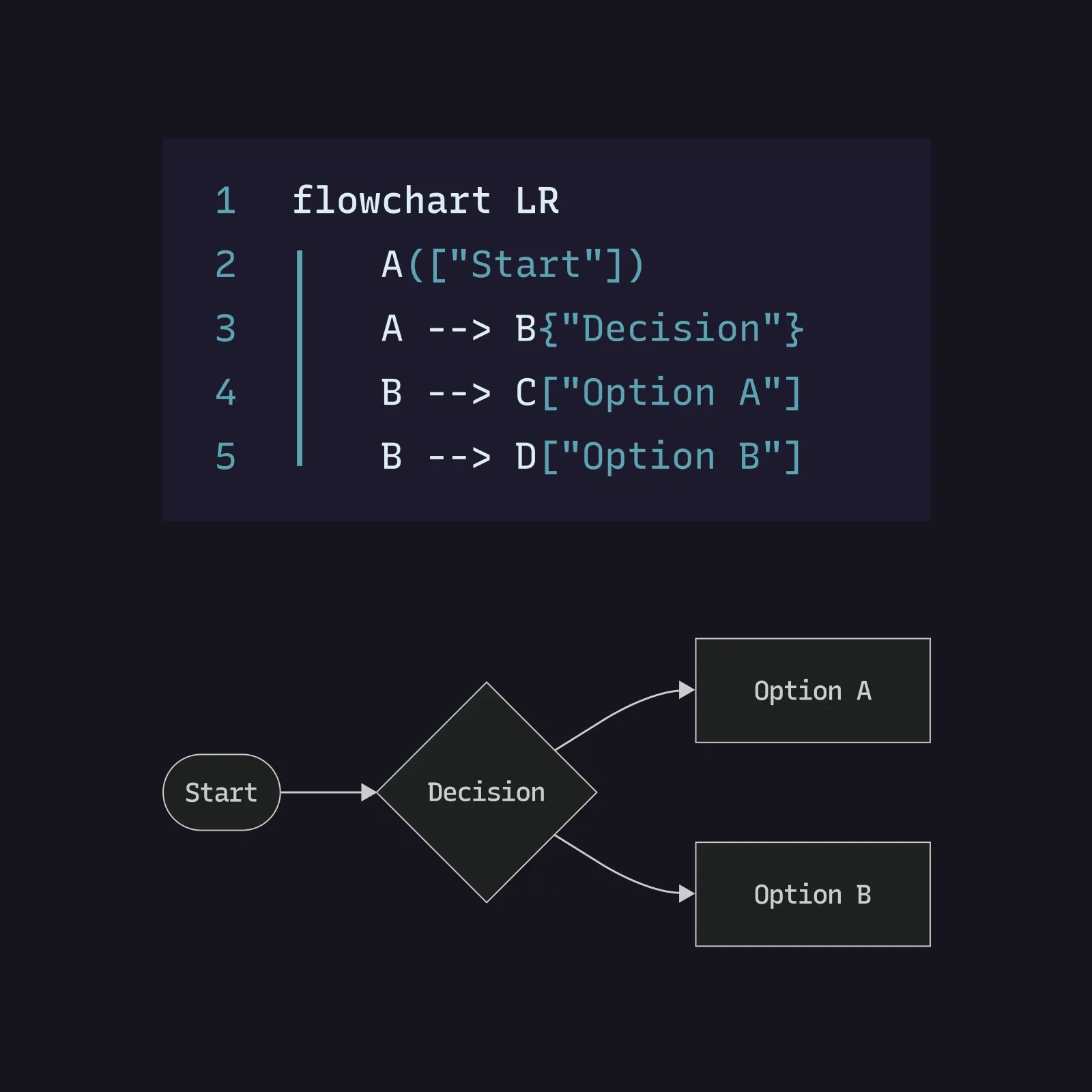
Mermaid is an open-source tool that turns text into diagrams. It is made for developers, writers, and teams who document software. You write simple lines of code that look like Markdown. Mermaid turns them into flowcharts, sequence diagrams, and Gantt charts. The diagrams can live in your docs, GitHub pages, or Notion. You can also try it online in the Mermaid Live Editor. This keeps diagrams in version control with your code, so updates are easy. Visit mermaid.js.org for docs and current details.
Key Features
1. Text-Based Diagram Syntax
You write diagrams in short lines of plain text. Mermaid reads the text and draws the diagram for you.
2. Many Diagram Types
Mermaid supports flowcharts, sequence diagrams, Gantt charts, class, state, pie, git, and C4 diagrams out of the box.
3. Works in Markdown Docs
Mermaid runs inside Markdown on GitHub, GitLab, and Notion. Your diagrams render right next to your text.
4. Mermaid Live Editor
The online editor at mermaid.live lets you try diagrams fast. You can share links and export images.
5. Version Control Friendly
Since diagrams are plain text, they work with Git. You can track changes just like code.
6. Themes and Custom Styling
You can change colors, fonts, and themes. This helps diagrams match your docs or brand.
Frequently Asked Questions (FAQ)
What is Mermaid used for?
Mermaid is used to create diagrams from text. Developers and writers use it for flowcharts, sequence diagrams, and project timelines inside docs.
How does Mermaid work?
You write diagram code in a Markdown code block, like "graph TD" for a flowchart. Mermaid reads the text and renders it as a diagram in your doc or browser.
Which diagram types does Mermaid support?
Mermaid supports flowcharts, sequence diagrams, Gantt charts, class diagrams, state diagrams, pie charts, git graphs, and C4 diagrams.
Where can I use Mermaid diagrams?
You can use them on GitHub, GitLab, Notion, and many doc tools that support Mermaid. The Live Editor at mermaid.live works in any browser.
Is Mermaid open source?
Yes. Mermaid is open source under the MIT license and maintained by a community on GitHub. Anyone can use and change the code at no cost.
Do I need to install anything to try Mermaid?
No. Open mermaid.live in your browser and start typing diagram code. Installation is only needed if you want to run it in your own app.
Conclusion
Mermaid is ideal for developers and writers who want diagrams inside their docs. Plain-text diagrams stay in version control and update with your code. The MIT license keeps it free to use. It saves time over drawing tools for everyday docs. Start with the Live Editor, then check mermaid.js.org for the full syntax guide and more.
Keep exploring
Similar AI tools
Ranked by the job they do, their capabilities, and how closely they fit this workflow.