
Upvotes
0
Pricing
Free
Category
Image Editing
In the database since
Oct 2026
Overview
About PhoText
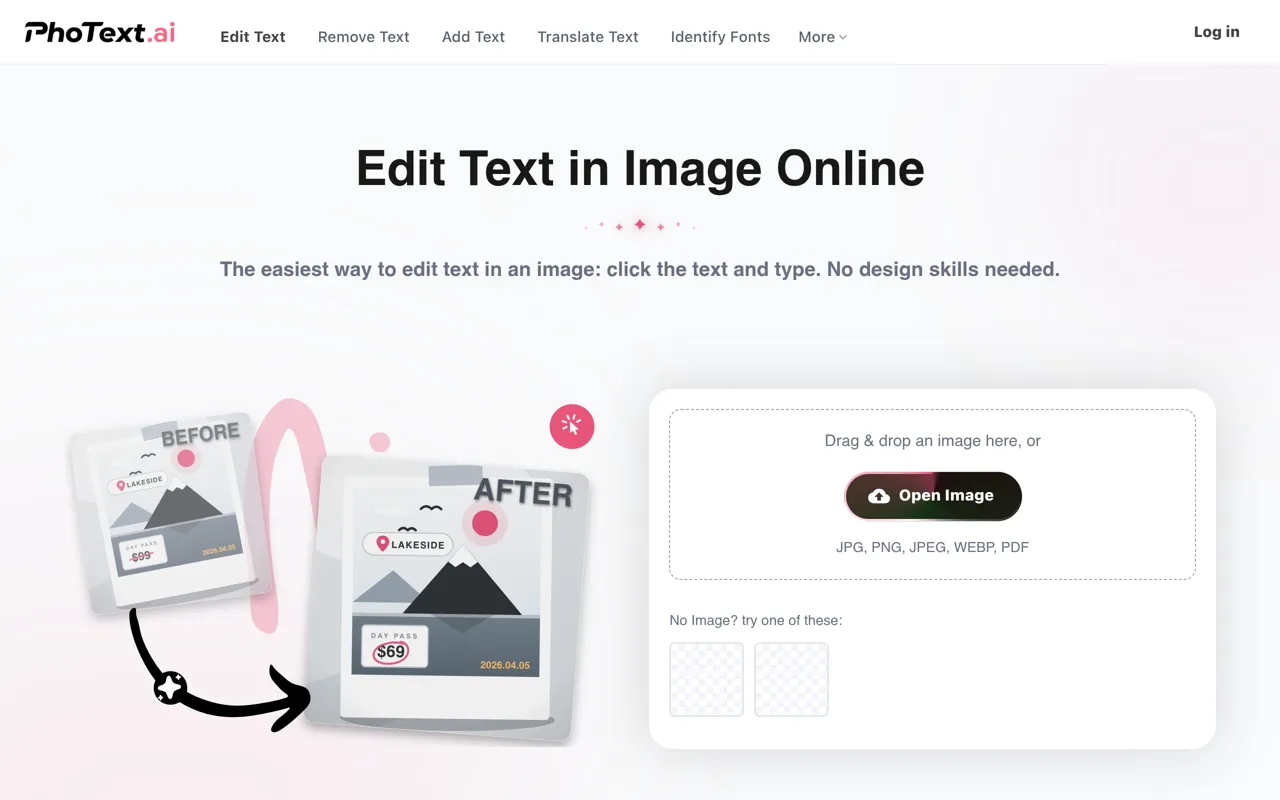
PhoText is a free AI-powered editor for text that is baked into images. You upload a photo or screenshot, click any word in it, and retype it — the AI matches the original font, color, and background automatically. It works in the browser with no design skills needed, and basic use requires no signup. The tool also removes text, adds new text, translates text in images, and identifies fonts. It accepts JPG, PNG, JPEG, WEBP, BMP, and PDF files. Visit photext.ai to try editing text in your images.
Key Features
1. Click-to-Edit Text
Click any text in your uploaded image and type the replacement. The edit applies directly where the original text sat.
2. AI Font Matching
The AI recognizes the font in the image and picks a close match from its library. Your new text blends in with the original style.
3. Seamless Background Repair
When text is changed, the background is restored automatically with no ghosts or white edges. Complex textures like wood and fabric are rebuilt cleanly.
4. Perfect Style Matching
The AI analyzes the original font, color, size, and position for each edit. This keeps the replacement text visually consistent with the image.
5. Conversational AI Editing
You can describe edits in plain language, and the AI handles selection, erasing, and restyling. This removes the need for manual masking or adjustments.
6. Translate Text in Images
The translator converts text inside images into other languages. It is useful for signs, menus, and screenshots in foreign languages.
7. Remove and Add Text Tools
Dedicated tools erase unwanted text or add brand-new text to images. Both use the same AI matching for natural results.
8. Identify Fonts
The font identifier tells you which font appears in an uploaded image. Designers use this to match typography in their own work.
9. Copy Text from Image
Built-in OCR (optical character recognition, which reads text from pictures) extracts text from any image. You can copy it out for reuse.
Frequently Asked Questions (FAQ)
What is PhoText used for?
PhoText is used to edit text inside photos and screenshots. You click a word, retype it, and the AI matches the font, color, and background for a clean result.
How does PhoText edit text in images?
Upload an image, click the text you want to change, and type the new text. The AI handles font matching, background repair, and style blending automatically.
Which file formats does PhoText accept?
PhoText supports JPG, PNG, JPEG, WEBP, BMP, and PDF uploads. You can download the edited result when finished.
Do I need Photoshop skills to use PhoText?
No. The whole point of PhoText is editing image text without design software or skills. The AI does the selection and blending work for you.
Can PhoText translate text in a photo?
Yes. Its translate tool converts text found in images into other languages, which helps with foreign signs, menus, and documents.
Conclusion
PhoText is a free AI editor that makes changing text inside photos and screenshots as easy as retyping text. It suits marketers, students, and anyone fixing text in images without design software. AI font matching and seamless background repair keep edits looking natural. Visit photext.ai now to upload an image and try it in your browser. Your first edit takes only seconds.
Keep exploring
Similar AI tools
Ranked by the job they do, their capabilities, and how closely they fit this workflow.


