
QRCode Monkey
Free QR code generator with logos and print-ready export.
Upvotes
0
Pricing
Free
Category
Design Generators
In the database since
Oct 2026
Overview
About QRCode Monkey
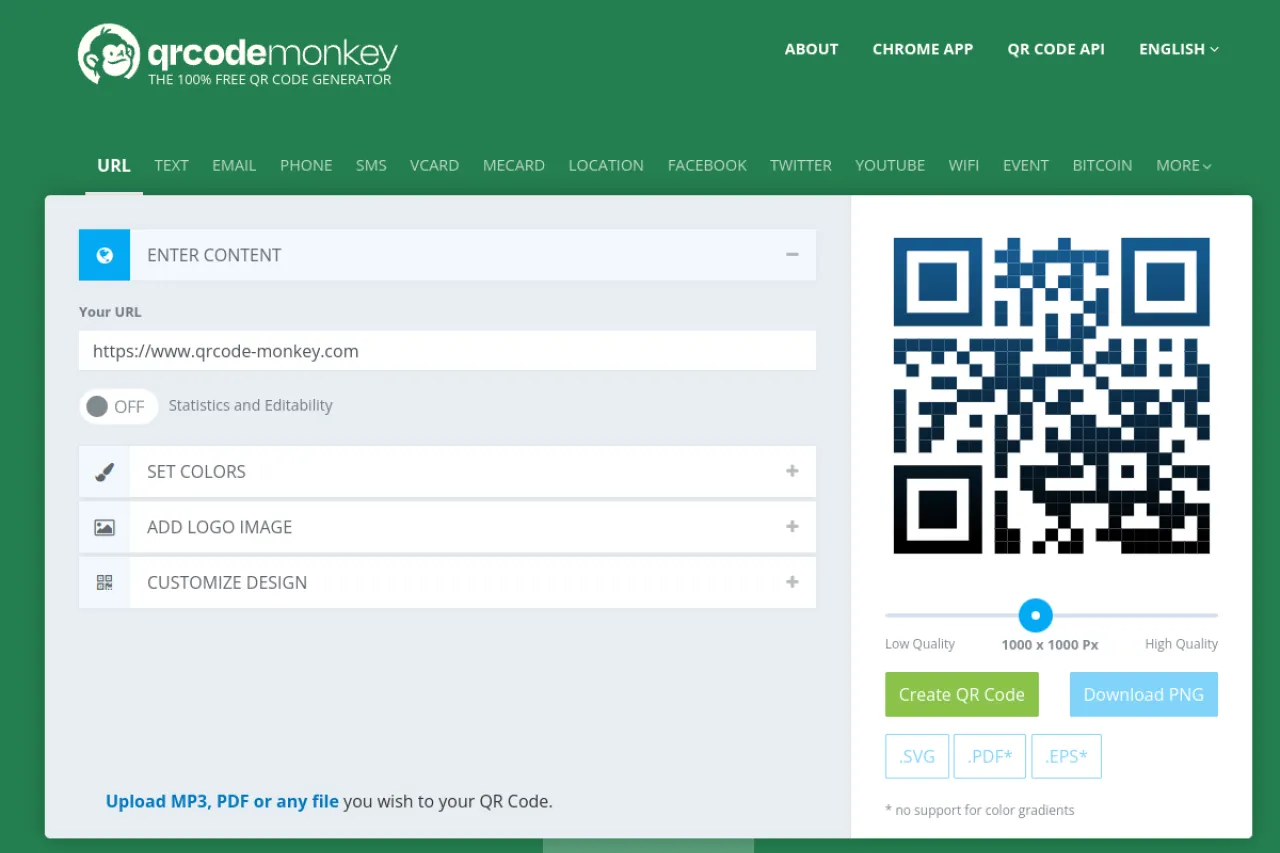
QRCode Monkey is a free QR code generator that runs in your browser. Anyone can create QR codes for websites, Wi-Fi logins, business cards, and event tickets. No signup or account is needed. You can change colors, add a frame, and place your own logo in the center. Codes download in high-resolution formats like PNG, SVG, PDF, and EPS for print work. Static QR codes are unlimited and never expire. Visit the official site for the latest supported formats and design options.
Key Features
1. Unlimited Static Codes
Make as many QR codes as you want with no daily limits. Static codes never expire, so they keep working for years.
2. Custom Design
Change colors, add gradients, pick frame styles, and adjust corner shapes. Your code can match your brand instead of looking like a plain black square.
3. Logo Embedding
Place your company logo in the center of the code. QR codes have built-in error correction, so they keep scanning after you add the logo.
4. High-Resolution Export
Download PNG, SVG, PDF, or EPS files. Vector formats like SVG and EPS stay sharp at any size, which suits posters and business cards.
5. No Signup Needed
The generator works without an account or email address. You paste your link, design the code, and download the file in seconds.
6. Many Code Types
Creates QR codes for URLs, text, email, Wi-Fi, vCards, and locations. Each type fills in the correct data format for scanners to read.
Frequently Asked Questions (FAQ)
Will my QR code still scan with a logo on it?
Yes, in most cases. QR codes have error correction built in, so they tolerate a logo in the center. Always test the code with a phone before printing.
What is the difference between static and dynamic QR codes?
Static codes store fixed data and never expire. Dynamic codes route through a redirect, so you can change their destination after printing. Dynamic QR is a separate paid product.
Which file format should I download for printing?
SVG or EPS keep lines sharp at any size, so they suit print work like posters and packaging. PNG works well for screens, slides, and documents.
Do I need an account to use QRCode Monkey?
No. Creating and downloading static QR codes requires no signup or email. You can start generating codes the moment the site loads.
Can QRCode Monkey codes store Wi-Fi login details?
Yes. Choose the Wi-Fi code type, enter the network name and password, and guests can join by scanning instead of typing.
Conclusion
QRCode Monkey makes professional-looking QR codes in under a minute. Unlimited static codes, custom designs, and print-ready exports cover most needs for free. It suits small businesses, events, and anyone linking print materials to the web. Design your code, test the scan, and download it in seconds. Check the official site for the current format options.
Keep exploring
Similar AI tools
Ranked by the job they do, their capabilities, and how closely they fit this workflow.