Upvotes
0
Pricing
Open Source
Category
Video Tools
In the database since
Oct 2026
Overview
About FFmpeg
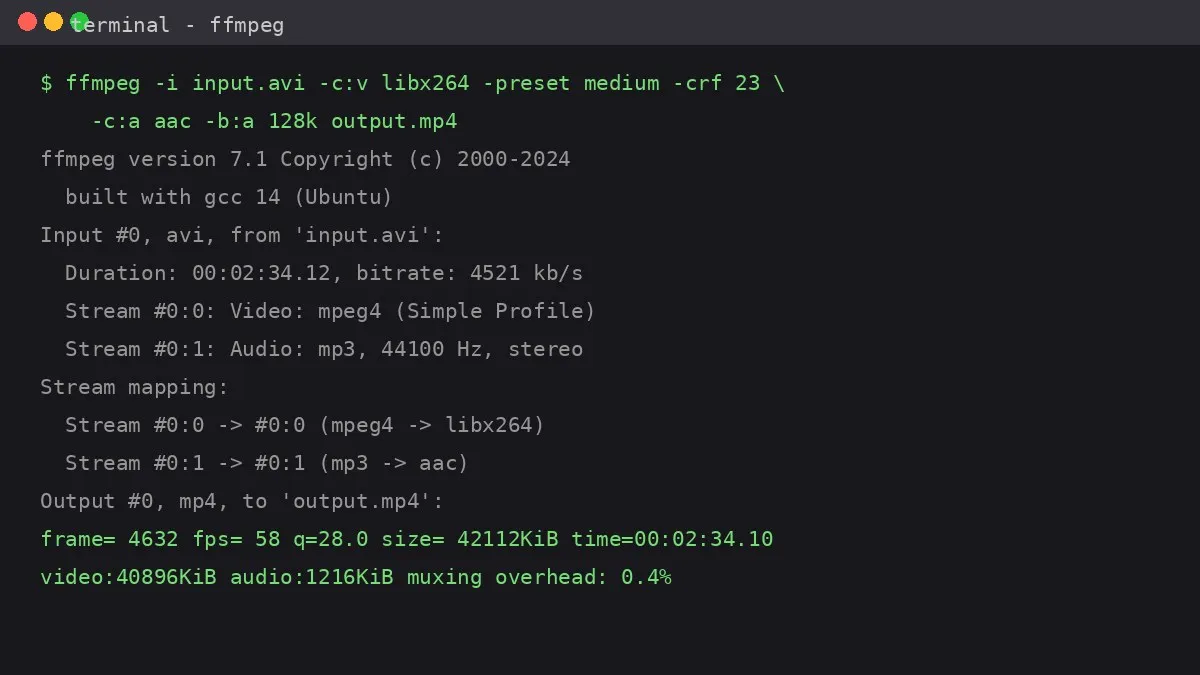
FFmpeg is a free, open-source command-line tool for working with video and audio. It can convert, cut, merge, stream, and record almost any media format. You use it by typing text commands — there is no app window. Its code powers many popular tools, including VLC and YouTube's video processing. Developers also build it into their own apps. It runs on Windows, Mac, and Linux. A big library of free guides and commands exists online, so help is easy to find. See the official FFmpeg site for docs.
Key Features
1. Format Conversion
Convert between almost any video and audio format. It handles common files and rare formats with equal ease.
2. Powerful Filters
Scale, crop, trim, rotate, and overlay video. Add subtitles, watermarks, or blur with one command.
3. ffprobe Media Analysis
ffprobe reads any media file and reports its codec, duration, bitrate, and streams. It is great for checking files.
4. ffplay Mini Player
ffplay is a simple media player built on the same engine. It plays files for quick checks while you work.
5. Streaming Support
Send and receive live streams over common protocols. It works for both simple feeds and server setups.
6. Batch Automation
Run commands in scripts to process hundreds of files at once. This saves hours on repeat jobs.
7. Code Libraries
Its libraries, like libavcodec, sit inside VLC, Chrome, and many apps. Developers reuse them instead of writing codecs.
Frequently Asked Questions (FAQ)
What is FFmpeg used for?
It converts formats, trims clips, extracts audio, streams video, and automates media jobs. Video pros and developers use it daily.
Is FFmpeg really free?
Yes. It is open source under LGPL and GPL licenses. You can use it for free, even in commercial projects.
Do I need coding skills to use FFmpeg?
You need basic comfort with the command line. Many free apps, like HandBrake, use FFmpeg behind a simple visual interface.
What formats does FFmpeg support?
Almost all of them — MP4, MKV, AVI, MOV, WebM, MP3, WAV, and many rare formats. Its format list is the longest of any tool.
What is the difference between FFmpeg and HandBrake?
FFmpeg is a command-line toolbox with huge flexibility. HandBrake is a visual app focused on converting videos simply.
Conclusion
FFmpeg is the backbone of video work on the internet. It converts nearly anything, runs anywhere, and costs nothing. The command line takes learning, but scripts and free guides make it approachable. It suits developers, video pros, and anyone who automates media tasks at any scale. Download it from ffmpeg.org to get started. It remains the industry standard.
Keep exploring
Similar AI tools
Ranked by the job they do, their capabilities, and how closely they fit this workflow.