
Upvotes
0
Pricing
Open Source
Category
Video Tools
In the database since
Oct 2026
Overview
About HandBrake
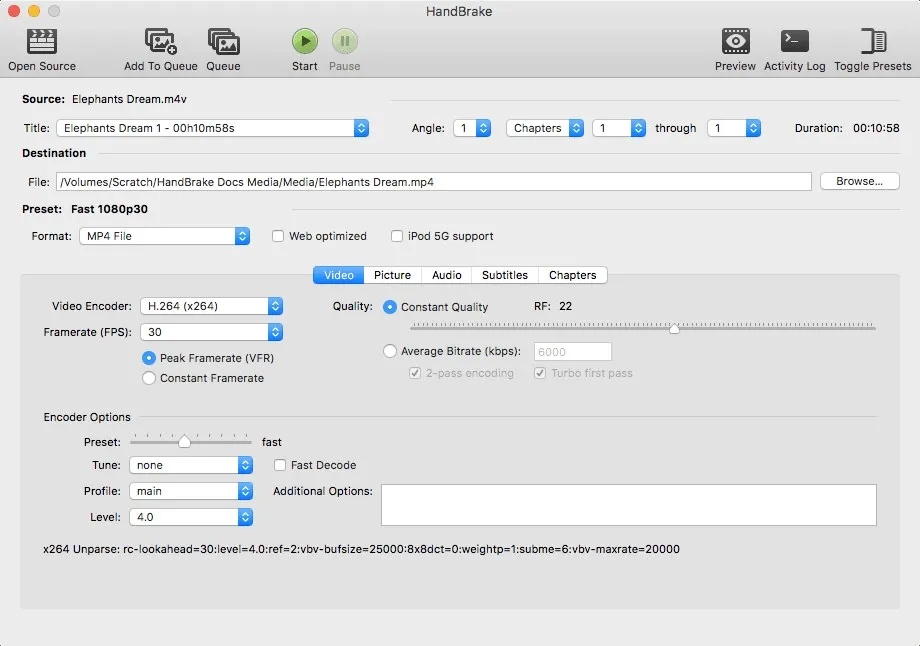
HandBrake is a free, open-source video converter. It changes videos from almost any format into MP4, MKV, or WebM files. Use it to shrink large videos, prepare files for phones or the web, and rip DVDs that have no copy protection. Ready-made presets make common jobs one click. It runs on Windows, Mac, and Linux with no cost, no ads, and no limits. Many guides exist online, so learning it is easy. Get it only from the official handbrake.fr site.
Key Features
1. Wide Format Support
Convert nearly any video into MP4, MKV, or WebM. It reads most files, plus DVDs and Blu-rays without copy protection.
2. Modern Codecs
Encode with H.264, H.265, AV1, VP9, and more. These codecs keep quality high while making files much smaller.
3. Device Presets
Built-in presets tune settings for phones, tablets, game consoles, and the web. Pick one and press start.
4. Batch Queue
Line up many videos and let them convert unattended. This is ideal for big libraries or overnight jobs.
5. Quality Controls
Constant-quality mode picks the right bitrate for each scene. You get small files without visible quality loss.
6. Video Filters
Fix common flaws with deinterlacing, denoise, cropping, and scaling. Live previews show changes before you encode.
7. Subtitles and Chapters
Keep or burn in subtitles in many formats. Chapter markers carry over so long videos stay easy to navigate.
8. Hardware Acceleration
Use your Intel, AMD, or NVIDIA graphics chip to encode faster. This cuts conversion time on supported systems.
Frequently Asked Questions (FAQ)
What is HandBrake used for?
It converts and shrinks videos for phones, the web, and archives. People use it to save space and fix old footage.
Is HandBrake really free?
Yes. It is open source under the GPL license. There are no paid tiers, ads, or locked features.
Can HandBrake rip copy-protected DVDs?
No. It only handles discs without copy protection. Many commercial DVDs and Blu-rays are protected, so they will not work.
Will HandBrake reduce my video quality?
Any re-encode can lose a little quality. Its constant-quality mode keeps the loss invisible while shrinking the file a lot.
What is the difference between HandBrake and FFmpeg?
HandBrake is a visual app focused on easy converting. FFmpeg is a command-line toolbox with far more options.
Conclusion
HandBrake is the go-to free tool for converting videos. Presets make it easy, while deep controls please advanced users. It shrinks files, handles subtitles, and runs on all major systems. It suits anyone who converts video often and wants a trusted, no-cost tool. Its track record spans many years of active development for daily converting jobs.
Keep exploring
Similar AI tools
Ranked by the job they do, their capabilities, and how closely they fit this workflow.