Upvotes
0
Pricing
Open Source
Category
Video Tools
In the database since
Oct 2026
Overview
About OBS Studio
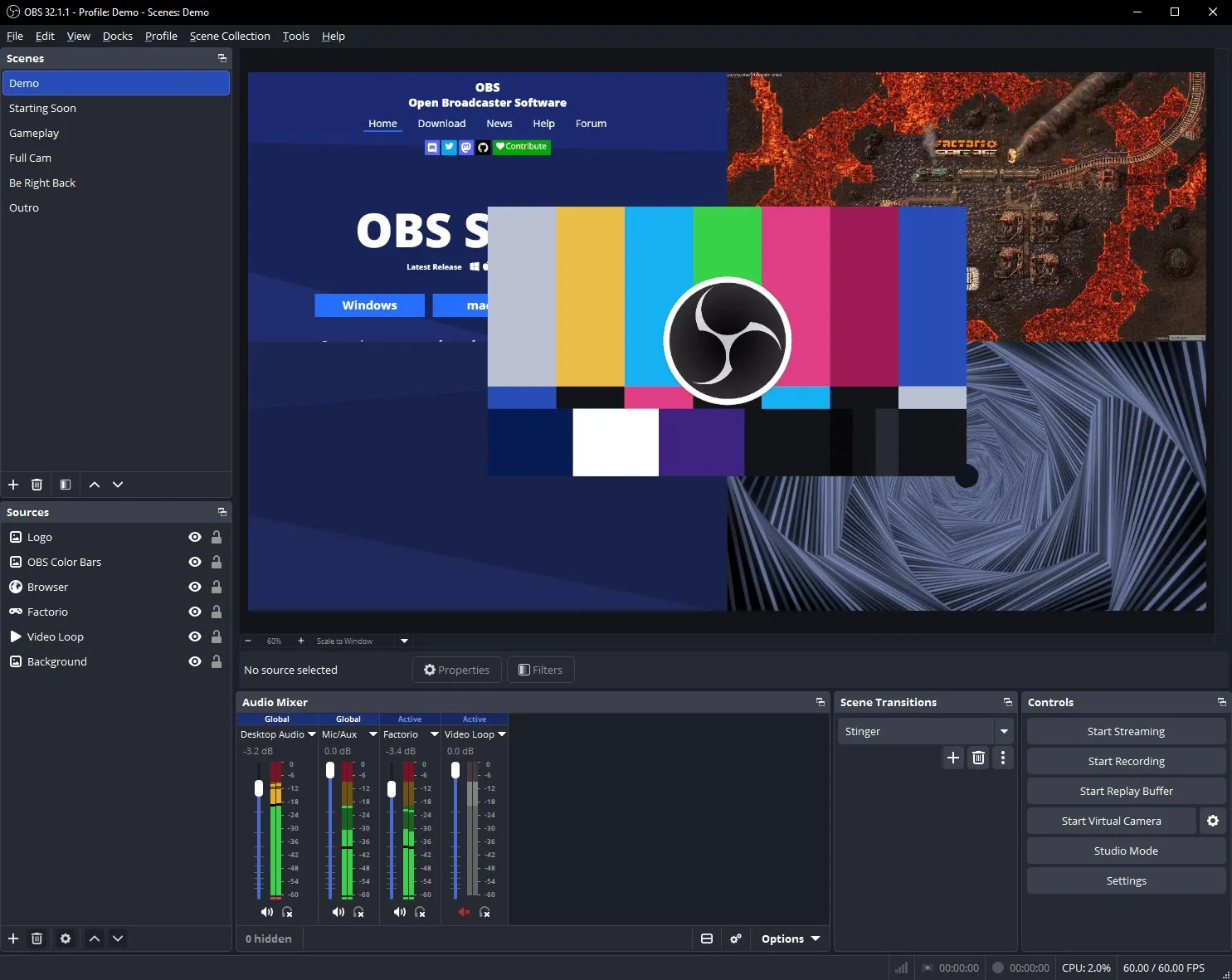
OBS Studio is a free and open-source app for live streaming and video recording. It captures your screen, webcam, games, and audio in real time. You can mix many sources into scenes and switch between them while you stream. It runs on Windows, macOS, and Linux. Streamers, podcasters, teachers, and event hosts use it every day. The project is community-run and raises funds on Open Collective and Patreon. Download it only from the official site to avoid fake copies. It never locks features behind a paywall.
Key Features
1. Unlimited Scenes and Sources
Build scenes from windows, images, text, browsers, webcams, and capture cards. Switch between scenes live with custom transitions.
2. RTMP Streaming
Stream to Twitch, YouTube, Facebook, and any RTMP server. Set bitrate and encoder options for stable output.
3. High-Quality Recording
Record locally with H.264 and AAC encoding. Hardware encoders like NVIDIA NVENC keep game capture smooth.
4. Source Filters
Add image masking, color correction, chroma key, and sharpening to any source. Filters apply per source, non-destructively.
5. Pro Audio Mixer
Mix desktop audio, mics, and media with per-source filters. Noise gate, suppression, gain, and VST plugins included.
6. Studio Mode
Preview scene changes before the audience sees them. Push to program only when the shot is ready.
7. Plugins and Scripts
Extend OBS with plugins and Lua or Python scripts. The open API supports custom docks, sources, and tools.
Frequently Asked Questions (FAQ)
What is OBS Studio used for?
Live streaming and video recording on desktop. Screens, cameras, games, and audio go out to platforms like Twitch and YouTube.
How do I stream to YouTube or Twitch?
Add your stream key in Settings, build a scene, and press Start Streaming. OBS sends your broadcast over RTMP.
Can beginners use OBS Studio?
Yes, but expect a learning curve. Start with one scene, a webcam, and a mic. The setup wizard picks good defaults.
What does Studio Mode do?
It shows a preview next to the live output. You arrange changes in preview, then transition them live when ready.
How do I record instead of streaming?
Press Start Recording. OBS saves an MP4 or MKV file on your computer. You can record and stream at the same time.
Why do streamers pick OBS over paid apps?
It is free, open source, and very flexible. Plugins, scripts, and community support cover most professional workflows.
Conclusion
OBS Studio is the go-to tool for serious streaming and recording on a budget. It suits streamers, educators, and event teams who want full control. There is no cost and no feature lock, with community support and plugins. The setup takes some learning. Once it clicks, few tools match its power. Download only from obsproject.com to stay safe.
Keep exploring
Similar AI tools
Ranked by the job they do, their capabilities, and how closely they fit this workflow.