Live Face Swap
Swap your webcam face live in the browser, with free preview.
Upvotes
0
Pricing
Freemium
Category
Video Tools
In the database since
Nov 2026
Overview
About Live Face Swap
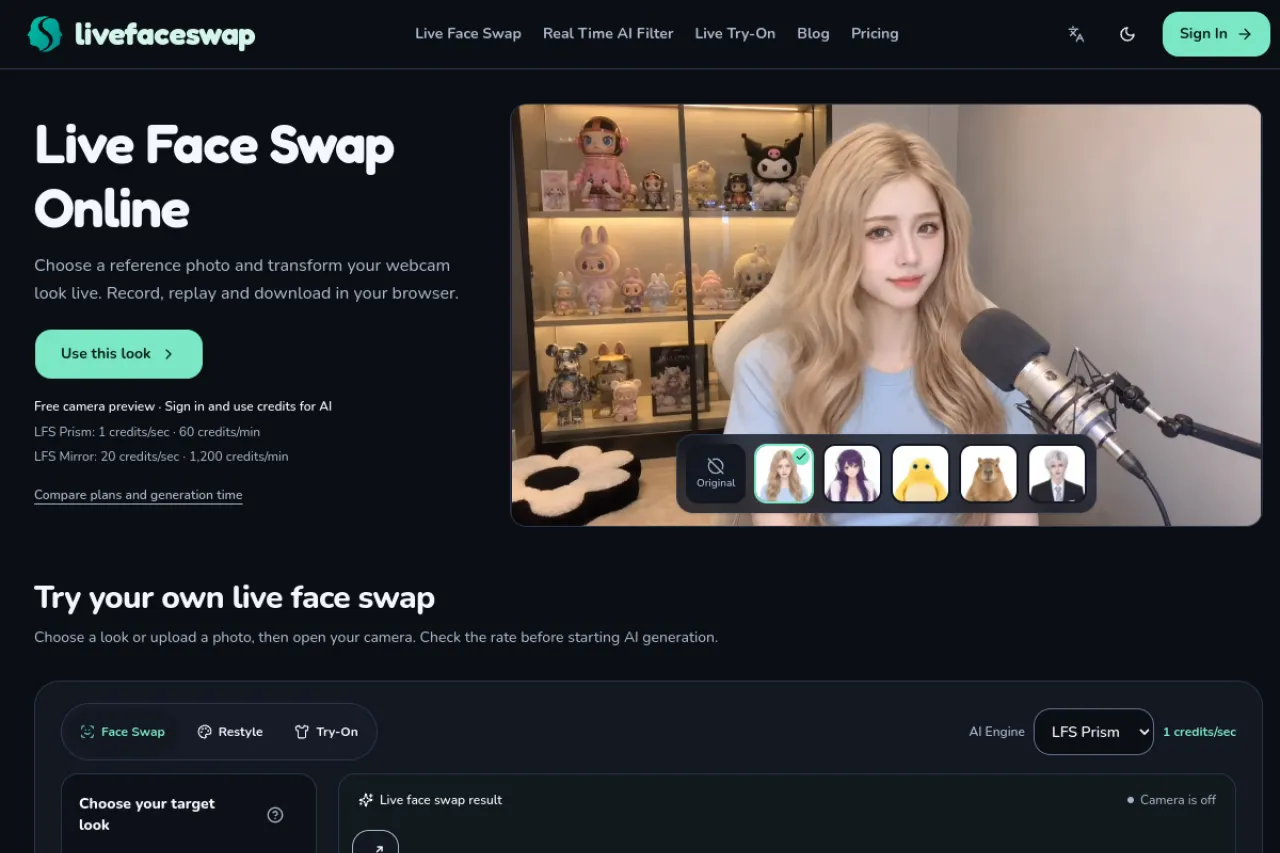
Live Face Swap changes your on-camera appearance in real time from your webcam in the browser. Choose a built-in character or upload a reference photo, open your camera, and the live result appears for preview, recording, and download. Camera preview is free, while live AI generation uses credits after sign-in. Two engines are listed — LFS Prism and LFS Mirror — with per-second rates shown first. Recording and playback stay local in your browser. Streaming output needs a compatible path, which is not promised.
Key Features
Real-time webcam swap
Transform your camera feed live with a chosen character, as frames arrive, without installing software.
Free camera preview
Preview your camera with a reference look for free before signing in or spending any credits.
Two credit-priced engines
LFS Prism runs at 1 credit per second, while LFS Mirror runs at 20 credits per second — rates shown upfront.
Local recording and replay
Recording starts when the live result appears, and you can replay and save the clip in the browser.
Built-in looks or uploads
Pick a built-in character or upload an authorized photo with one clearly visible face and even lighting.
GIF face swaps
Pair your own GIF with a portrait photo and download a personalized reaction clip from the site.
Frequently Asked Questions (FAQ)
What is Live Face Swap?
A browser tool that changes your webcam appearance in real time, using a built-in character or a photo you upload, for creative performances and content.
Is the preview free?
Yes. The camera preview is free. Live AI generation needs sign-in and credits, with per-second rates shown before you start.
What do the engines cost?
LFS Prism costs 1 credit per second (60 per minute), and LFS Mirror costs 20 credits per second (1,200 per minute).
Can I record the result?
Yes. Recording starts automatically when the live result appears, and you can replay and download the clip locally in the browser.
Does it work with OBS or video calls?
Not by itself. The site says external streaming and calls need a compatible output path, and OBS and call-app support are not confirmed for this project.
Conclusion
Live Face Swap suits creators who want to rehearse a character or record a swapped performance without installing software. The free preview lets you check framing and lighting first, and local recording keeps clips on your device. Check engine rates before a session, and treat streaming output as unconfirmed rather than assumed for OBS or calls.
Keep exploring
Similar AI tools
Ranked by the job they do, their capabilities, and how closely they fit this workflow.