PACK AI STUDIO
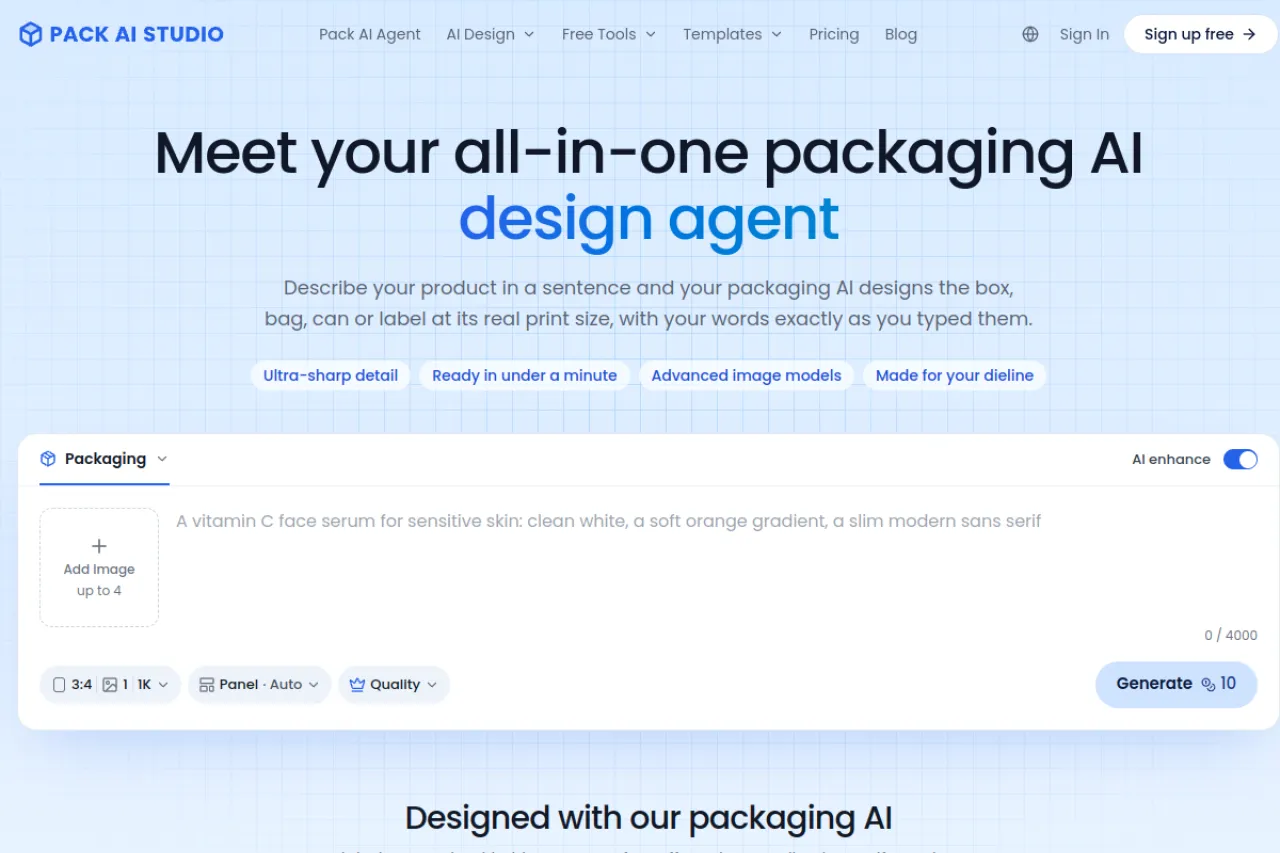
Design boxes, bags, cans, and labels at real print size from a sentence.
Upvotes
0
Pricing
Freemium
Category
Art & Design Tools
In the database since
Nov 2026
Overview
About PACK AI STUDIO
Pack AI Studio designs product packaging from a short description: boxes, bags, cans, and labels at real print size, with your words kept exactly as typed. You describe the product, add a logo or an old pack, pick a pack style and size, and receive up to four designs in under a minute. A chat agent can redraw any design, while product photos and mockups show the pack in real scenes. Print PDFs carry bleed, cut, and crease lines, and barcode and nutrition tools are free with no account.
Key Features
Designs at real print size
Artwork is made for the chosen box, bag, can, or label at its true size, so files match what the printer needs.
Four designs per run
Each run returns up to four directions in under a minute, so you can compare options and keep the strongest one.
Chat agent for edits
Upload an old pack, describe the change or mark a spot, and the agent redraws it while keeping quoted words exact.
Print-ready files
Download a print PDF with bleed, a label with a cut line, or a full box on its dieline with cut and crease layers.
Product photos and mockups
Place a design on a product in a real scene, or turn one phone photo into studio, lifestyle, and marketplace shots.
Free packaging tools
Barcode, Nutrition Facts, food label, and dieline tools cost nothing and need no account to use.
Frequently Asked Questions (FAQ)
What does Pack AI Studio do?
It designs boxes, bags, cans, and labels from a description at real print size, then prepares print files, product photos, and mockups in one studio.
How do I keep brand words exact?
Put them in double quotes in the description. The design carries brand names, product names, and net quantities exactly as written.
Does it fit my box dieline?
Yes. Pick a tuck-end, lidded, or drawer box and type its size, and the artwork is made for that flat dieline with cut and crease lines.
What files do I get?
A print PDF at real size with bleed, a label with a cut line, or a full box on its dieline. Your printer converts the file to CMYK and sends a proof.
Are the helper tools free?
Yes. Barcode, Nutrition Facts, and dieline tools cost nothing and need no account.
Conclusion
Pack AI Studio suits small brands that need packaging without a long design cycle. Real-size artwork, exact brand wording, and print-ready files cover the path from idea to printer. Four directions per run make comparison fast, and the free helper tools handle barcodes and labels at no extra step for a first product or whole line.
Keep exploring
Similar AI tools
Ranked by the job they do, their capabilities, and how closely they fit this workflow.