
Pigment
Free palette generator with lighting-based gradients and exports.
Upvotes
0
Pricing
Free
Category
Art & Design Tools
In the database since
Oct 2026
Overview
About Pigment
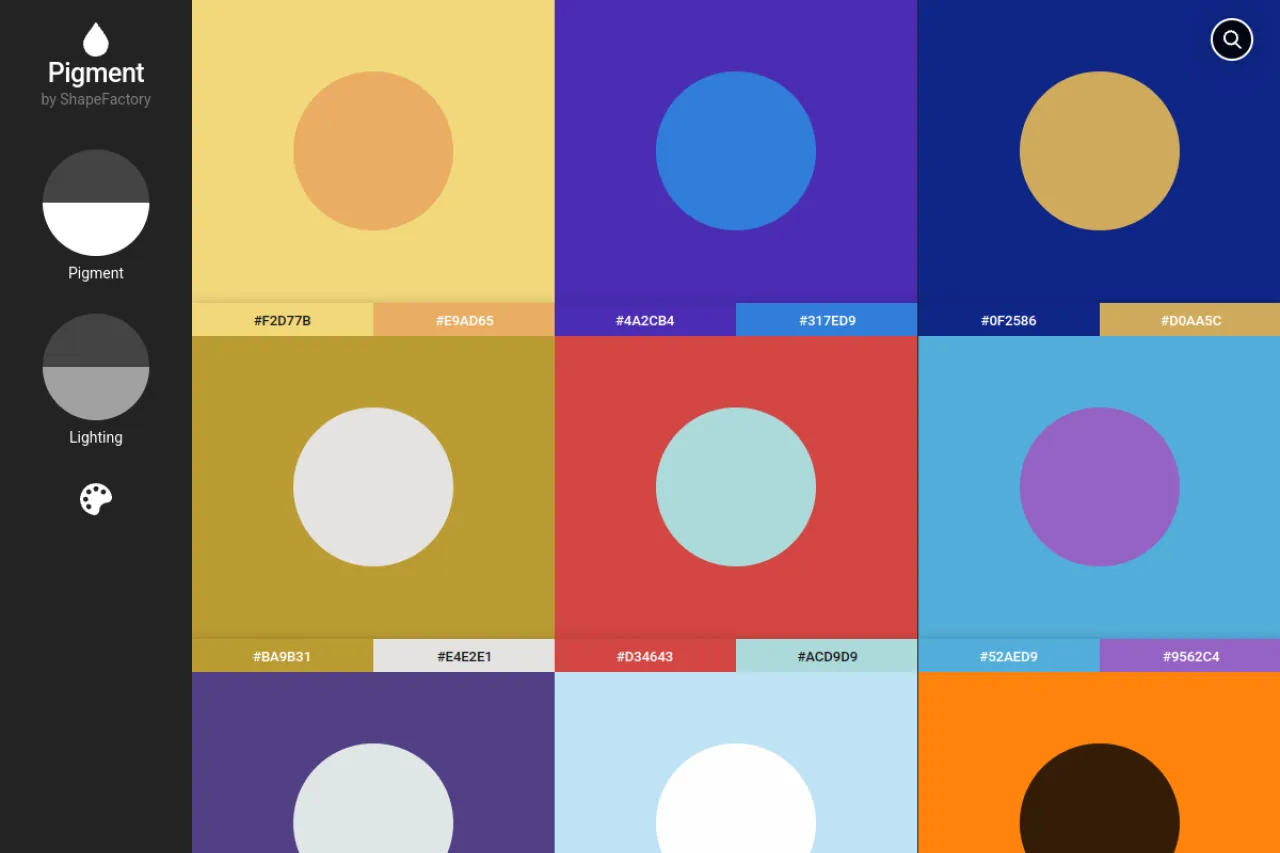
Pigment is a color palette generator from Shapefactory that builds gradients with a lighting-and-pigment algorithm. Most palette tools just blend colors mathematically, but Pigment simulates how light and paint mix in the real world. The result is smooth, natural color scales that look good in interfaces and illustrations. You can export any palette as HEX, RGB, or Pantone values — the standard formats designers use. It also offers palettes sampled from Unsplash photos. The site is free to use in the browser.
Key Features
1. Lighting-Based Gradients
Colors blend like real light and pigment, producing natural scales instead of flat digital mixes.
2. Interactive Palette Builder
Adjust the base colors and watch the full gradient scale update live on your screen.
3. HEX, RGB, and Pantone Export
Copy palette values in web, print, and industry formats for use in any design tool.
4. Unsplash Photo Palettes
Browse palettes sampled from beautiful Unsplash photos and start each design from a real-world color mood.
5. Fine-Tuned Controls
Tweak lightness, saturation, and steps to shape each color scale exactly how you want it.
6. Free Browser Tool
Pigment runs free in the browser with no account needed to build and export palettes.
Frequently Asked Questions (FAQ)
What is Pigment used for?
Pigment is used to build color palettes and gradients for design. UI designers and illustrators make smooth color scales for screens and print.
How is Pigment different from other palette tools?
Its lighting-and-pigment algorithm mimics how colors mix in the real world, giving more natural gradients than plain mathematical blending.
What export formats does Pigment offer?
It exports HEX codes for the web, RGB values, and Pantone references used in professional print work.
Can I start from a photo's colors?
Yes. Pigment offers palettes sampled from Unsplash photos, so you can build on a real image's mood.
How do I create a gradient in Pigment?
Pick a starting color and an end color, then let the lighting-based algorithm build the steps between them. Export the finished scale as HEX or RGB values for your project.
Conclusion
Pigment stands out with its realistic color mixing. Lighting-based gradients and pro export formats make it useful for both screens and print. It suits designers who want natural-looking palettes built in seconds. The results look richer than plain digital blends. It is a gem for interface and brand designers. Try it on your next design project today.
Keep exploring
Similar AI tools
Ranked by the job they do, their capabilities, and how closely they fit this workflow.